Get Billy's dates from Linky or your HR tool
Have Billy read birthdays and work anniversaries from Linky, the BuddiesHR org chart, which can sync with BambooHR, Lattice or Google Workspace, instead of asking each person.
 SlackUpdated Nov 17, 20262 min read
Billy, the BuddiesHR birthday bot for Slack, can read birthdays and work anniversaries from Linky, the BuddiesHR org chart app, instead of keeping its own list. Linky can itself sync with your HR software, such as BambooHR, Lattice or Google Workspace, so the dates in your HR tool reach Billy without anyone typing them twice.
Before you start#
- Install Linky in the same workspace.
- Turn on the
Date of Birthfield in Linky for birthdays, and theStart Datefield for work anniversaries. See Linky's profile fields. - To sync Linky with your HR tool, contact support: we set it up for you. See import your org chart from an HRIS.
Step 1: Open People's dates#
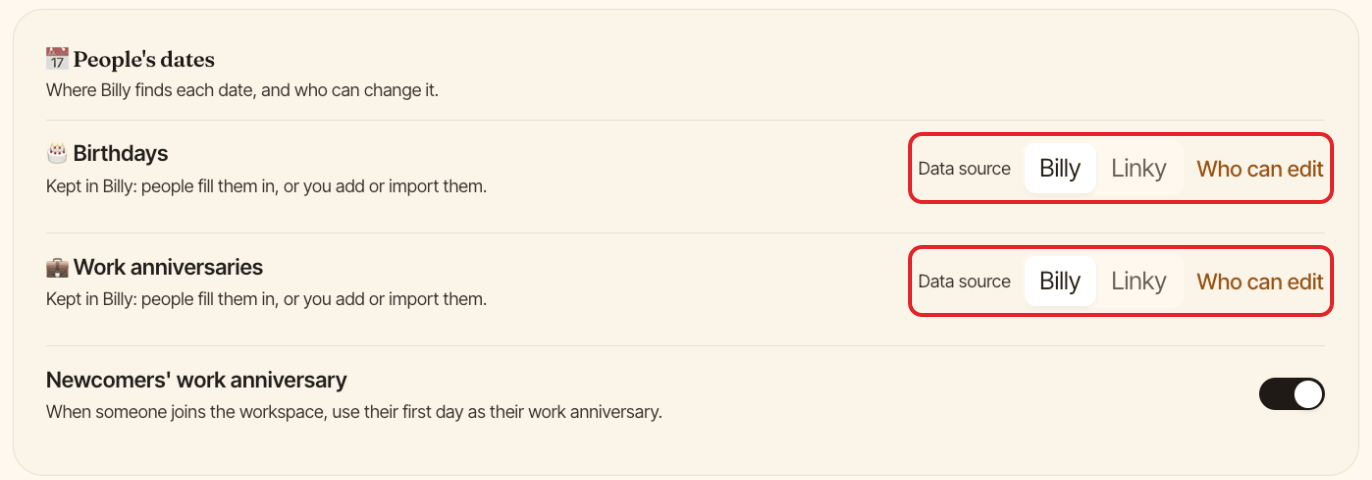
On the admin side of Billy (see find the admin settings), open the Settings tab. The 📅 People's dates section has a line for 🎂 Birthdays and one for 💼 Work anniversaries.
Step 2: Switch the data source to Linky#
Next to Data source, click Linky for birthdays, work anniversaries or both, then confirm with Read from Linky. If some people would lose a date Billy already knows because Linky doesn't have it, the confirmation tells you first.
From then on:
- Billy reads those dates from Linky, and they show a
Linkytag in thePeopletab. - People change them in Linky: Billy's dates window shows
Edit in Linky ↗. - Billy's reminders about missing dates tell you who is missing a date in Linky.
To go back, click Billy next to Data source.
Other settings in People's dates#
Who can edit: turn offAuthorize people to edit their datesif only admins should change the dates kept in Billy.Newcomers' work anniversary: when someone joins the workspace, Billy uses their first day as their work anniversary.
Prefer to collect dates in Billy? See collect birthdays and work anniversaries.