Remove Billy from a Slack channel
Stop Billy from posting birthday and work anniversary celebrations in a Slack channel in three clicks. Members' dates are kept and seats are updated.
 SlackUpdated Oct 5, 20261 min read
Billy admins can stop Billy's birthday and work anniversary celebrations in a Slack channel from the channel's ⋯ menu in the admin settings. Members' dates are kept, and your seat count is updated.
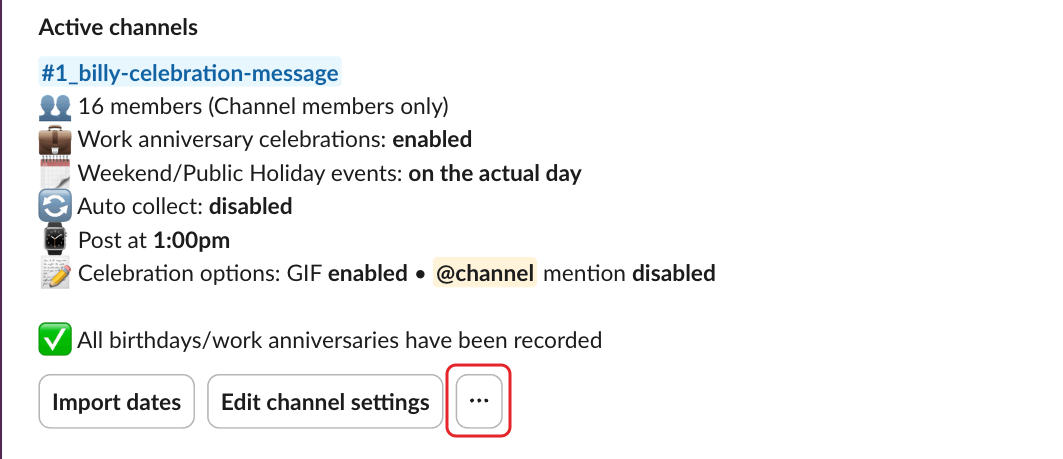
Step 1: Click the three dots#
In the admin settings, click the ⋯ button of the channel.
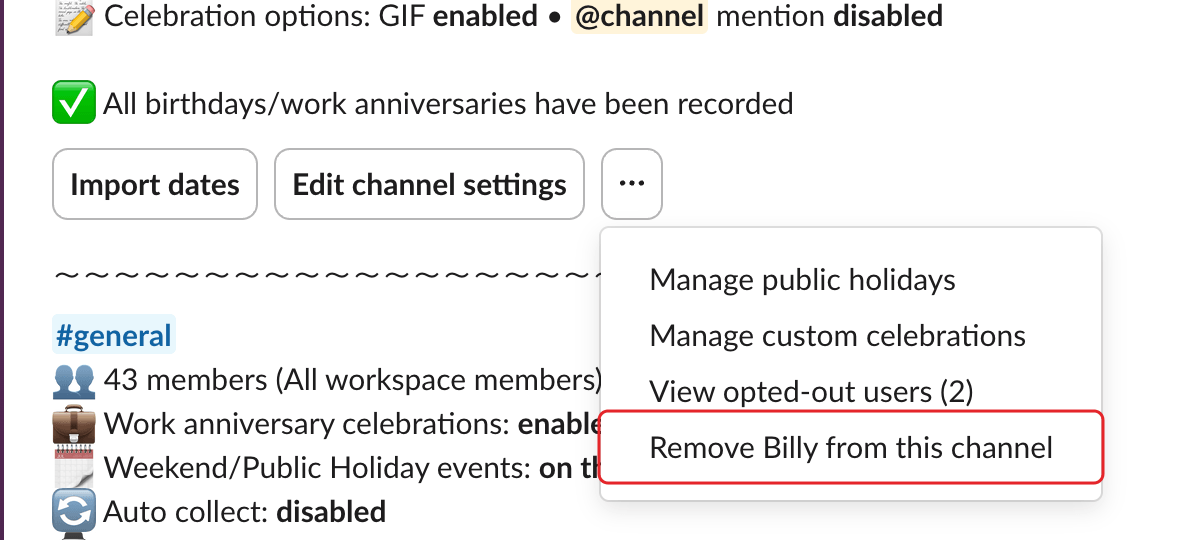
Step 2: Select Remove Billy from this channel#
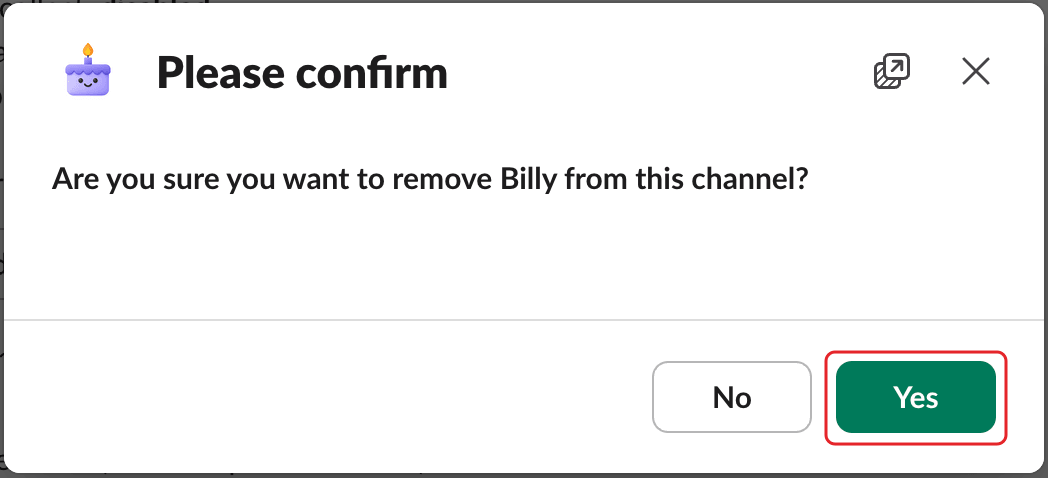
Step 3: Confirm#
In the Please confirm window, click Yes.
To stop Billy everywhere, see uninstall, reinstall or update Billy. Uninstalling doesn't cancel your subscription.