Find Billy's admin settings in Slack
Find the Admin settings section on Billy's Home tab in Slack, see what each channel card shows, and learn what to do if you can't see the section at all.
 SlackUpdated Oct 5, 20262 min read
In Slack, all of the admin options of Billy, the BuddiesHR birthday bot, live in the Admin settings ⚙️ section at the top of Billy's Home tab. Only Billy admins and Slack workspace admins see it.
Using Microsoft Teams? There's no Home tab: admins use commands. See use Billy's commands in Microsoft Teams.
Step 1: Open Billy's Home tab#
Not sure how to get there? Follow find Billy's Home tab.
Step 2: Look for the Admin settings section#
At the top of the Home tab, look for Admin settings ⚙️ ("This section is only visible to you because you are an admin.").
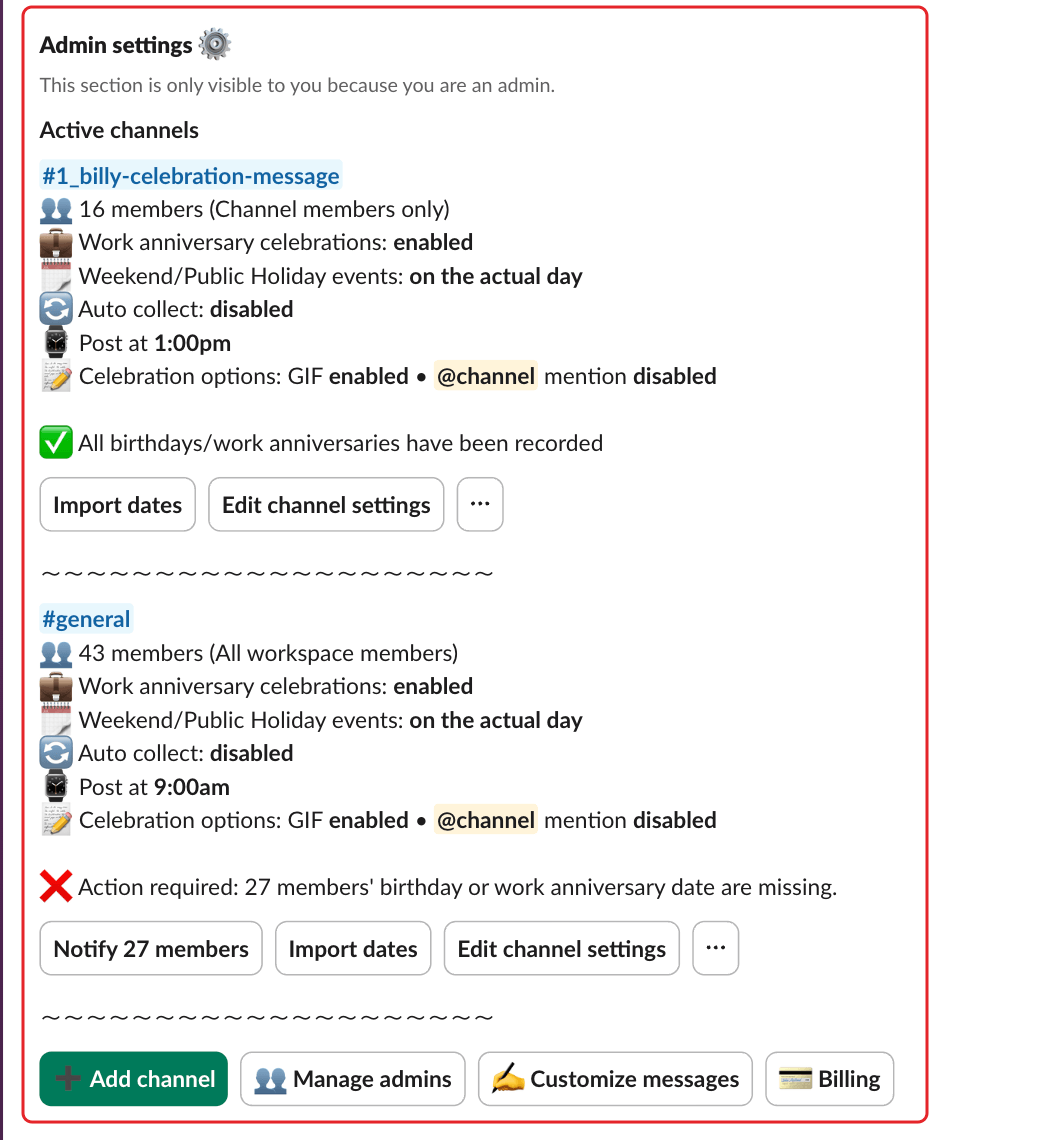
What the section shows#
Under Active channels, each channel has a card with its settings: members and scope, work anniversaries, weekend and public holiday handling, automatic collection, posting time (and grouping, if any), GIF and @channel options. Below them, a status line:
✅ All birthdays/work anniversaries have been recorded(All birthdays have been recordedwhen work anniversaries are off): nothing to do.❌ Action required: N members' birthday or work anniversary date are missing.: some dates are missing. See collect birthdays and work anniversary dates.
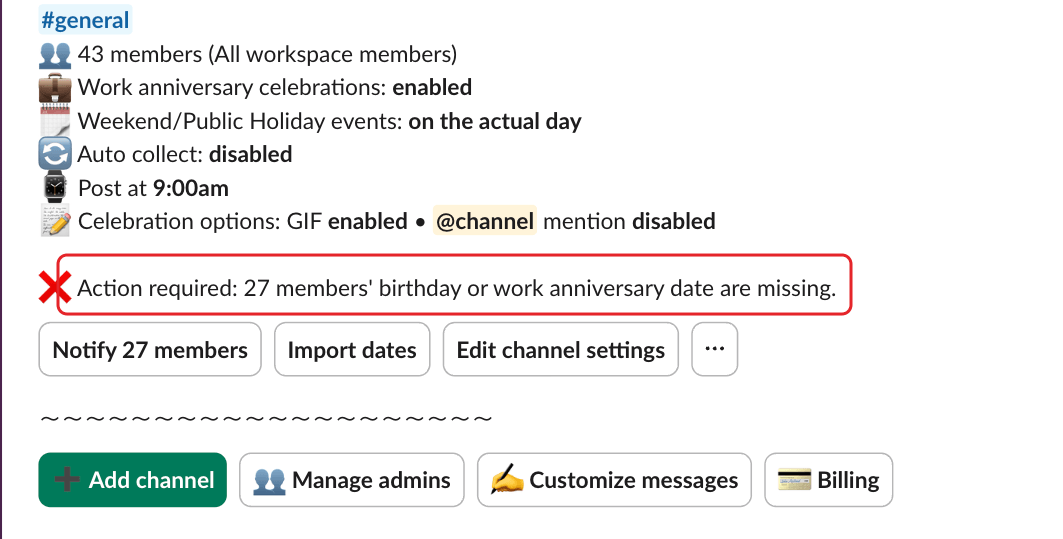
| Button | What it does |
|---|---|
Notify N members |
Asks members with missing dates (shown only when dates are missing) |
Import dates or Import birthdays |
Downloads the Excel template |
Edit channel settings |
Update a channel's settings |
⋯ |
Public holidays (daily posting only), custom celebrations, opted-out users, remove Billy from this channel |
➕ Add channel |
Add Billy to a channel |
👥 Manage admins |
Add or remove a Billy admin |
✍️ Customize messages |
Customize celebration messages and GIFs |
💳 Billing |
Invoices and payment method, once you've subscribed |
During the free trial, the section also shows Free trial - N days left ⚠️, with View Pricing | Subscribe Now. When the trial is over without a subscription, it only shows The free plan for Billy has ended 🚨. See how Billy's free plan and free trial work.
I can't see the Admin settings section#
The section only shows if you're a Billy admin or a Slack workspace admin. Ask someone who already has admin rights to add you as a Billy admin.