See who opted out of Billy celebrations
Billy admins can see, channel by channel in Slack, which members opted out of birthday or work anniversary celebrations, and from which event.
 SlackUpdated Oct 5, 20261 min read
In Slack, Billy admins can see, channel by channel, which members opted out of Billy's birthday or work anniversary celebrations. This list isn't available in Microsoft Teams.
Step 1: Select View opted-out users#
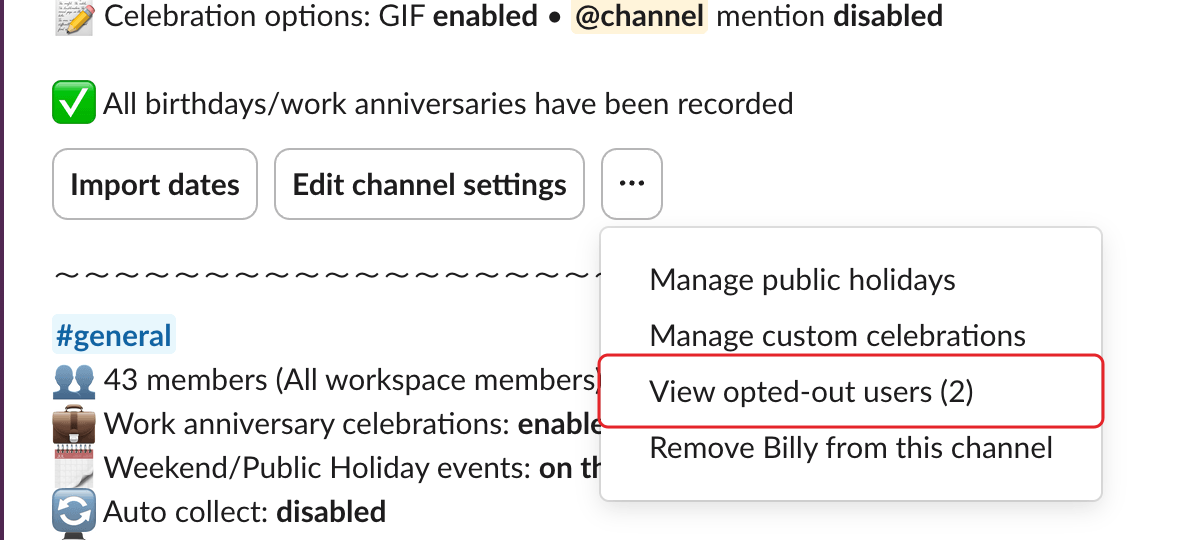
In the admin settings, open the ⋯ menu of the channel and select View opted-out users (N), where N is the number of people who opted out.
Step 2: Review the list#
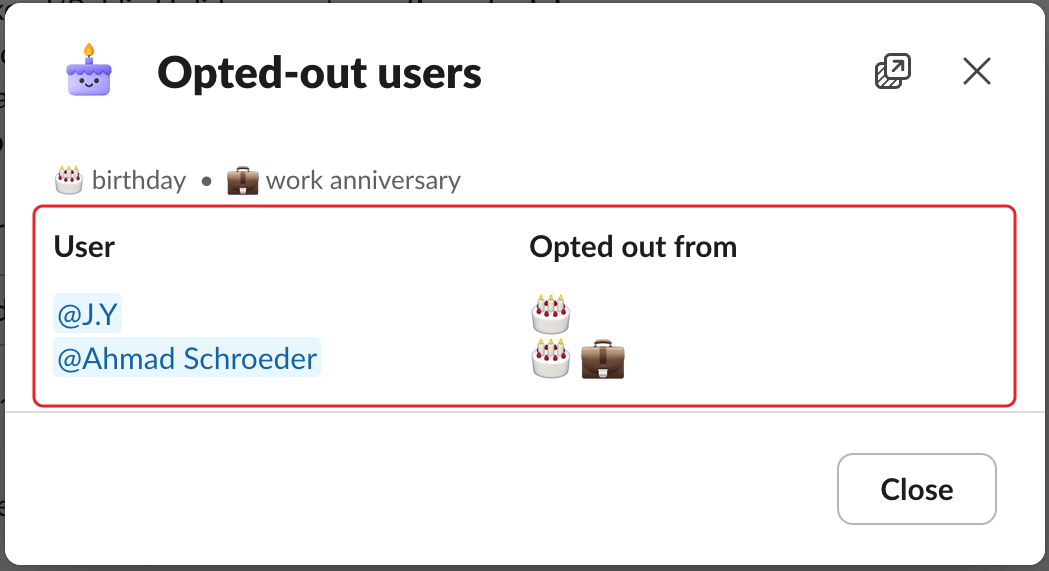
The Opted-out users window lists each member in the User column, and what they opted out of in the Opted out from column: 🎂 for birthday, 💼 for work anniversary. If nobody opted out, it says "No user opted out."
Members opt out and back in themselves: see opt out of celebrations. Admins can also opt someone out: see remove someone's dates.