Fix Billy when it can't post in a Slack channel
What to do when Billy can't join a private Slack channel, or can't post celebrations because posting in the channel is restricted or it was archived.
 SlackUpdated Oct 5, 20261 min read
Billy, the BuddiesHR birthday bot, needs to be a member of a Slack channel and allowed to post there to celebrate birthdays and work anniversaries. Here's how to fix each case.
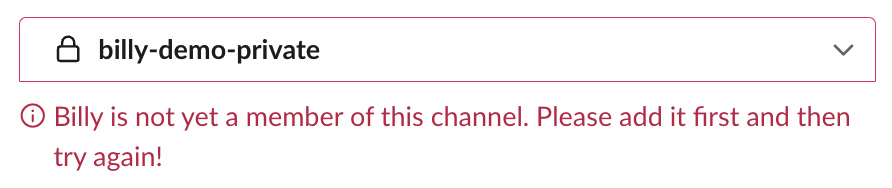
"Billy is not yet a member of this channel"#
You see this when adding a private channel. Billy can't join private channels by itself.
- Open the private channel and type
/invite @Billy. - Go back to the admin settings and add the channel again.
The channel disappears from Active channels after you add it#
Posting is restricted in that channel, so Billy couldn't post its intro and removed the channel from its list. No message explains it, so check the channel's posting permissions:
- Open the channel's settings in Slack.
- Add Billy to the people allowed to post.
- Add the channel again.
"There was an error when I tried to post a celebration message…"#
Billy sends this to admins (the Billy admins and the Slack workspace admins who use Billy) when a celebration couldn't be posted:
- "…because posts are restricted in this channel": allow Billy to post in the channel's settings.
- "…because the channel is archived": unarchive the channel, or remove it from Billy and add another one.
"This channel is already in the active channel list"#
The channel is already set up. To change its settings, click Edit channel settings on its card: see update a channel's settings.