Enter your birthday and work anniversary in Billy
Add your own birthday and work anniversary date so Billy can celebrate you, from the Home tab in Slack or the SetDates card in Microsoft Teams.
 Slack
Slack Microsoft TeamsUpdated Oct 5, 20262 min read
To be celebrated by Billy, the BuddiesHR birthday bot, pick the day and month of your birthday, and the date you joined if your team celebrates work anniversaries, in Slack or Microsoft Teams. Billy doesn't ask for your birth year.
In Slack#
From Billy's Home tab#
Open Billy's Home tab. In the Hey buddy 👋 section, under Your birthday 🎂, pick a day in Select day and a month in Select month. Each value is saved as soon as you select it.
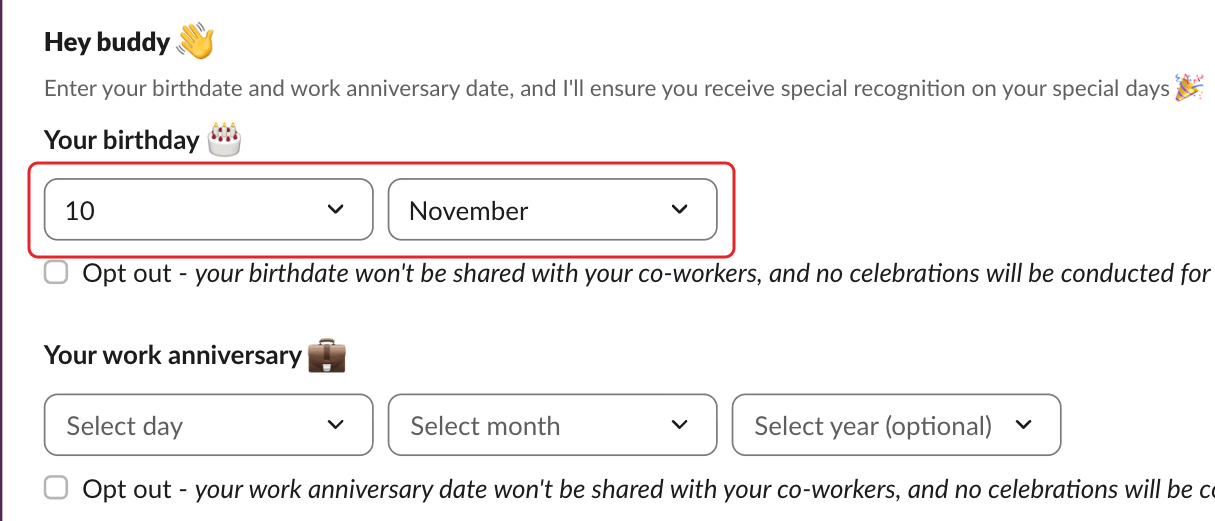
Under Your work anniversary 💼, pick the day and month, and optionally the year in Select year (optional). The year lets Billy count the years ("Work anniversary #3"). Choose Clear in the year list to remove it.
From one of Billy's messages#
When Billy asks for your dates, click Add my birthdate 🎂 (or Fill out ✍️ in a reminder):
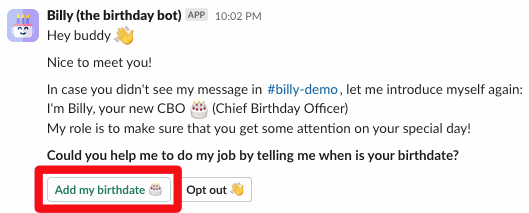
Pick your dates in the window that opens. Each value is saved as soon as you select it: Save closes the window.
In Microsoft Teams#
Step 1: Open the dates card#
In your 1:1 chat with Billy, type SetDates. You also get this card when Billy asks for your dates.
Step 2: Pick your dates and confirm#
Under Your birthday 🎂, pick the Month and Day. Under Your work anniversary 💼, pick the Month, Day and optional Year. Then click ✔️ Confirm. Billy replies "Updated ✅".
If Confirm does nothing#
Click "Form not working? Submit your dates here." under the card. It opens the "Your dates · Billy 🎂" web page with the same fields. Leave a date empty if you'd rather not share it, then click ✔️ Confirm. When you see "Updated ✅ You can now close this page.", you're done.
If the page says the link is no longer valid, type SetDates in your chat with Billy to get a new one.
Change or remove your dates#
Pick new values the same way. To stop being celebrated, opt out.