Change Billy's language in Slack or Teams
Billy posts in English, French, Spanish, Portuguese or German. Set the language of celebration posts per Slack channel or per Microsoft Teams team.
 Slack
Slack Microsoft TeamsUpdated Oct 5, 20261 min read
Billy, the BuddiesHR birthday bot, speaks English, Français, Español, Português and Deutsch. Celebration posts use the language set for each Slack channel or Microsoft Teams team. Everything else follows each person's Slack language, or stays in English in Teams.
Change the language of celebration posts#
In Slack#
In the admin settings, click Edit channel settings on the channel and change 3. Which language should be used to post?. Click Next ➡️, then Update.
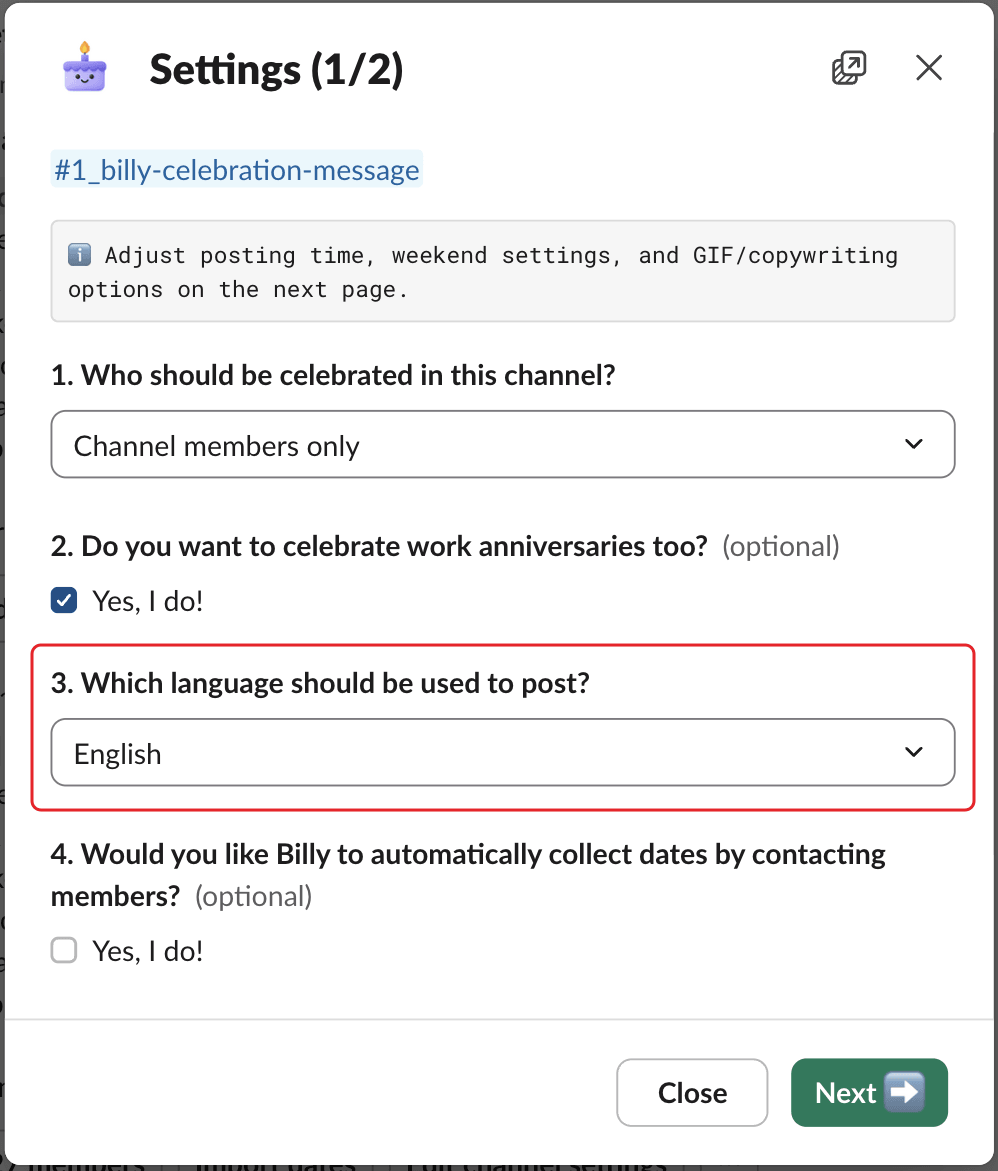
This language also applies to Billy's intro post in the channel and to the headers of the Excel import template. Each channel can have its own language. A new channel starts in the Slack language of the admin who adds it, or English.
In Microsoft Teams#
Type Settings in your chat with Billy and change Which language should be used to post?, then click ✔️ Confirm. See change Billy's settings in Teams.
The language of the Home tab and Billy's messages#
- Slack: the Home tab, windows and private messages use each person's own Slack language, if it's one of the five. Otherwise they're in English. To change it, change your language in Slack's preferences.
- Microsoft Teams: Billy's cards and chat messages are in English only. The spreadsheet headers are in English too.