Use Billy as a team member in Microsoft Teams
Share your birthday, set reminders and see upcoming celebrations from your 1:1 chat with Billy in Microsoft Teams, with SetDates, Reminders and Upcoming.
 Microsoft TeamsUpdated Oct 5, 20262 min read
In Microsoft Teams, everything a team member does with Billy, the BuddiesHR birthday bot, happens in their 1:1 chat with Billy. Type a command, or type Help to see the buttons.
| Command | What it does |
|---|---|
SetDates |
Enter your birthday and work anniversary, or opt out |
Upcoming |
See the next birthdays and work anniversaries |
Reminders |
Get a heads-up before a teammate's celebration |
Help |
Show every command |
Billy's messages and cards in Teams are in English.
Share your dates#
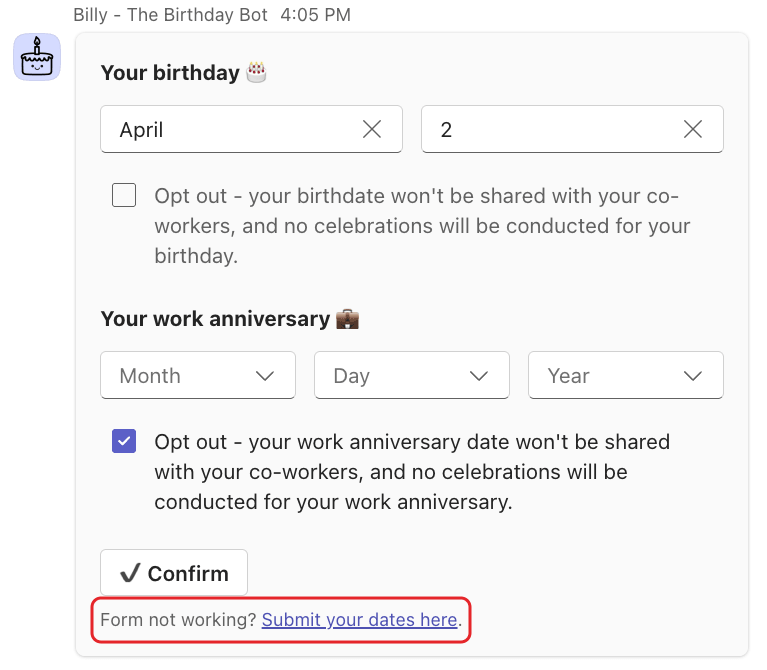
Type SetDates, pick your dates and click ✔️ Confirm. If the button does nothing, use the "Form not working? Submit your dates here." link under the card. Full steps: enter your birthday and work anniversary.
See upcoming celebrations#
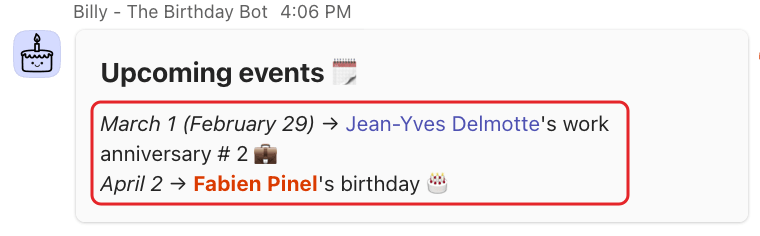
Type Upcoming. Billy replies with an Upcoming events 🗓️ card listing the next birthdays and work anniversaries of the teams you're in, for example "April 2 → @Alex's birthday 🎂". When there are more, click Load more for the next ones.
You can also @mention Billy with upcoming in a team channel.
Set up reminders#
Step 1: Type Reminders#
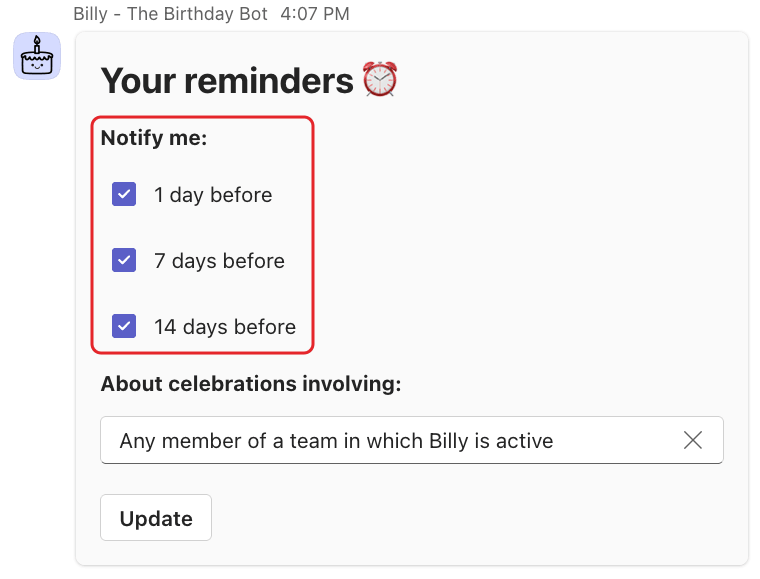
The Your reminders ⏰ card opens.
Step 2: Choose when and for whom#
Under Notify me:, check 1 day before, 7 days before and/or 14 days before (all three are checked the first time). Under About celebrations involving:, choose Any member of a team in which Billy is active or Hand-picked members only. Click Update.
Step 3: Pick members (hand-picked only)#
If you chose Hand-picked members only, Billy sends a second card. Select people in Select members and click Update.
Reminders arrive at 9:00am in your timezone. They cover birthdays and work anniversaries, not your own, and skip people who opted out. To stop them, uncheck every box and click Update.