What Billy's celebration message looks like
The parts of a Billy birthday and work anniversary post in Slack and Microsoft Teams, the Formatted and Classic styles, and which setting changes each part.
 Slack
Slack Microsoft TeamsUpdated Oct 5, 20262 min read
A celebration posted by Billy, the BuddiesHR birthday bot, has four parts: an intro line, the people (or events) celebrated, a closing line and an optional GIF. Billy posts it in the channel at the time set for that channel, in the channel's language.
The parts of a message#
| Part | What it is | What changes it |
|---|---|---|
@channel tag |
Notifies everyone in the channel (Slack) | Do you want to include a @channel tag in celebration messages? (off by default) |
| Intro | A random line, for example "Whoop Whoop 🥳" | Not editable |
| People | Formatted: work anniversaries, then birthdays, then custom celebrations. Classic: birthdays, then work anniversaries, then custom celebrations |
Your dates and custom celebrations |
| Closing line | A random line, for example "Let's send some positive vibes 🏄♂️" | Replaced by your text in Customize messages |
| GIF | One of Billy's GIFs, picked at random | GIF setting, or a custom GIF for a given day |
Work anniversaries show the number of years ("Work anniversary #3 💼") when the start year is known. A work anniversary is never celebrated in the year the person joined.
Formatted style (Slack)#
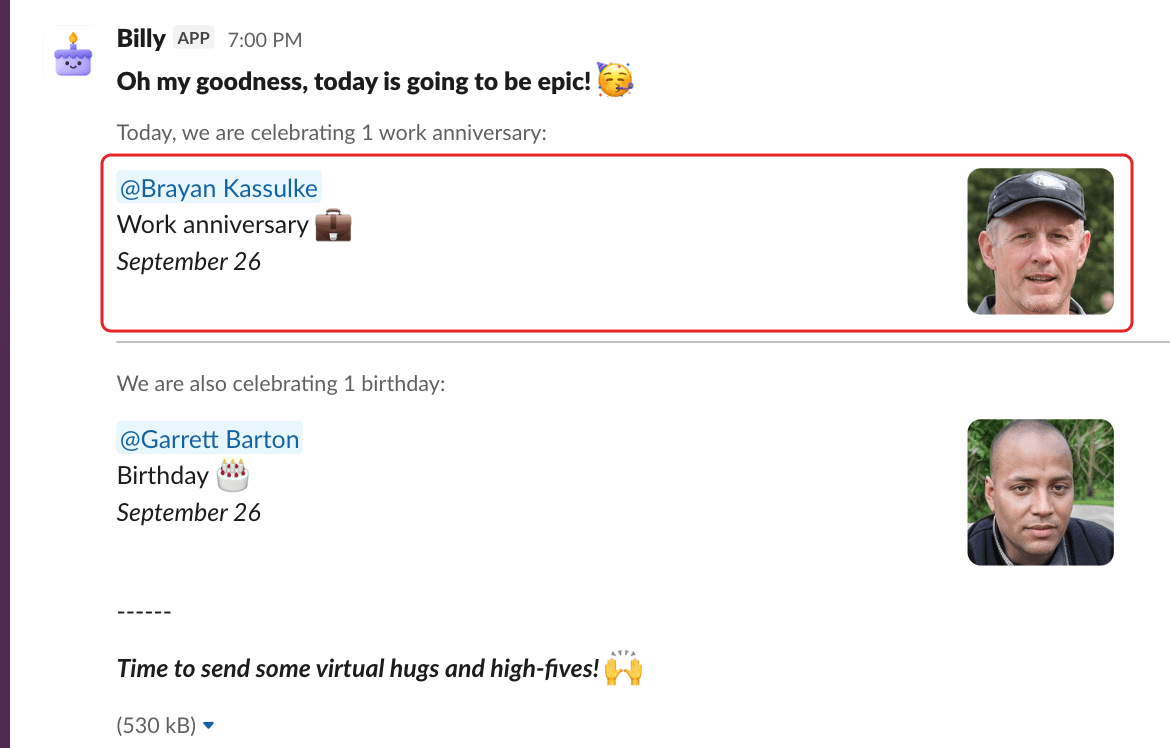
Each person gets a line with their name, the event, the date and their profile picture, under a heading like "Today, we are celebrating 2 birthdays:". Custom celebrations get their own block with the event name and date.
Classic style (Slack)#
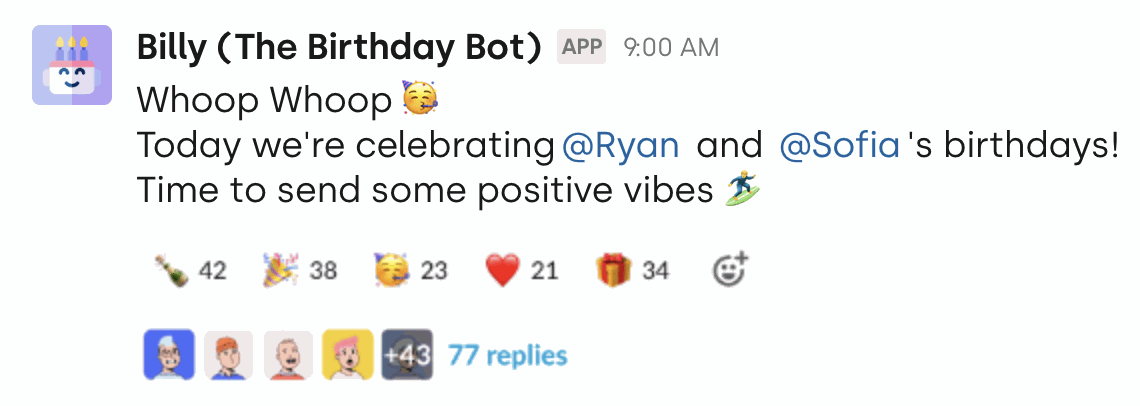
Everything fits in one line of text, for example "Today, we are celebrating @Alex's birthday!", followed by the closing line and the GIF.
Change the style in the channel settings: Which style would you like to use?. See update a channel's settings.
In Microsoft Teams#
Billy posts one card with the intro, the people @mentioned in one line ("Today, we are celebrating…"), the closing line and the GIF if it's turned on. There's no style, @channel, custom message or custom celebration option.
When dates are moved or grouped#
When celebrations are grouped weekly or monthly, or moved because of a weekend or public holiday, each event shows its real date. See weekends, public holidays and grouped announcements.
More examples: Billy message preview.