Manage Billy billing and download invoices
Open the Stripe customer portal from Billy in Slack or Microsoft Teams to download invoices, change the card on file or update your billing address.
 Slack
Slack Microsoft TeamsUpdated Oct 5, 20261 min read
Once you've subscribed to Billy, the BuddiesHR birthday bot, Billy admins open a Stripe customer portal from Slack or Microsoft Teams to download invoices and update the payment method or billing address. Before you subscribe, there's no billing button: see subscribe to Billy.
In Slack#
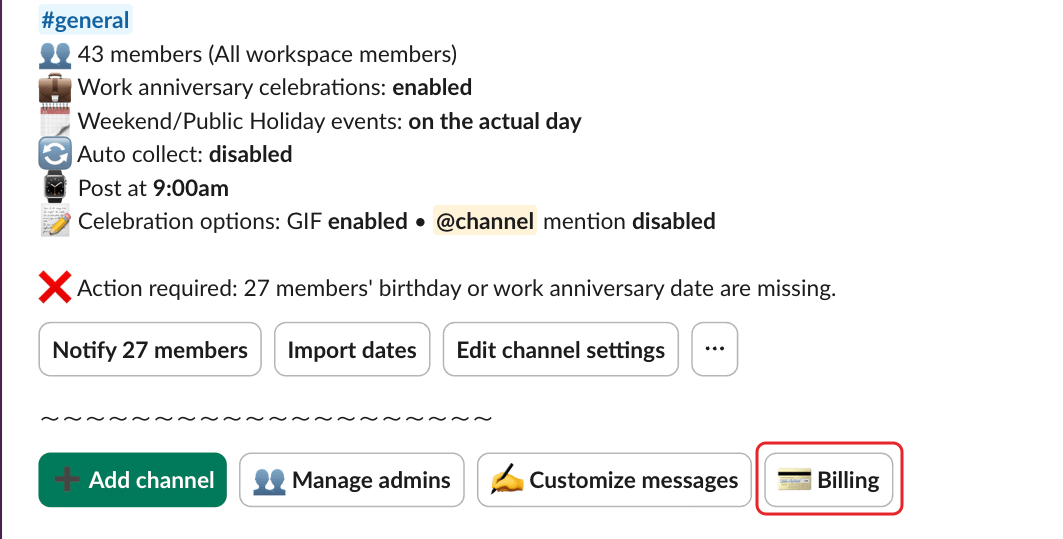
In the admin settings, click 💳 Billing.
In Microsoft Teams#
In your 1:1 chat with Billy, type Help. At the bottom of the card, click the link in "You currently have a subscription, click here if you want to download your invoices or manage your payment method."
In the Stripe portal#
Download invoices, and update your payment method or billing address.
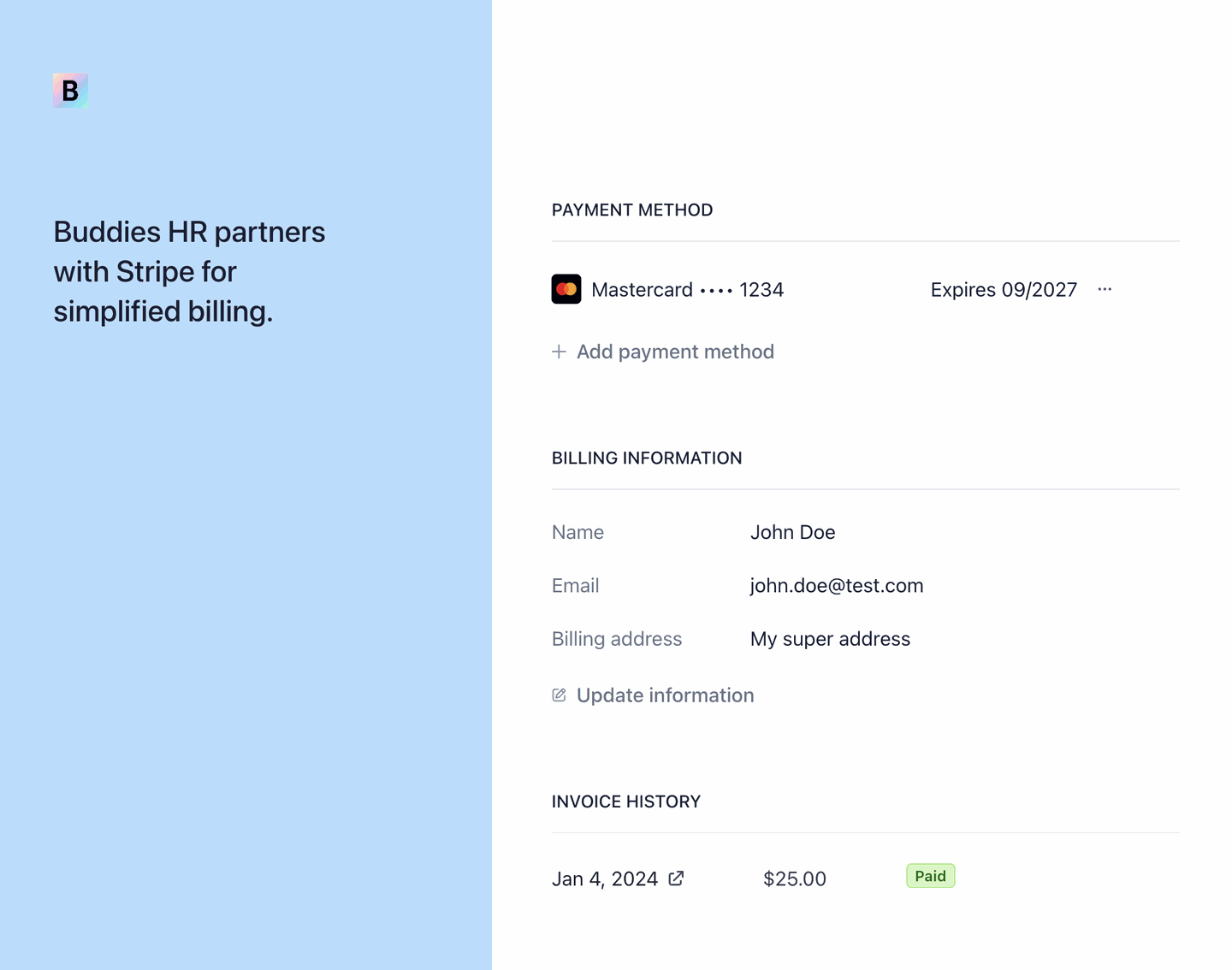
The number of seats on your subscription adjusts automatically: see how Billy counts seats.
Cancel your subscription#
Email us at hey@buddieshr.com to cancel. Please tell us why you're leaving: it really helps us improve the product 🙏
When the subscription ends, Billy stops celebrating if you have 10 seats or more, as when a free trial ends. Under 10 seats, Billy stays free.