Use the Alfy web dashboard as a participant
Every Alfy participant can use the web dashboard to see their next coffee chat round, their latest matches and their personal settings, not just admins.
 Slack
Slack Microsoft TeamsUpdated Oct 19, 20262 min read
Everyone who takes part in Alfy can use the web dashboard at dashboard.buddieshr.com, not just admins. The My rounds tab shows your next round and latest matches, and the Settings tab lets you snooze, opt out and connect your calendar.
Sign in#
- Go to dashboard.buddieshr.com and click
Sign in with Google, or type your email and clickLogin with email. - From Slack,
View all connections ↗on Alfy's Home tab signs you in automatically. It shows once you have more than 9 connections.
If you're an admin, pick Personal in the Personal / Admin toggle at the top of the page.
See your next round#
The My rounds tab shows a Next round box with its date, chat duration and group size. If your calendar isn't connected yet, click Sync my calendar to go to your settings and connect it for better time suggestions.
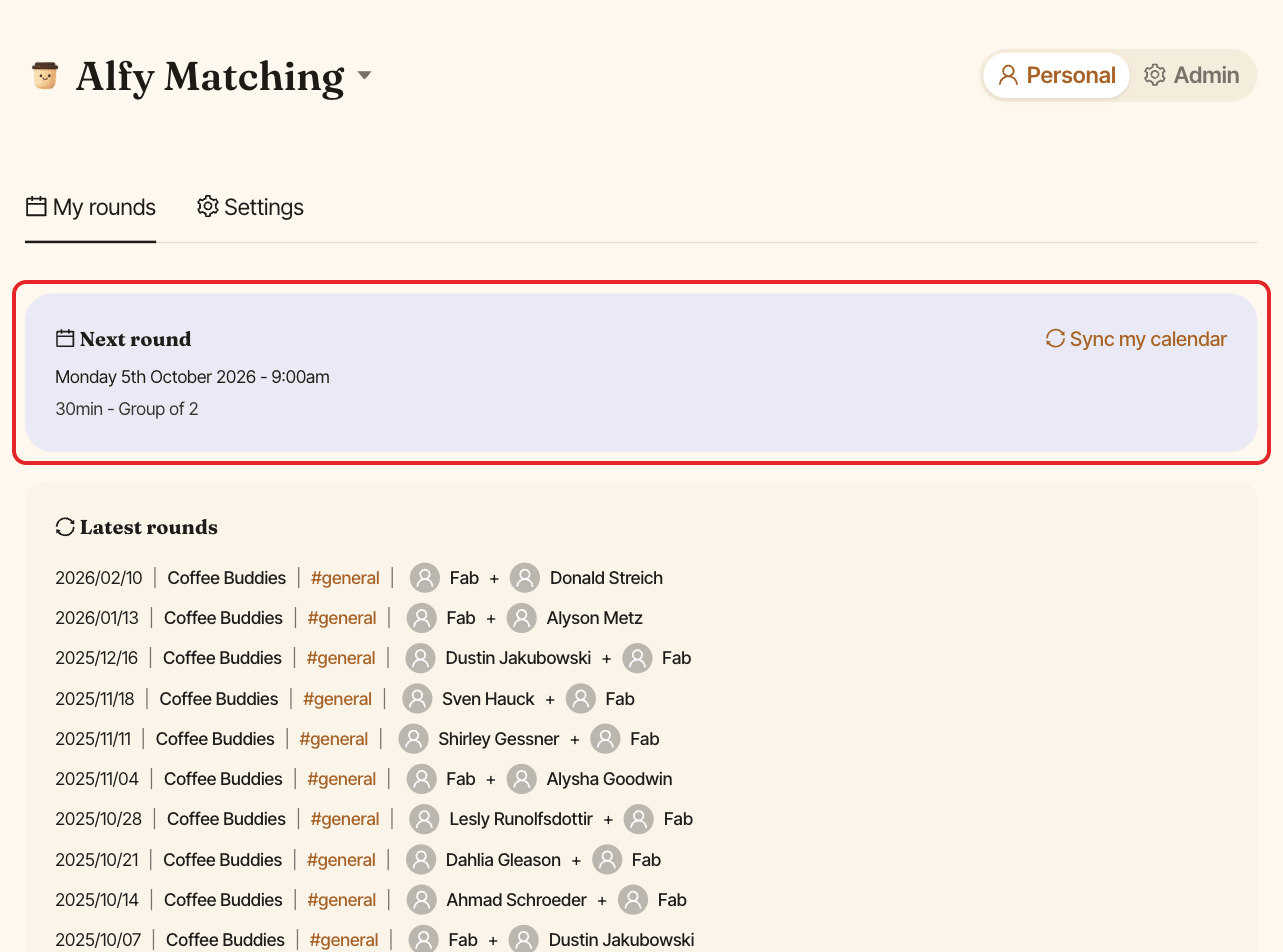
Below, Latest rounds lists your past rounds with the date, program, channel and people.
Manage your settings#
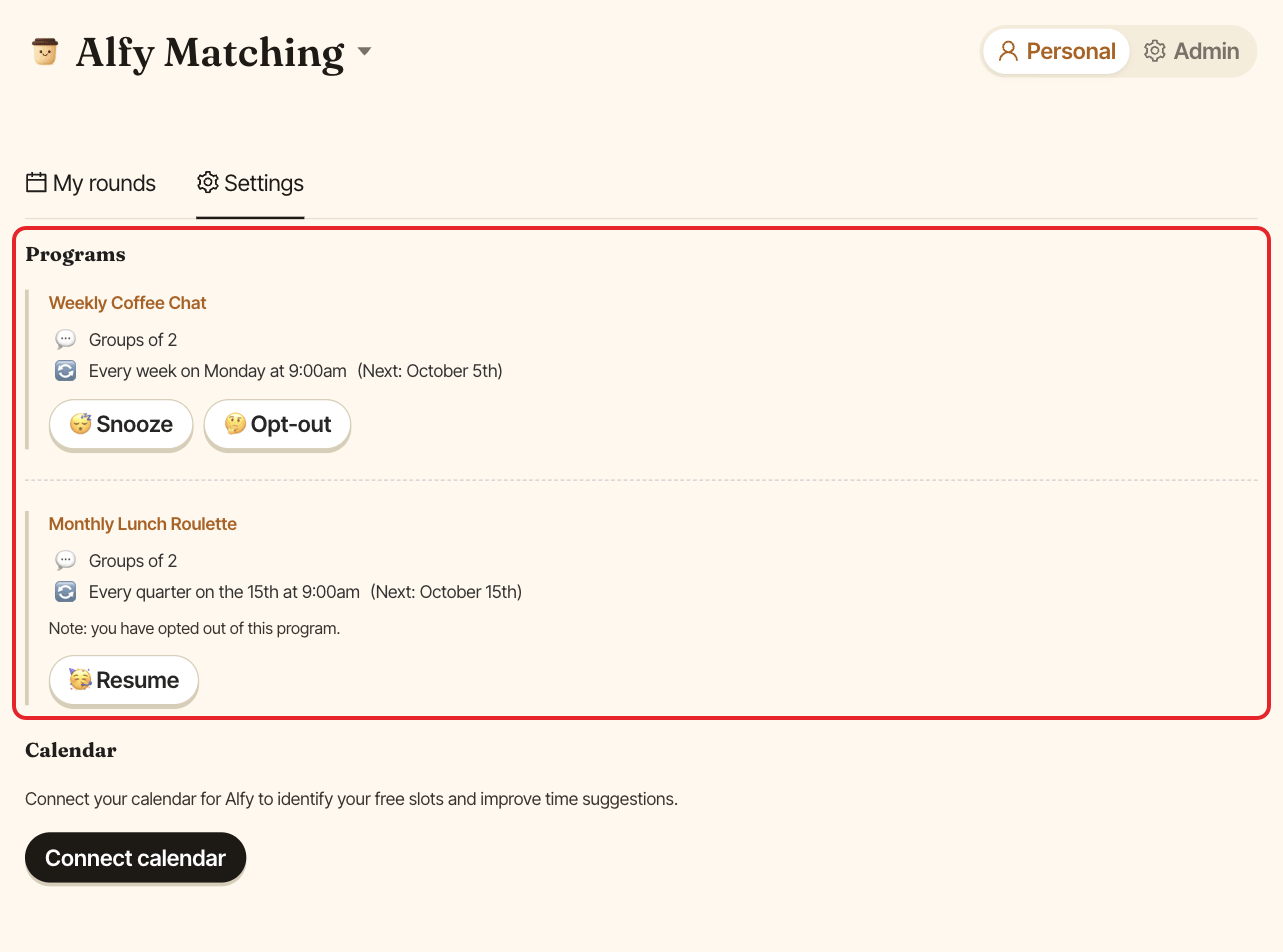
The Settings tab lists your programs, with buttons to:
- snooze a program (
😴 Snooze), - opt out of a program (
🤔 Opt-out), - come back after a snooze or opt-out (
🥳 Resume).
Its Don't pair me with section lets you privately avoid specific teammates, and its Calendar section lets you connect your calendar.
Schedule a coffee chat from the web#
The buttons in Alfy's reminder emails, and Open your chat on the web ↗ in Microsoft Teams, open a page for your coffee chat: "Your coffee chat with" your match. From there you can:
- answer
✅ We've scheduled itor🙅 We won't meet this timeunder "Did you set up your chat?", - pick a time under
📅 Pick a timeand clickSend invite →, thenSend invite, to send everyone a calendar invite, - once it's scheduled, click
🗓️ Rescheduleto move it, orCancel the meeting.
Only the people in that match can open the page. See answer Alfy's coffee chat reminders.