Find Alfy's conversation starters
Browse Alfy's ice-breaker questions in Slack or Microsoft Teams to know what to talk about with the people you've been matched with for coffee.
 Slack
Slack Microsoft TeamsUpdated Oct 5, 20261 min read
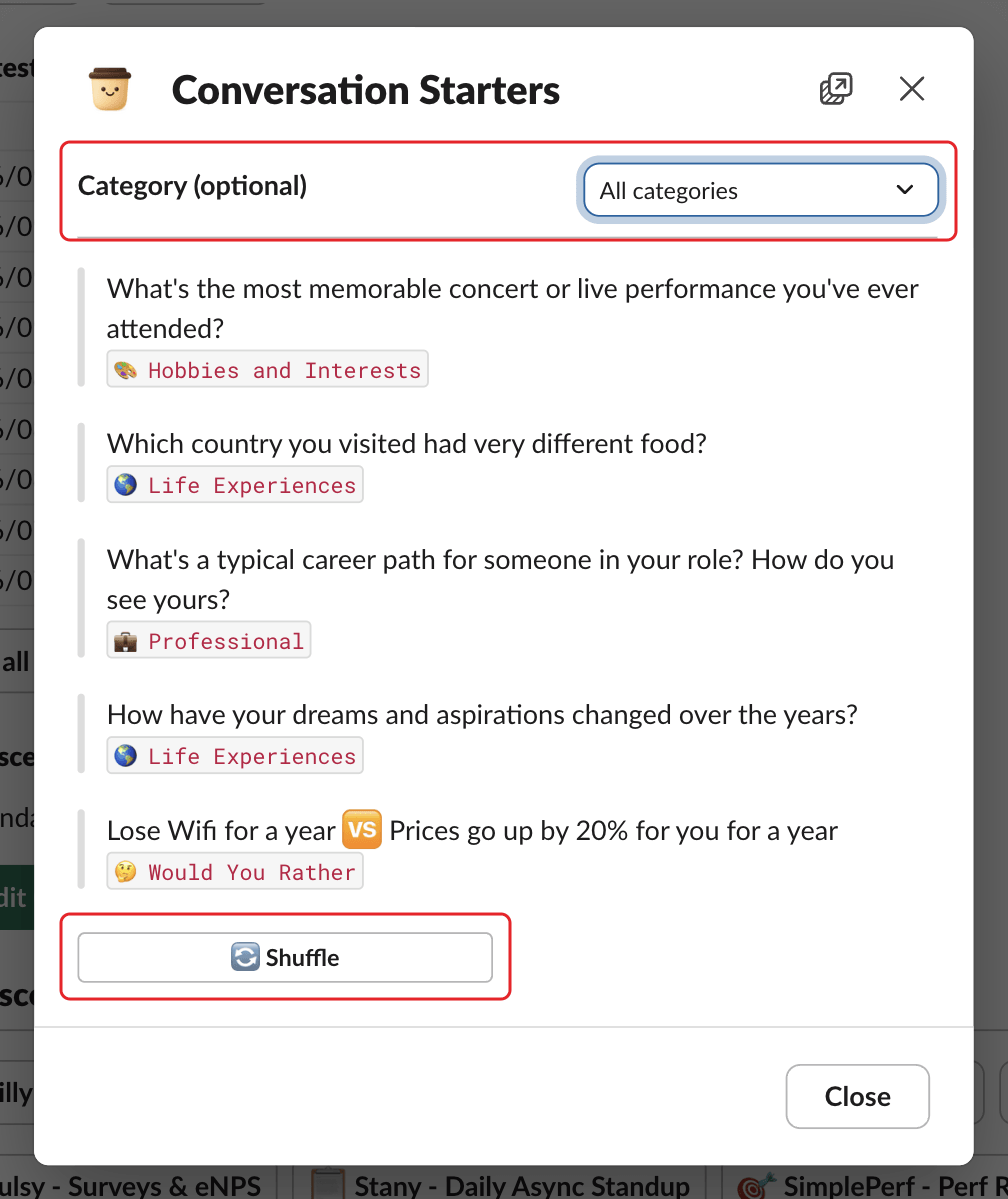
Not sure how to start your coffee chat? Alfy, the BuddiesHR random coffee app, shows 5 random ice-breaker questions at a time in Slack and Microsoft Teams, with a 🔄 Shuffle button for new ones.
In Slack#
Open the conversation starters from any of these buttons:
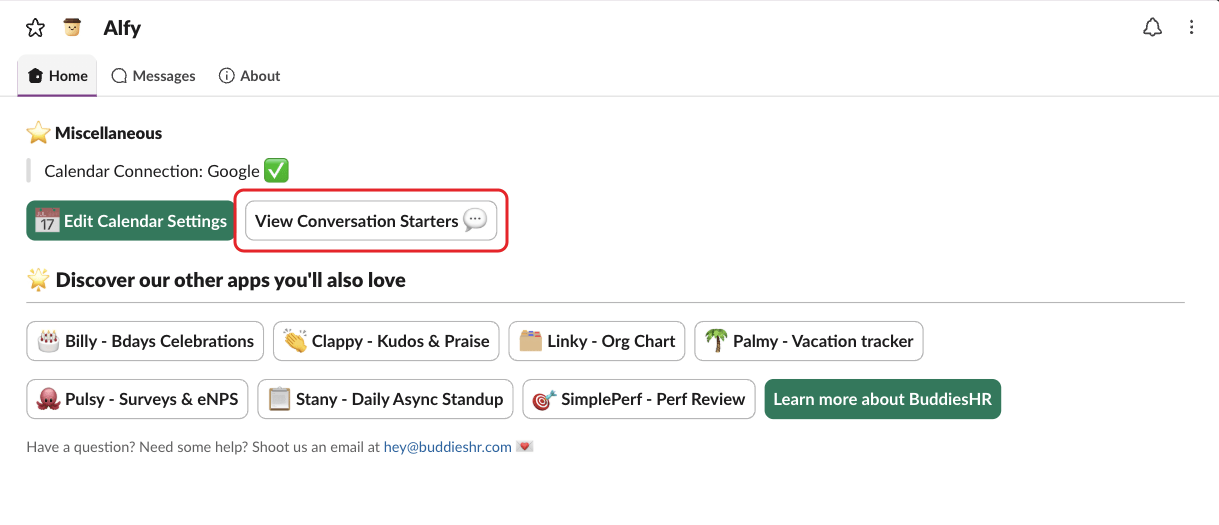
View Conversation Starters 💬on Alfy's Home tab, in the⭐ Miscellaneoussection,View More 💬in your match's group DM, under the suggested question,View Conversation Starters ☕️on Alfy's post in the channel.

The Conversation Starters window shows 5 random questions. Pick a theme under Category (optional), or click 🔄 Shuffle for new questions.
In Microsoft Teams#
Click ☕️ Conversation starters on Alfy's post in the channel, on the card you get when you type help, or in the settings dialog you open by typing settings. Click 🔄 Shuffle for new questions.
I don't see any conversation starters#
Your admins may have turned them off. In that case the buttons are hidden, and an older button says "Conversation starters aren't available in your workspace right now." Admins can turn them back on or customize them: see manage conversation starters.