Find your Alfy personal settings
Find your Alfy personal settings in Slack, Microsoft Teams or the web dashboard, where you snooze or leave programs and connect your calendar.
 Slack
Slack Microsoft TeamsUpdated Oct 5, 20261 min read
Your Alfy personal settings let you snooze or leave programs, see your latest connections and connect your calendar. You'll find them on Alfy's Home tab in Slack, behind the settings command in Microsoft Teams, and in the Personal view of the web dashboard.
In Slack#
- Go to Alfy's Home tab.
- Find the section titled
👤 Personal Settings.
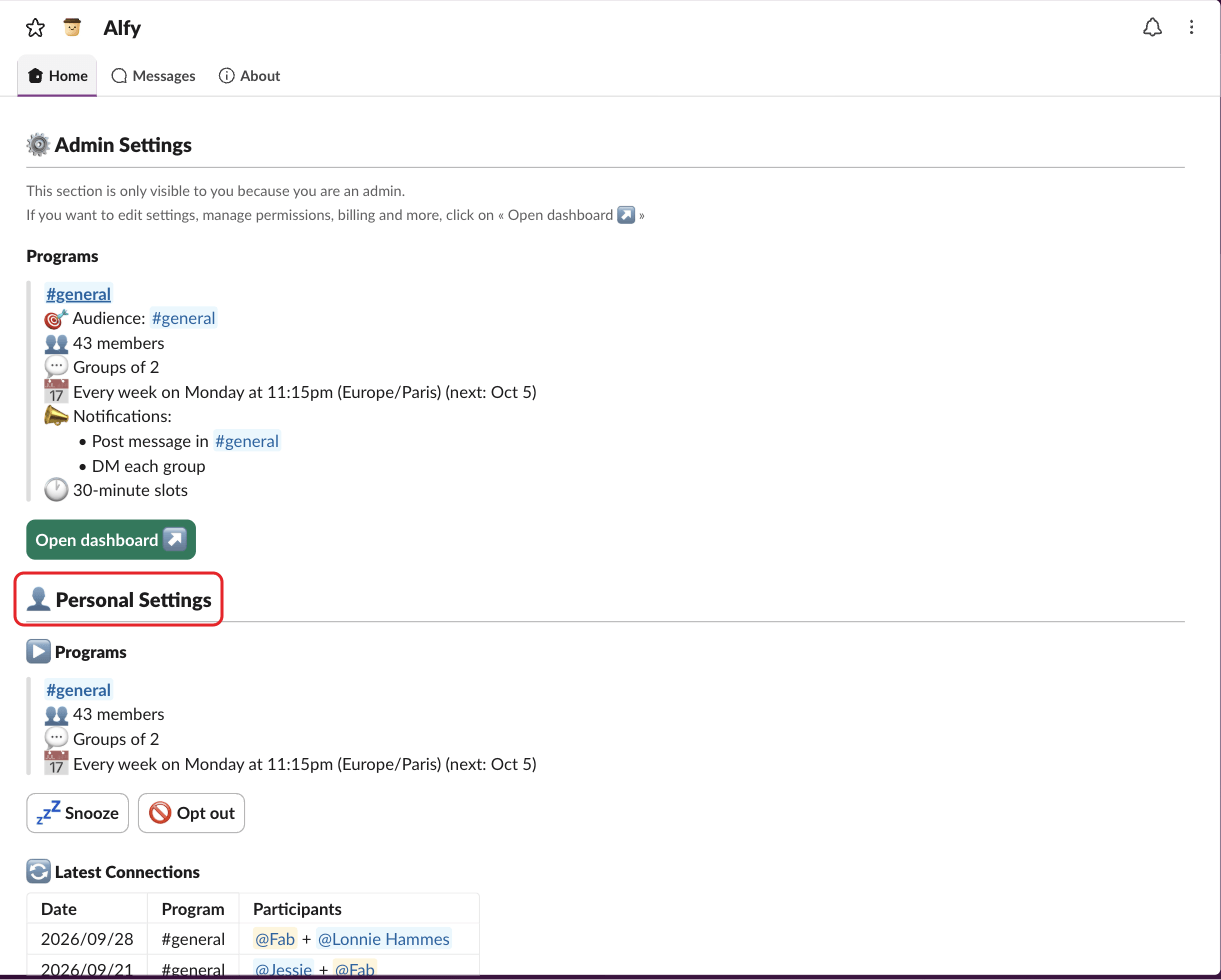
Below it, you'll find ▶️ Programs, 🔄 Latest Connections and ⭐ Miscellaneous (your calendar, conversation starters and 🙅 Don't pair me with).
In Microsoft Teams#
Type settings to Alfy, then click ⚙️ Open settings.
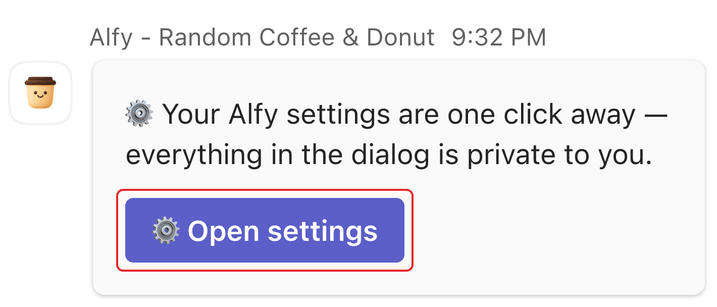
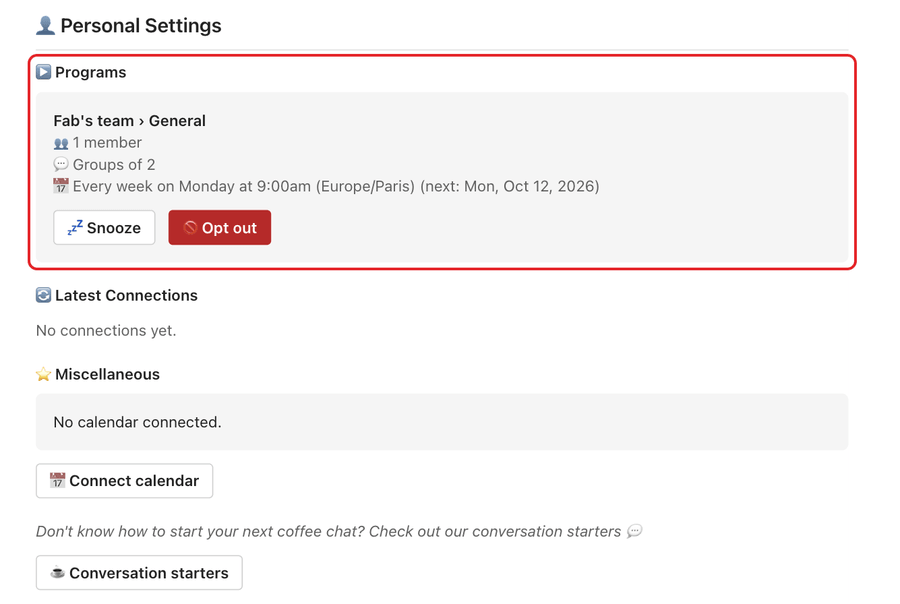
Your personal settings are under 👤 Personal Settings in the dialog: your programs, with 💤 Snooze and 🚫 Opt out, your latest connections, your calendar, your 🙅 Don't pair me with list and conversation starters. See use Alfy in Microsoft Teams.
In the web dashboard#
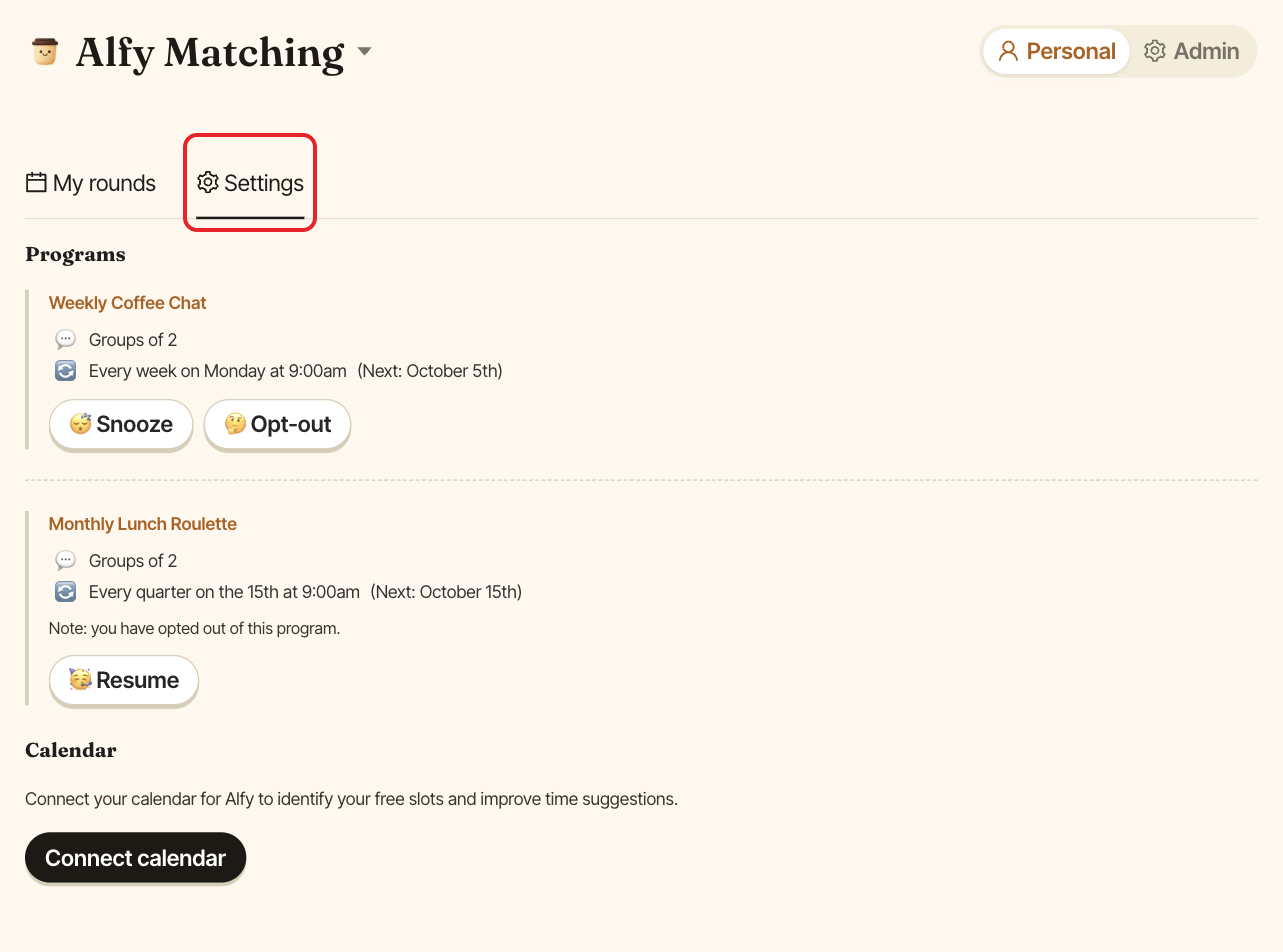
- Sign in at dashboard.buddieshr.com.
- If you're an admin, pick
Personalin thePersonal/Admintoggle. - Open the
Settingstab.