Opt out of an Alfy program
Leave an Alfy coffee chat program so you're no longer matched, and opt back in at any time, from Slack, Microsoft Teams or the web dashboard.
 Slack
Slack Microsoft TeamsUpdated Oct 5, 20261 min read
To opt out of an Alfy program, click 🚫 Opt out next to it on Alfy's Home tab in Slack or in the Teams settings dialog, or 🤔 Opt-out in the web dashboard. You stay in the program's channel but Alfy no longer matches you, and you can opt back in at any time.
Opt out in Slack#
- Go to your personal settings on Alfy's Home tab.
- Under
▶️ Programs, click🚫 Opt outnext to the program. - Confirm by clicking
Opt out.
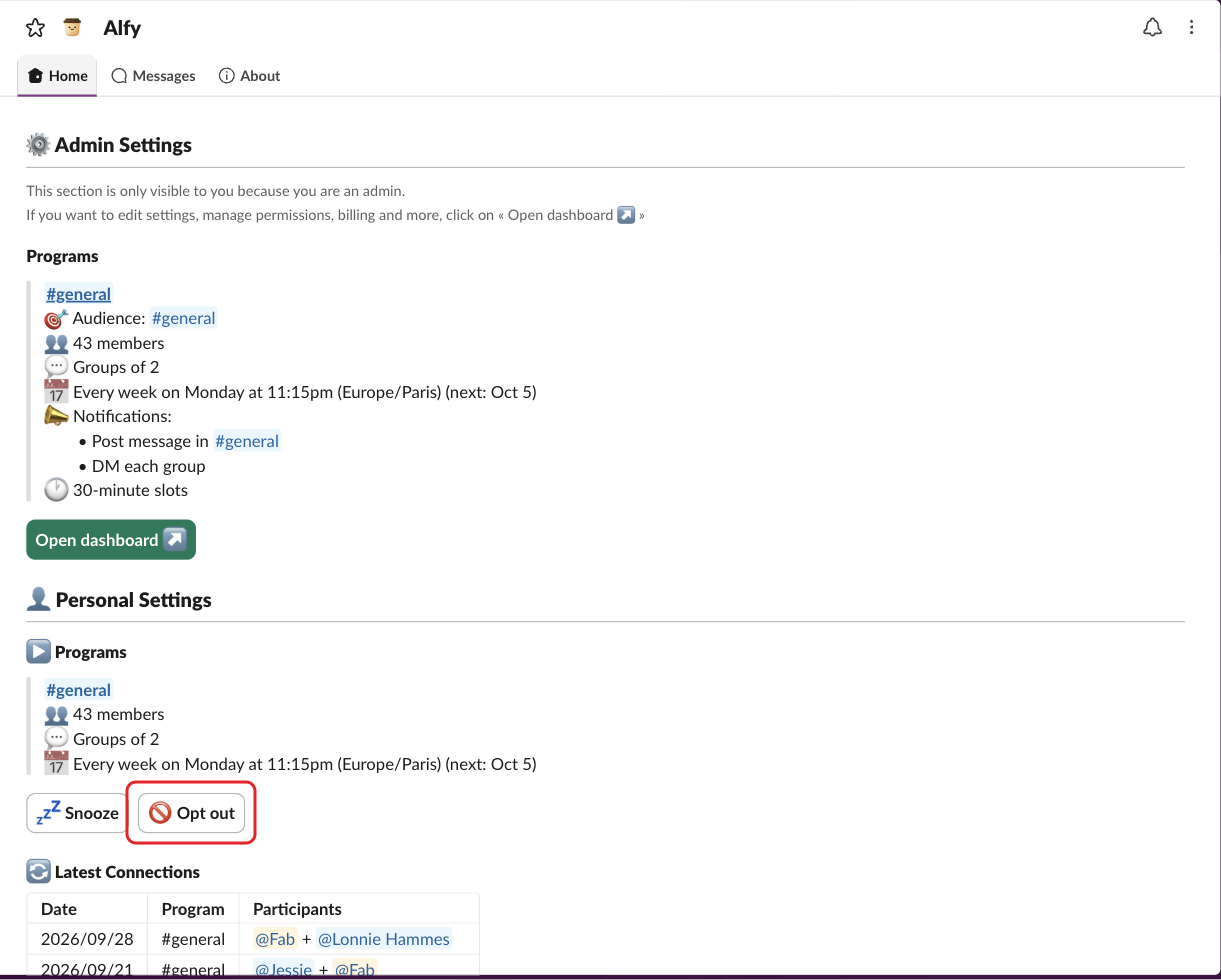
The program then shows 🚫 Opted out. To opt back in, click Cancel opt-out.
Opt out in Microsoft Teams#
- Type
settingsto Alfy and click⚙️ Open settings. - Click
🚫 Opt outnext to the program and confirm withOpt out.
To opt back in, click Cancel opt-out.
Opt out in the web dashboard#
- Open your personal settings in the web dashboard.
- Click
🤔 Opt-outon the program. - Confirm by clicking
Opt-out.
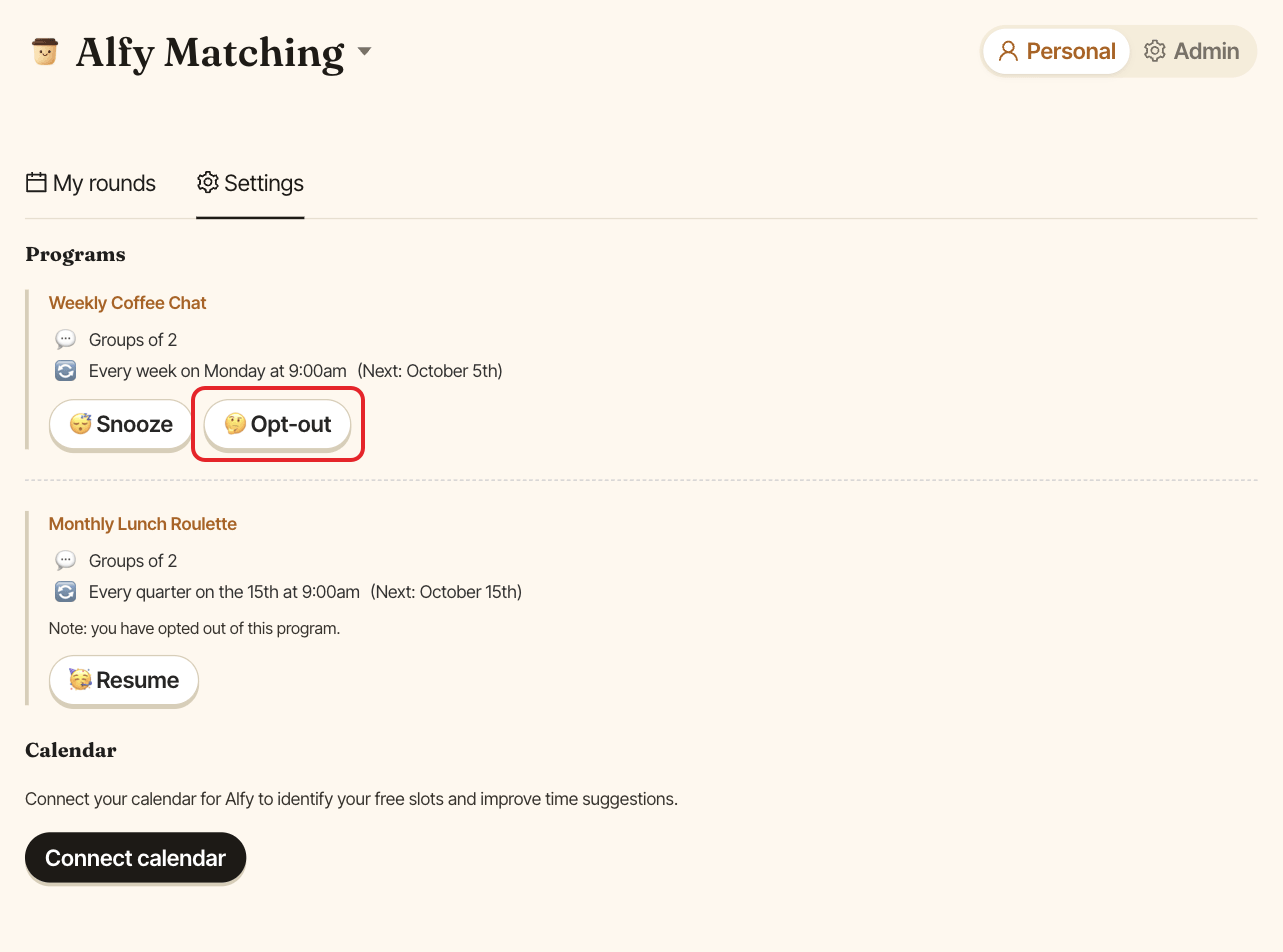
To opt back in, click 🥳 Resume, then Resume.