Choose how often an Alfy program runs
Set an Alfy coffee chat program to run weekly, every 2 to 12 weeks, monthly, quarterly or on a custom schedule, at the time and timezone you pick.
 Slack
Slack Microsoft TeamsUpdated Oct 5, 20261 min read
The How often? field of an Alfy program sets when Alfy runs a new round: weekly, every few weeks, monthly, quarterly or on a custom schedule. You find it when you create or edit a program in the web dashboard.
Pick a preset#
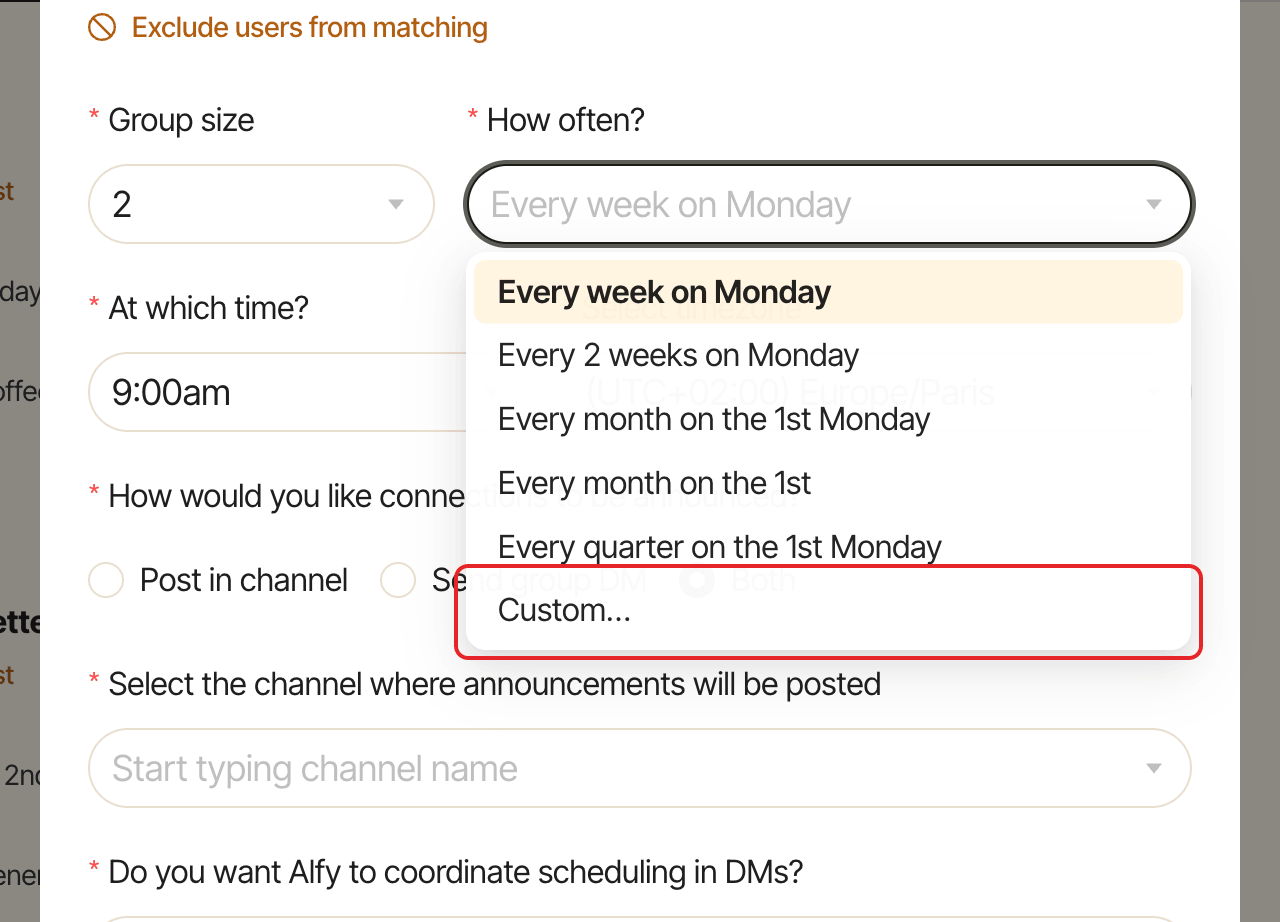
Open How often? and pick one of the presets. They reuse the program's current day, for example:
Every week on Monday(default)Every 2 weeks on MondayEvery month on the 1st MondayEvery month on the 1st(a day of the month)Every quarter on the 1st Monday
Set a custom schedule#
Click Custom… to open the Custom recurrence dialog.
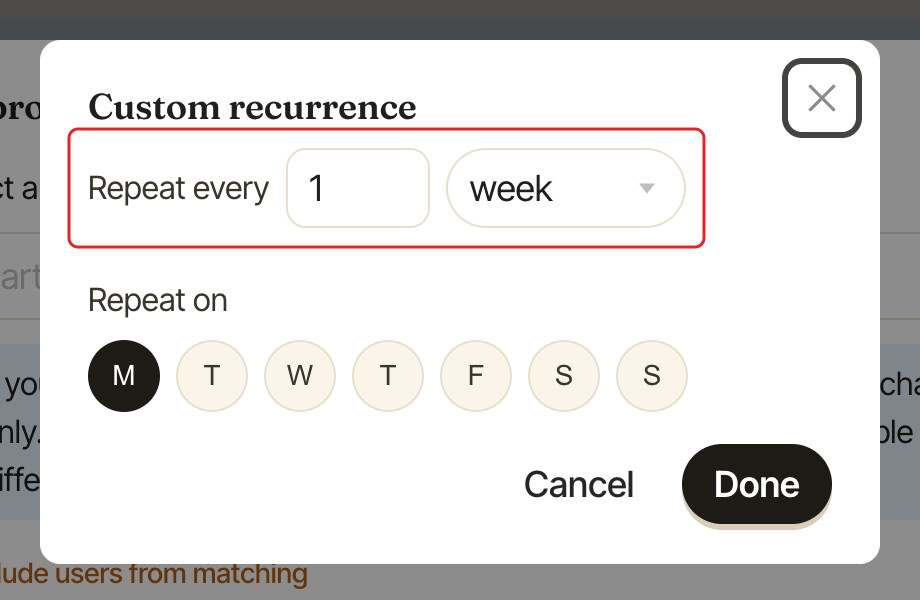
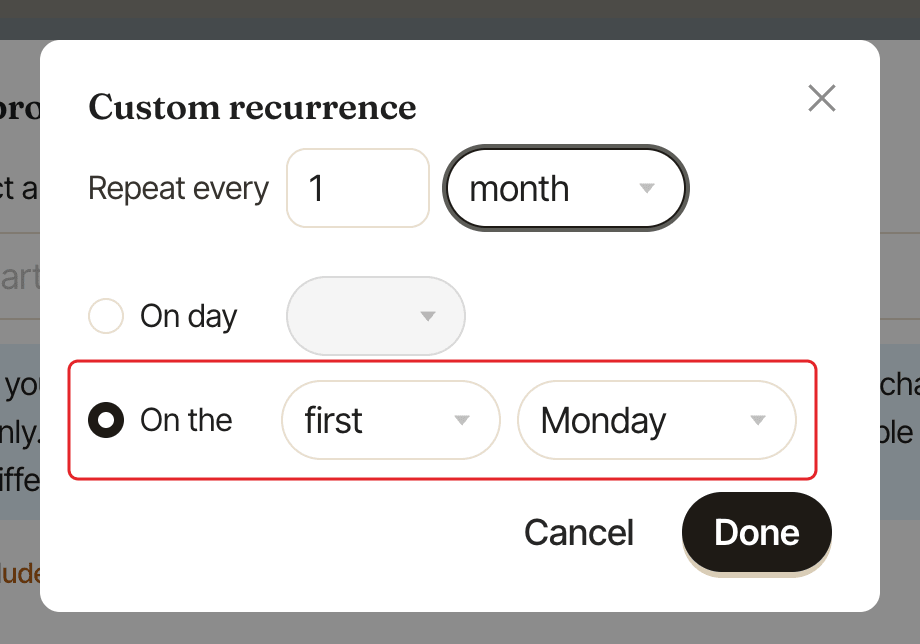
- Under
Repeat every, pick a number from 1 to 12 andweekormonth. - For a weekly schedule, under
Repeat on, pick one day. - For a monthly schedule, pick either:
On dayand a day from 1 to 28, orOn thewithfirst,second,third,fourthorlast, and a weekday.
- Click
Done.
Set the time and timezone#
Use At which time? (15-minute steps, default 9:00am) and Select timezone (default Europe/Paris).
Skip a single round#
To skip or move only the next round without changing the schedule, see skip or move the next round.