Open the Alfy web dashboard
Open Alfy's web dashboard from Slack, Microsoft Teams or dashboard.buddieshr.com, and switch to the admin view to manage your coffee chat programs.
 Slack
Slack Microsoft TeamsUpdated Oct 5, 20261 min read
Alfy's admin settings live in the web dashboard at dashboard.buddieshr.com. Open it with the Open dashboard ↗ button in Slack or Teams, or sign in on the web, then pick Admin to create and edit programs, review rounds, manage admins and handle billing.
Open the dashboard from Slack#
- Go to Alfy's Home tab.
- In the
⚙️ Admin Settingssection, clickOpen dashboard ↗.
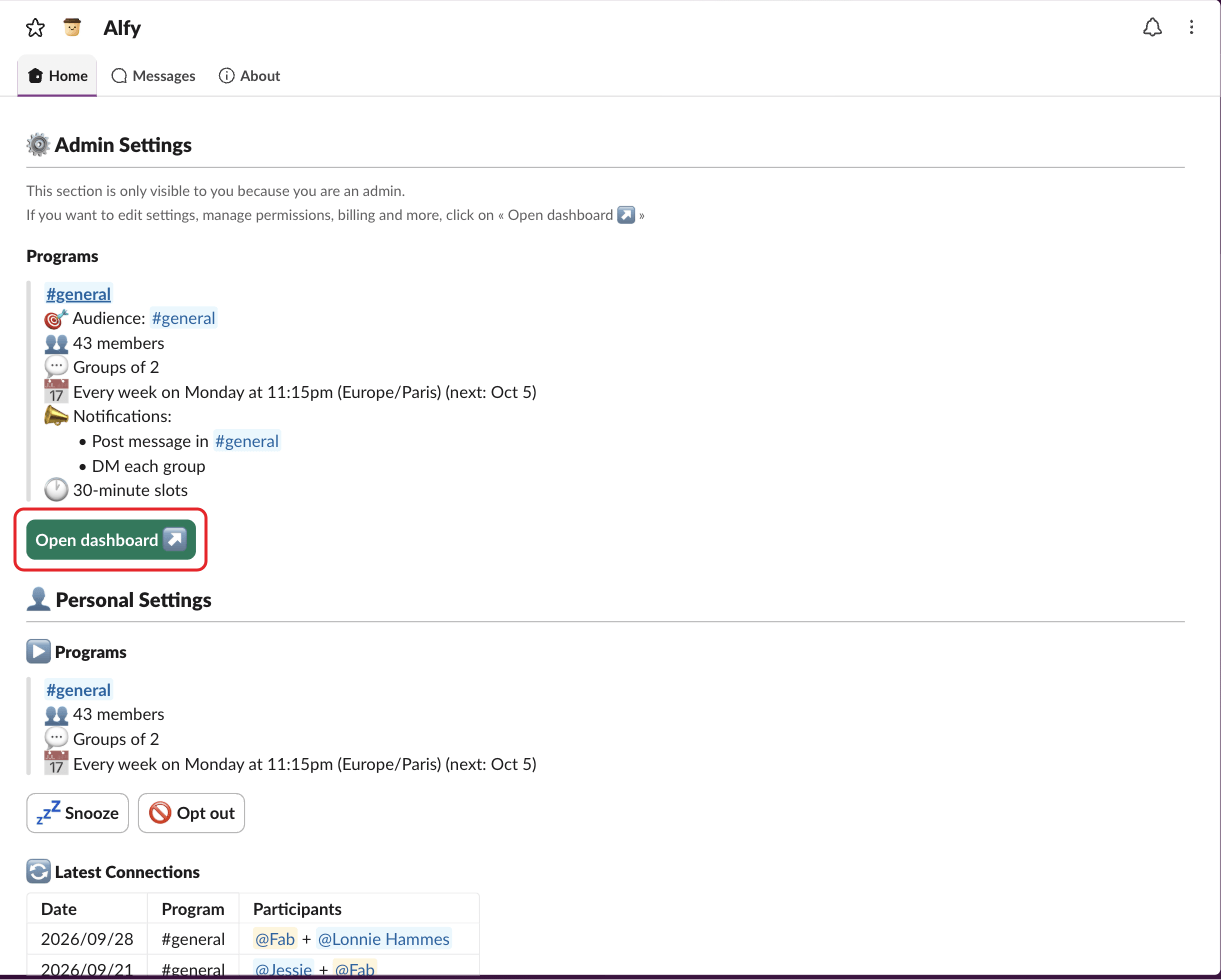
The button signs you in automatically. The Home tab itself only shows a read-only summary of each program.
Open the dashboard from Microsoft Teams#
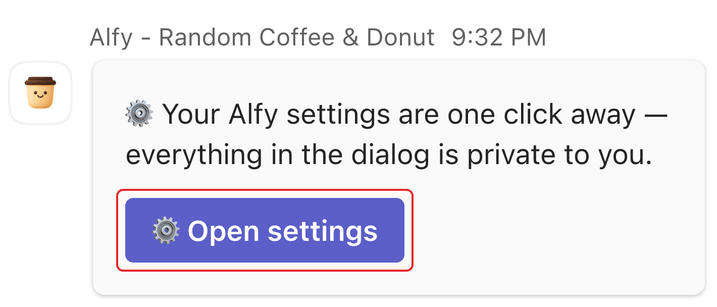
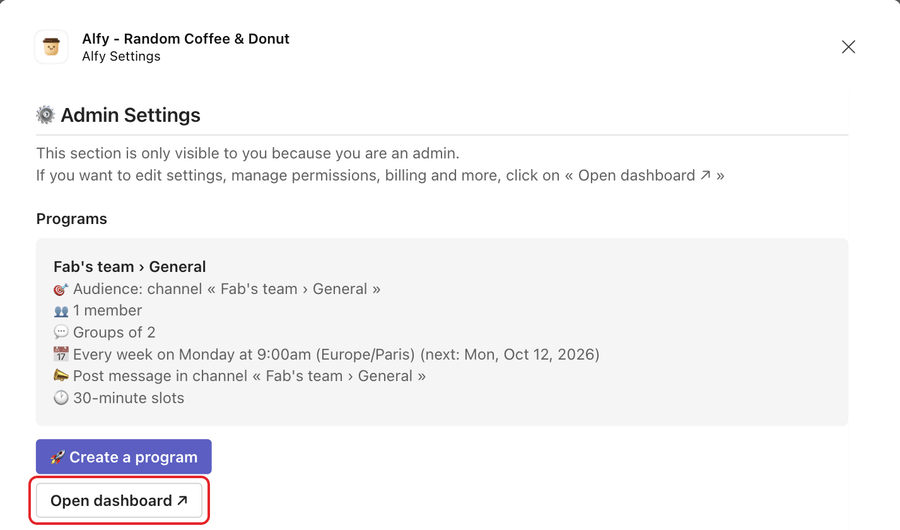
Type settings to Alfy, click ⚙️ Open settings, then click Open dashboard ↗ in the admin section of the dialog.
Sign in from the web#
Go to dashboard.buddieshr.com and click Sign in with Google, or type your email and click Login with email. With email, you get a one-click sign-in link.
Switch to the admin view#
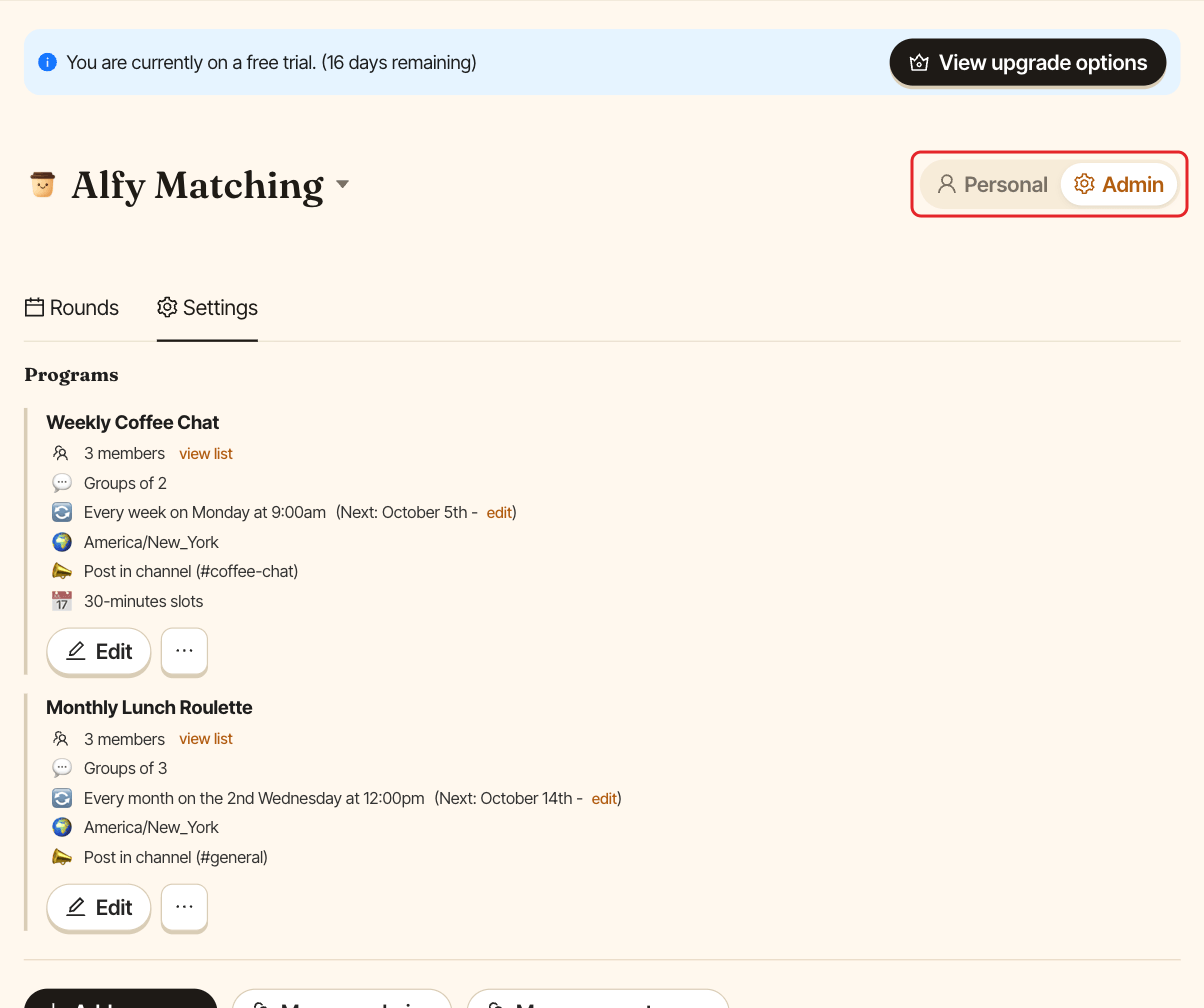
At the top of the Alfy page, use the Personal / Admin toggle. Pick Admin to see:
Rounds: upcoming and past rounds.Settings: your programs, admins, conversation starters and, in Slack, guest users.
I can't see the admin view#
The toggle only shows for Alfy admins. Alfy admins are:
- BuddiesHR workspace admins, including the person who installed Alfy,
- people added in Manage admins.
Slack workspace admins and owners are not automatically Alfy admins. Ask an Alfy admin to add you.