Join an Alfy random coffee program
Join an Alfy coffee chat program by joining its Slack or Microsoft Teams channel, and what to do if you're in the channel but never get matched.
 Slack
Slack Microsoft TeamsUpdated Oct 5, 20261 min read
To join an Alfy program, join its Slack or Microsoft Teams channel. Alfy matches the members of the channels a program uses, so there's no separate join button.
Step 1: Find the program's channel#
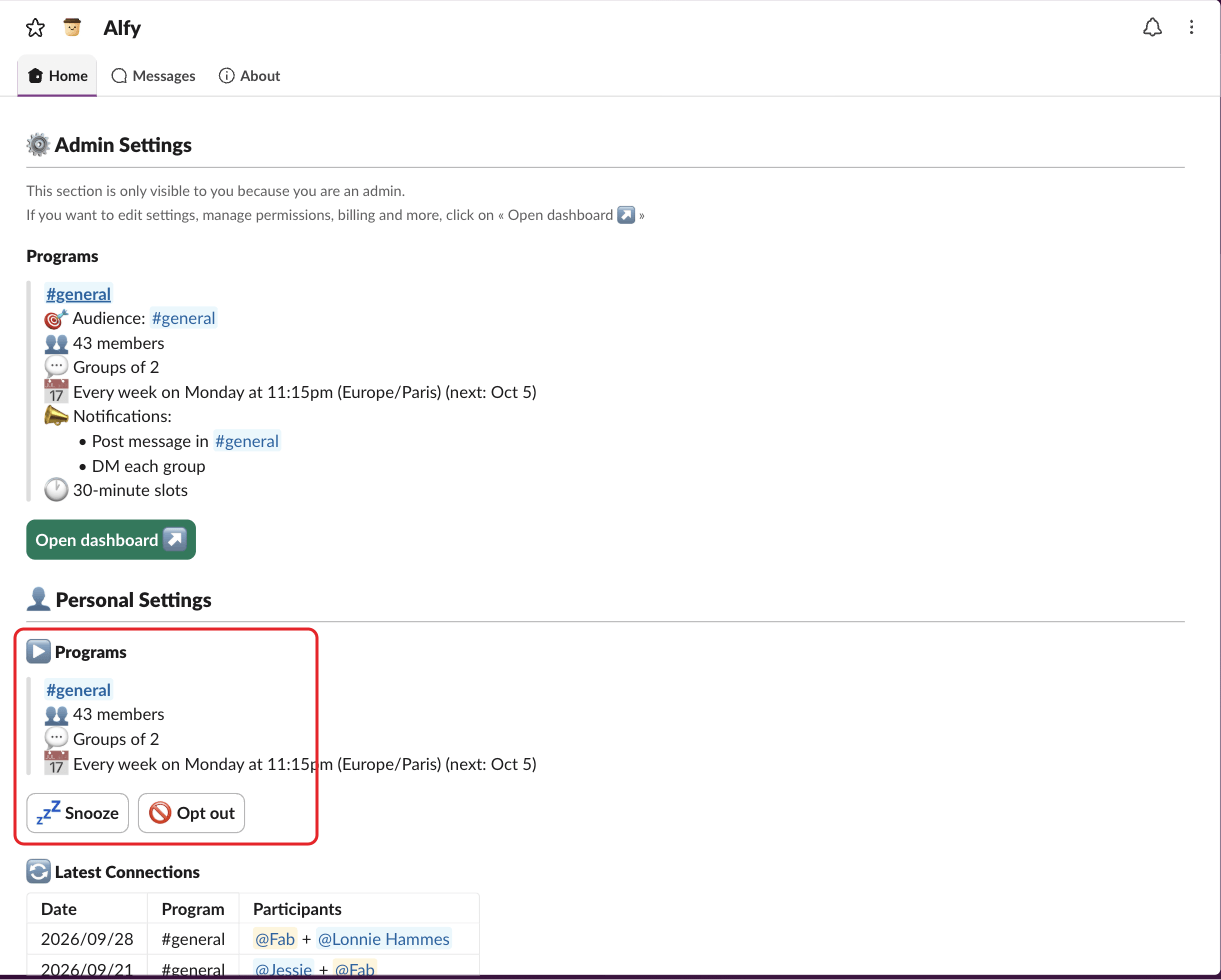
Ask your Alfy admin which channel the program uses, or look for it in your personal settings:
- Slack: on Alfy's Home tab, the
▶️ Programssection lists the programs you're in. - Microsoft Teams: type
settingsto Alfy and click⚙️ Open settings. - Web dashboard: open
Personal›Settings.
If you see "You're not included in any program." in Slack or Teams, or "No active programs" in the web dashboard, you aren't in any program's channel yet.
Step 2: Join the channel#
- Slack: join the channel like any other channel. For a private channel, ask a member to add you.
- Microsoft Teams: join the team, or ask to be added to the group chat where Alfy is installed.
Alfy picks up the change automatically and includes you from the next round.
I'm in the channel but not matched#
- You opted out or snoozed: click
Cancel opt-outorCancel snoozein Slack or Teams, or🥳 Resumein the web dashboard. See opt out of a program. - An admin excluded you: ask an Alfy admin to remove you from the program's exclusions.
- You're a Slack guest: guests are only included if an admin includes Slack guests.
- You were out of office or on leave: if the program skips people who are out of office, Alfy leaves you out of that round only.
- The next round hasn't happened yet: check the next date shown next to the program in your settings.