Skip or move the next Alfy round
Move the next round of an Alfy coffee chat program to another date, for example to skip a holiday week, without changing the program's schedule.
 Slack
Slack Microsoft TeamsUpdated Oct 5, 20261 min read
To skip or move an Alfy round, click edit next to the program's next date in the web dashboard and pick another date that fits the schedule. This is how you skip a round during a holiday week without changing how often the program runs.
Step 1: Click edit next to the next date#
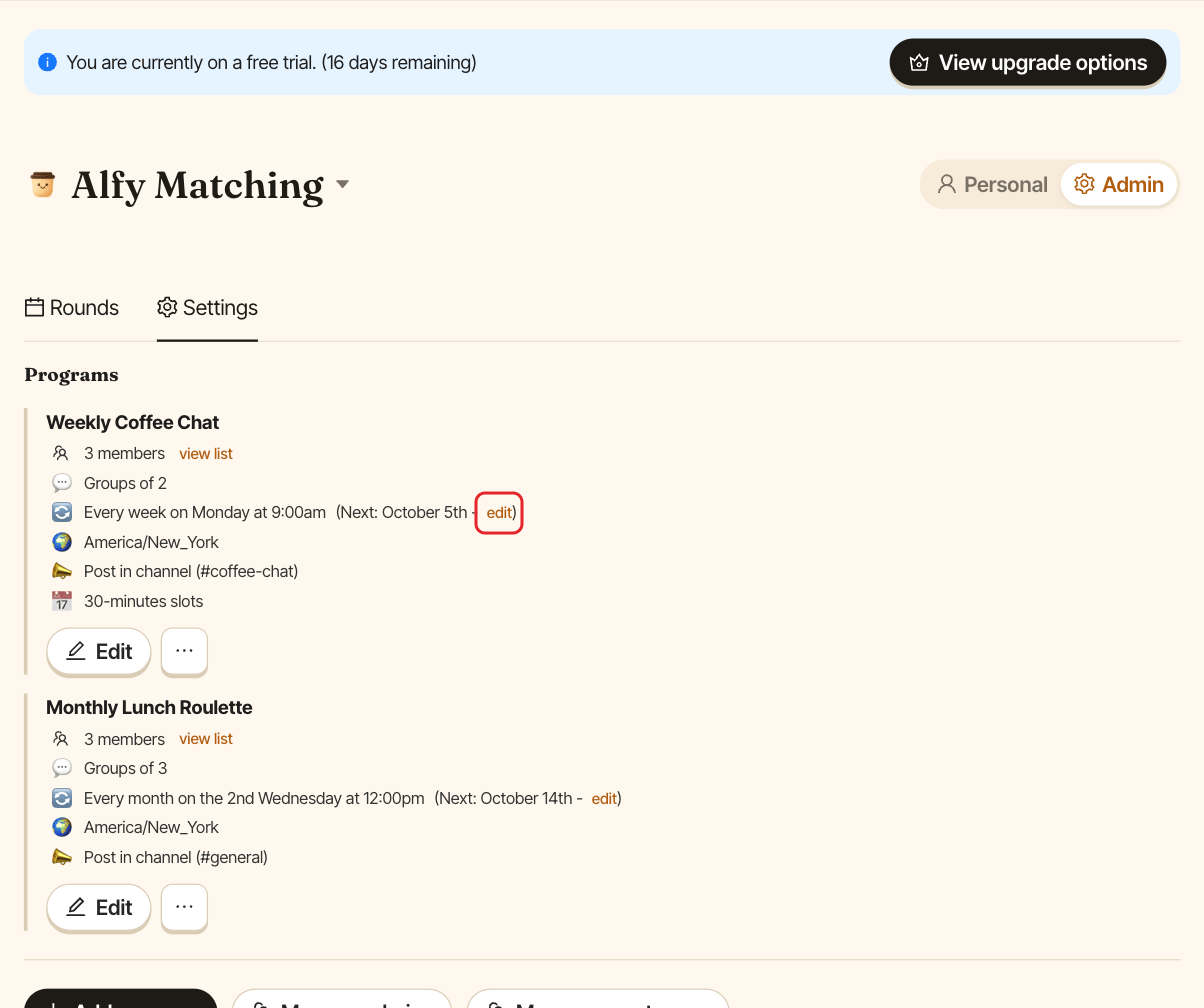
Open the web dashboard, switch to Admin and open the Settings tab. On the program card, click edit next to "Next:".
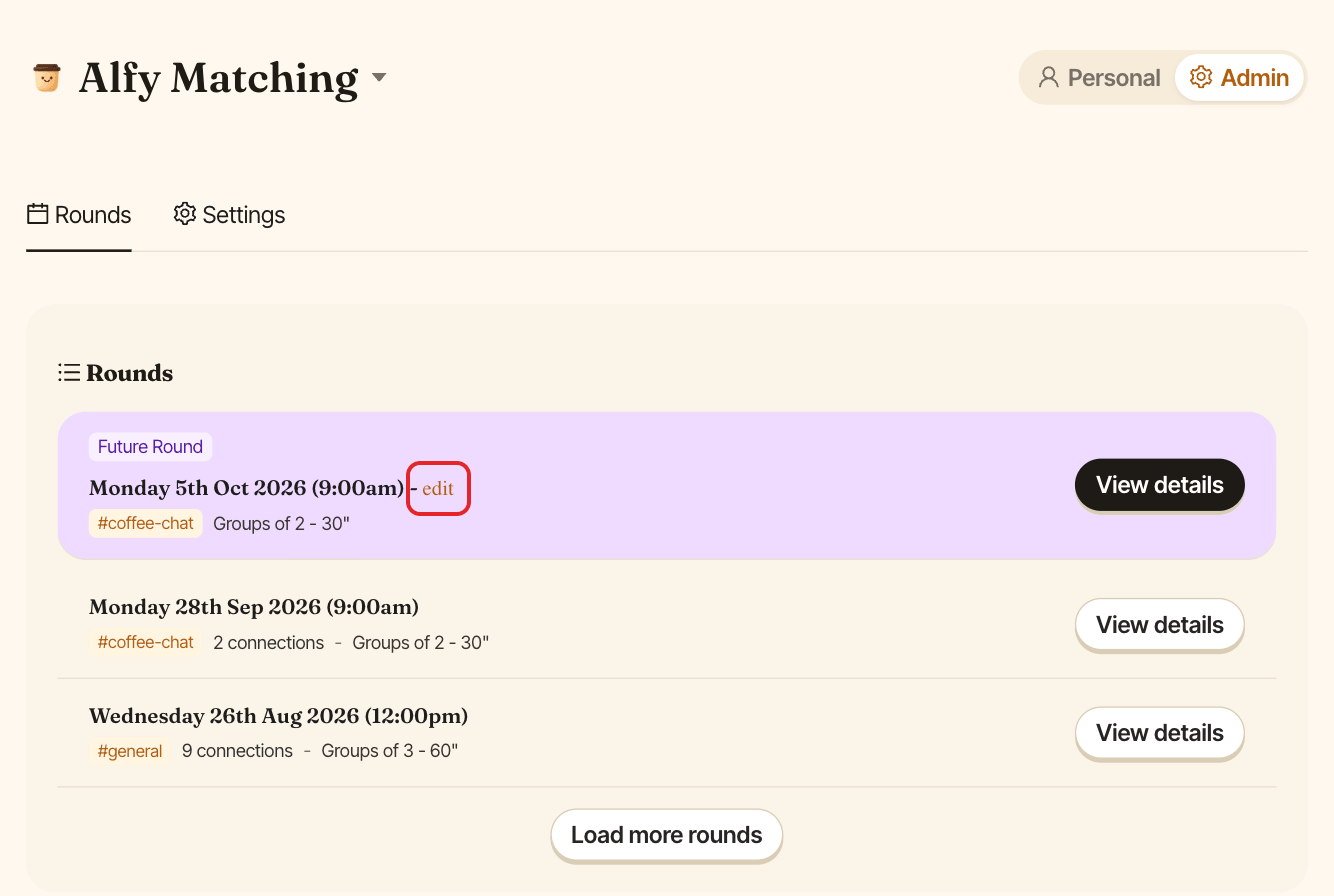
You can also click edit on an upcoming round in the Rounds tab.
Step 2: Pick the new date#
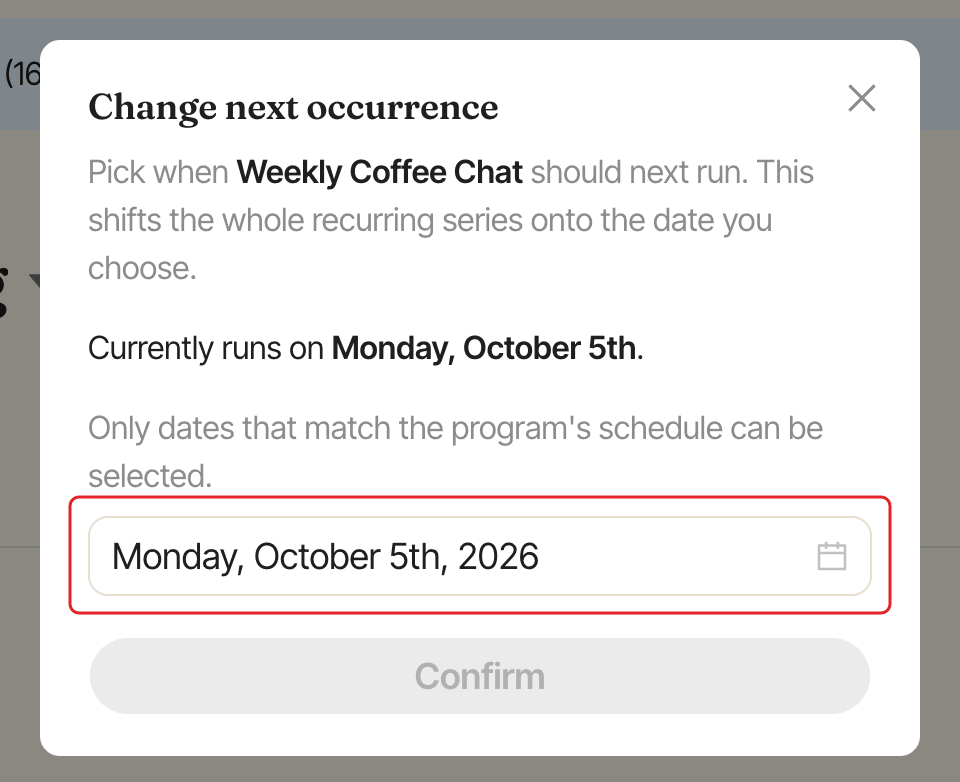
The Change next occurrence window shows the current date. Pick a new one in the date picker. Only dates that fall on the program's schedule pattern (for example, any Monday for a program that runs on Mondays), within the next 12 months, can be selected.
Step 3: Click Confirm#
Click Confirm.
To change the frequency itself, see choose how often a program runs.