Filter Clappy insights and leaderboards by department
Use the departments from your Linky org chart to filter Clappy's leaderboards and compare engagement per department, in Slack and the dashboard.
 SlackUpdated Oct 7, 20261 min read
Clappy, the BuddiesHR kudos app for Slack, can filter leaderboards and compare engagement by department. The departments come from Linky, the BuddiesHR org chart app, so you need Linky installed in the same BuddiesHR workspace.
Step 1: Set up departments in Linky#
In Linky, build your org chart, add a department field, and set it for the person who leads each department. See set up the org chart.
Clappy builds each department from the people tagged with it, plus everyone who reports to them in the org chart. Departments with nobody in them are hidden.
Step 2: Pick a department in Clappy#
Once Linky has departments, you can filter by department in these places:
| Where | Filter |
|---|---|
Home tab of Clappy's admin side in the dashboard (the insights dashboard) |
The All departments select at the top, with a Departments from Linky group. It filters the leaderboard cards. |
Leaderboards tab of Clappy's admin side |
The same All departments select |
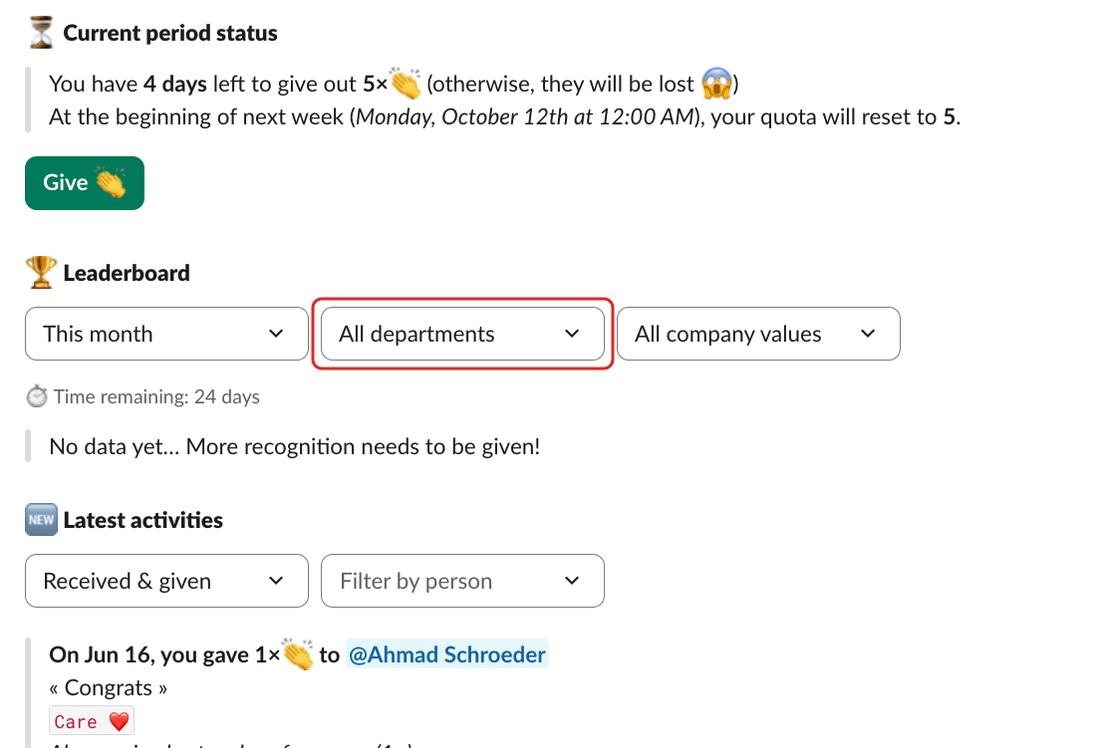
🏆 Leaderboard section of Clappy's Home tab in Slack |
The All departments select, for everyone who can see the leaderboard |
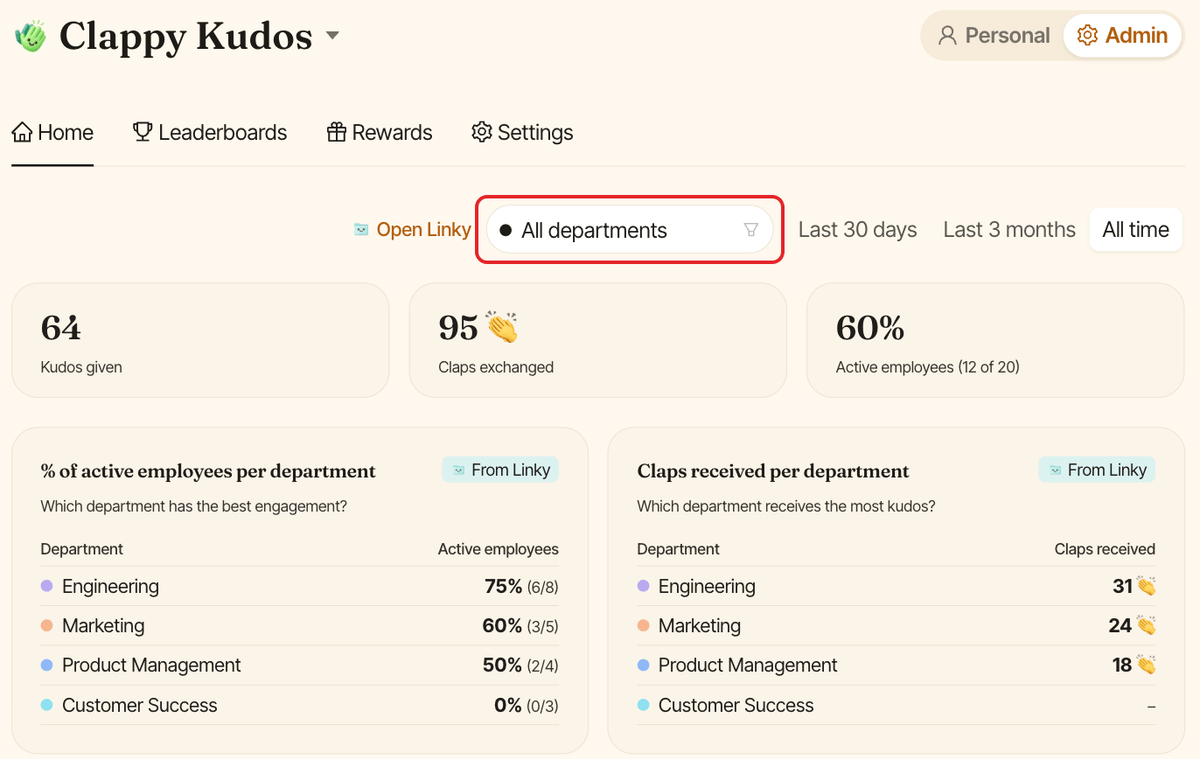
The Home tab of the admin side also shows two department tables: % of active employees per department and Claps received per department. Click a department in either table to filter the leaderboards by it.