Sign in to Clappy's web dashboard
Open Clappy in the BuddiesHR web dashboard from a button in Slack or by signing in with Google or email, and find your way around its tabs.
 SlackUpdated Oct 7, 20262 min read
Clappy's web app is the BuddiesHR web dashboard, at dashboard.buddieshr.com. There's no password: you sign in from a button in Slack, with Google, or with a link sent to your email. Everyone can use it, not just admins.
Sign in from Slack#
These buttons sign you in automatically and open the right page:
- On Clappy's Home tab:
🎁 View/Claim rewards ↗(if your company offers rewards),Open the dashboard ↗under🆕 Latest activities, and, for admins,Open dashboard ↗in⚙️ Admin Settings. - In Clappy's direct messages: buttons such as
Open Clappy ↗️on reward claims, orReview the claim ↗️for reward reviewers.
Each Home tab button works once and is renewed every time the Home tab refreshes. If you click an old one, you go to the dashboard without being signed in again: if you're no longer signed in, go back to the Home tab and click the button again.
Sign in on the web#
Go to dashboard.buddieshr.com and click Sign in with Google, or type your email and click Login with email to get a sign-in link. Use the email address of your Slack account.
What you see in the dashboard#
Clappy's personal side is for everyone:
Home: the claps you have left, withGive kudos 👏, your statistics, your level and the leaderboard.Feed: every public kudos in your workspace.Rewards: the rewards you can claim, if your company offers some. See redeem a reward.My history: everything you gave and received, and your reward claims.Review claims: for reward reviewers and admins.Notifications: which Clappy messages you get, in Slack or by email. See what messages Clappy sends.
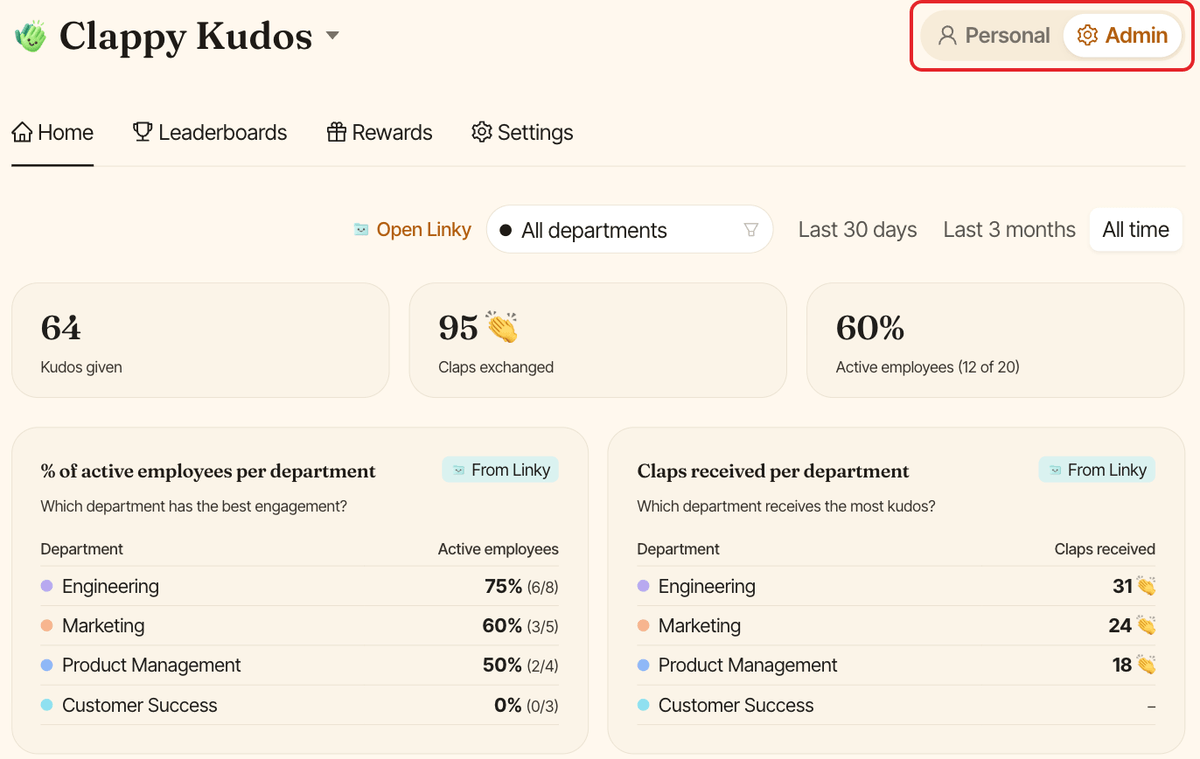
Clappy admins also get a Personal / Admin toggle at the top of the page. The admin side has the Home tab (insights dashboard), Leaderboards, Rewards and Settings. See find the admin settings.
Troubleshooting#
I don't see the Admin toggle#
Only Clappy admins see the admin side. Ask a Clappy admin to add you.
I signed in but don't see Clappy#
Check that you signed in with the same email address as your Slack account, and that you picked the right workspace if you belong to several.