See your latest Clappy kudos activity
See the latest kudos in Clappy, yours or a coworker's, on Clappy's Home tab in Slack, and the full feed and your history on the BuddiesHR web dashboard.
 SlackUpdated Oct 7, 20262 min read
Clappy, the BuddiesHR kudos app for Slack, shows the latest recognitions on its Home tab in Slack. For the full list, use the Feed and My history tabs of the web dashboard.
In Slack: Latest activities#
The 🆕 Latest activities section of Clappy's Home tab shows the 5 latest recognitions. By default, that's the latest recognitions in your workspace that you can see.
Filter the list#
Use the two filters at the top of the section:
Received & given,ReceivedorGiven. On their own,ReceivedandGivenshow your own recognitions.Filter by person: pick a coworker to see their recognitions. Click✖ Clearto go back to everyone.
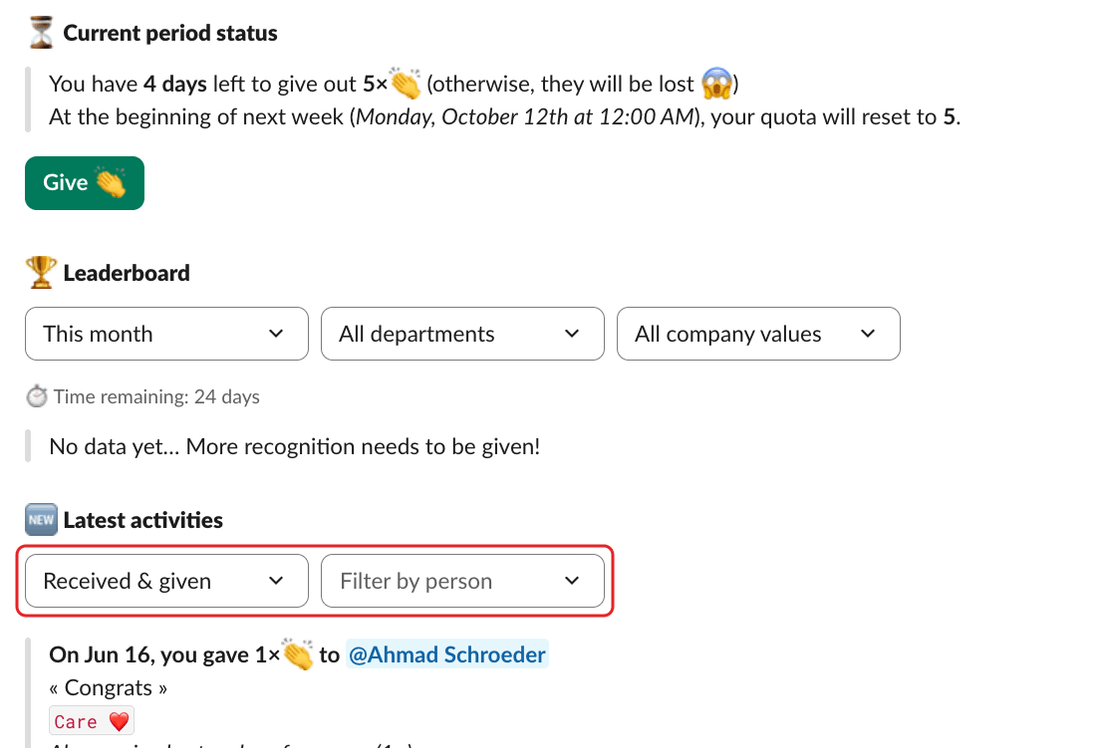
Each item shows the date, who gave how many claps to whom, the message and the company values. Claps added with Clap this too 👏 are listed under the recognition, after "Also received extra claps from". Private recognitions are marked "(private 🔒)".
To see more, click Open the dashboard ↗ under the list. The dashboard's Feed tab opens with the same person and filter.
If there's nothing yet, you see "There's nothing to see here! (yet 👀)". If you pick someone who doesn't use Clappy, you see "This person isn't on Clappy (yet 👀)".
What you can see in Slack#
- Public recognitions.
- Private recognitions you gave or received.
On the dashboard: Feed and My history#
On the personal side of the web dashboard:
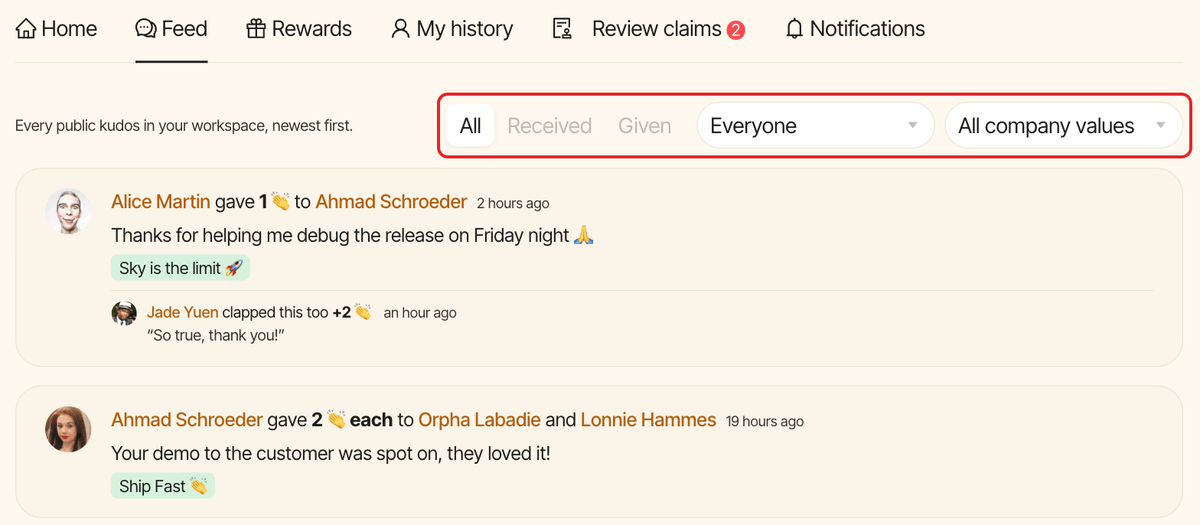
Feedlists every public kudos in your workspace, newest first, with the claps people added under each one. Pick a person to see the kudos they received, then switch toGivento see the ones they gave. You can also filter by company value. ClickLoad moreto go further back. Private kudos aren't shown here.My historylists everything you gave and received, private kudos included, and your reward claims. Filter it withAll,Given,ReceivedorClaims.