Check your Clappy claps, rewards and level
See in Slack or on the BuddiesHR web dashboard how many claps you've given and received, how many you can spend on rewards, and your current level.
 SlackUpdated Oct 7, 20262 min read
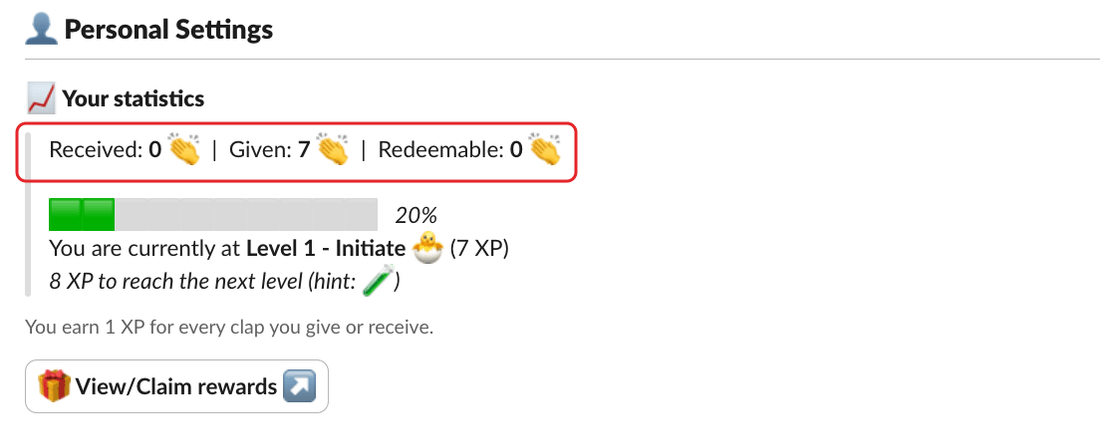
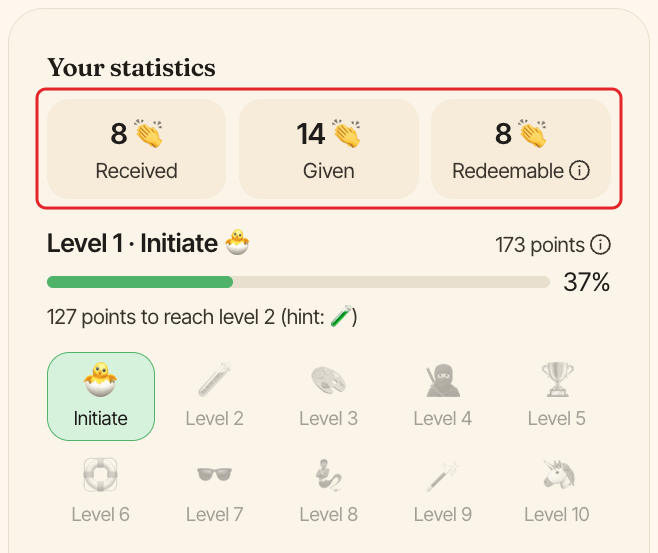
Clappy, the BuddiesHR kudos app for Slack, shows your all-time claps, how many you can spend on rewards, and your level. You find them in the 📈 Your statistics section of Clappy's Home tab in Slack, and in the Your statistics card on the Home tab of the web dashboard.
Your claps#
In Slack, the first line reads Received: N 👏 | Given: N 👏 | Redeemable: N 👏. The dashboard shows the same three numbers side by side.
- Received: all the claps you've received, including extra claps from admins and claps others added with
Clap this too 👏. - Given: all the claps you've given, including the ones you added with
Clap this too 👏. Giving 2 claps to 3 people counts 6. - Redeemable: your balance to spend on rewards. Each clap you receive adds 1. Claimed rewards are taken off, and given back if a claim is rejected. The balance is shared with your workspace's other BuddiesHR apps, so they can add to it too.
Redeemable only shows if your company offers at least one reward.
Rewards#
If your company has added rewards, a 🎁 View/Claim rewards ↗ button appears at the bottom of the Slack section, and a View and claim rewards link on the dashboard card. Both open the Rewards tab of the dashboard. See redeem a reward.
Your level#
Below your claps, a progress bar shows your current level, your XP and how much you need for the next level. Each clap you give or receive is worth 1 XP (the dashboard calls them points).
See levels and certificates for how levels work.
Your full history#
On the dashboard, the My history tab shows the same numbers, a Recognized for chart of the company values on the kudos you received, and everything you gave, received and claimed. The See my full history link on the Home tab opens it too.