Give extra claps as a Clappy admin
Clappy admins can give claps on top of everyone's allowance from the web dashboard. Recipients see them as coming from "an admin", not from you.
 SlackUpdated Oct 7, 20262 min read
Clappy admins can give claps on behalf of the company, for a bonus, an onboarding or a special occasion, with the Give extra 👏 button in the BuddiesHR web dashboard. It doesn't use your own allowance, and recipients see the claps as coming from "an admin", not from you.
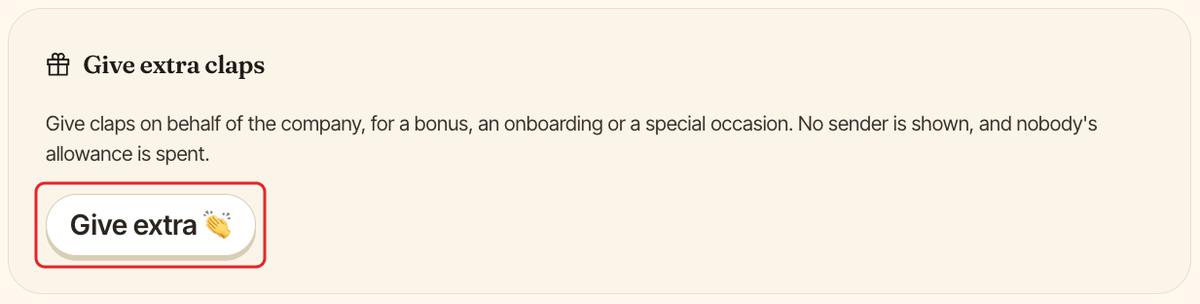
Step 1: Click Give extra 👏#
In Clappy's admin settings, find the Give extra claps card and click Give extra 👏.
Step 2: Fill out the form#
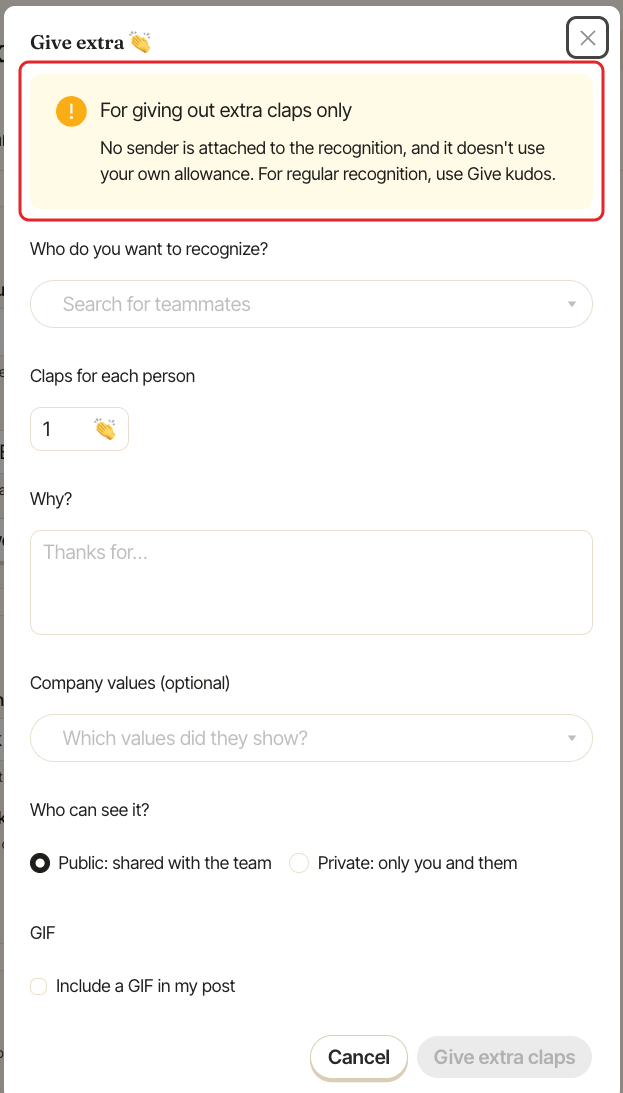
The Give extra 👏 window opens with a warning, "For giving out extra claps only": no sender is attached to the recognition. Fill out:
| Field | Notes |
|---|---|
Who do you want to recognize? |
Required. You can include yourself. |
Claps for each person |
Required, at least 1. There's no limit. |
Why? |
Required. The message. |
Company values (optional) |
Only shown if you have company values. |
Who can see it? |
Public: shared with the team or Private: only you and them. |
GIF |
Optional. Tick the box to add a GIF. |
Step 3: Click Give extra claps#
Click Give extra claps. Each recipient gets a direct message saying they received claps "from an admin". If the recognition is public, it's also posted in your public kudos channel as coming "from an admin".
You don't get a confirmation message for extra claps.
How extra claps count#
| Counts? | |
|---|---|
| Your own allowance | No, it isn't used. |
| Recipient's received claps and points balance | Yes, so they can spend them on rewards. |
| Recipient's level | Yes. |
| Leaderboard | Yes for the recipients. "An admin" never appears as a giver. |
In the Excel export, extra claps have no Giver, and the Granted by column shows the admin who gave them.