Choose Clappy's kudos channel in Slack
Pick the public Slack channels where Clappy posts every public kudos, send Clappy's welcome message to your team, and stop posting in a channel.
 SlackUpdated Oct 7, 20262 min read
The kudos channel is the Slack channel where Clappy, the BuddiesHR kudos app, posts every public recognition. Clappy admins pick it in the Public kudos section of the Settings tab in the dashboard (see find the admin settings). You can pick more than one channel: Clappy posts each public kudos in all of them.
Pick the channel#
Step 1: Select one or more channels#
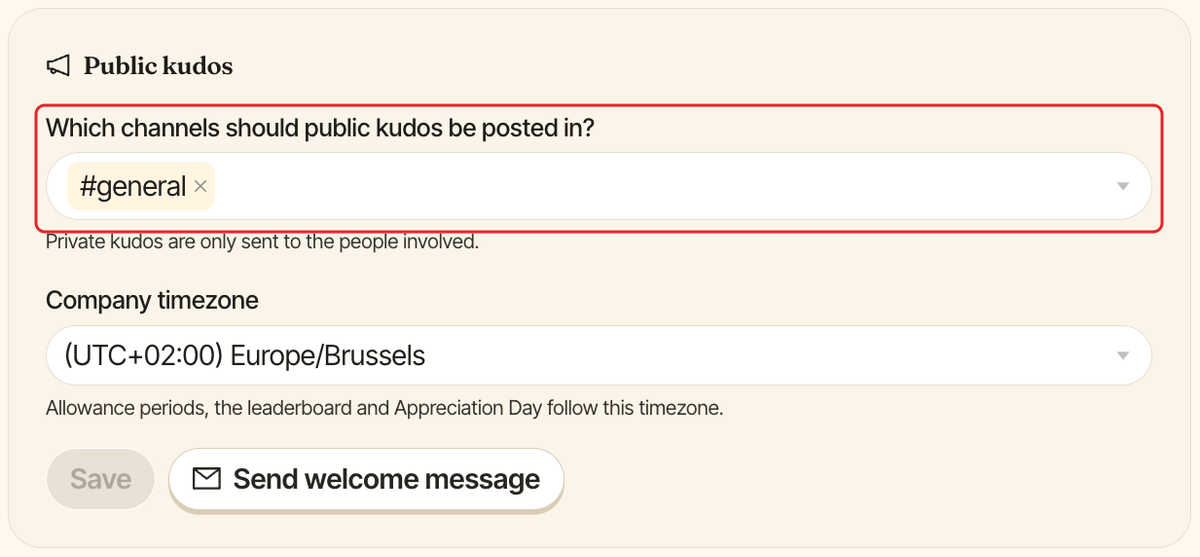
Under Which channels should public kudos be posted in?, search for a channel and select it. Only public channels are listed.
Step 2: Click Save#
Click Save in the Public kudos section. The button stays grey until you change something. From then on, every public kudos is posted in the channels you picked. Private kudos are only sent to the people involved.
If Clappy can't post in a channel, the save fails with a message that explains why. For example, if the channel only lets certain people post, you see "only lets certain people post, so Clappy can't send there". Allow Clappy to post in the channel, or pick another one. See Clappy can't post in my channel.
Send a welcome message (recommended)#
Once your channel is saved, click Send welcome message in the same section, then Send to confirm.
Clappy then:
- posts a welcome message in each kudos channel, explaining how claps work and how to give one with
/clap, with aGive 👏button; - sends an intro direct message to everyone Clappy is switched on for, pointing back to the channel post.
The direct messages go out over a few minutes in large teams. If you click Send welcome message again within a few minutes, nobody gets it twice.
Stop posting in a channel#
Remove the channel from Which channels should public kudos be posted in? (click the × on its tag), then click Save. With no channel selected, the field shows Don't post public kudos in a channel.