View the Clappy leaderboard in Slack and on the web
See who gives and receives the most claps in Clappy, on the Home tab in Slack or the web dashboard, and filter the ranking by period, value or department.
 SlackUpdated Oct 7, 20262 min read
The leaderboard of Clappy, the BuddiesHR kudos app for Slack, ranks people by the claps they've given and received over a week or a month. You find it on Clappy's Home tab in Slack and on the Home tab of the web dashboard.
How the ranking works#
- Your score is claps given + claps received in the period. Giving 2 claps to 3 people counts 6 given.
- Claps added with
Clap this too 👏and extra claps from admins count too. - Ties go to whoever received more.
- You need to give or receive at least 1 clap in the period to be ranked.
In Slack: the Leaderboard section#
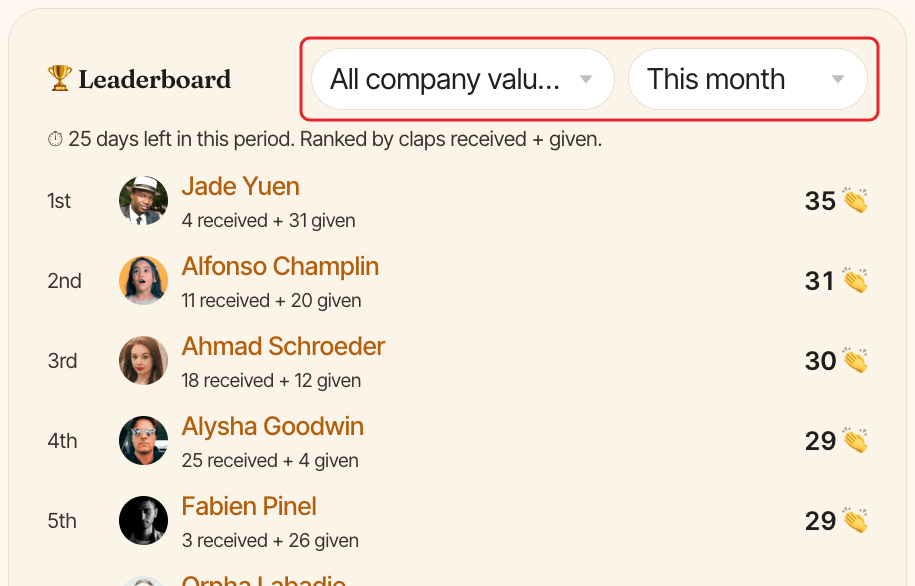
On Clappy's Home tab, the 🏆 Leaderboard section shows the top 10, each with their total and "(N received + N given)". If you're ranked lower, your own rank shows after "…", marked "(you)".
Use the selects above the ranking:
- The period:
This month(the default),This week,Last monthorLast week. For the current week or month, "⏱️ Time remaining" shows how long is left. All departments: only shown if your company has departments in Linky's org chart. Pick one to rank only its members.All company values: only shown if your company has company values. Pick one to count only the claps tagged with it.
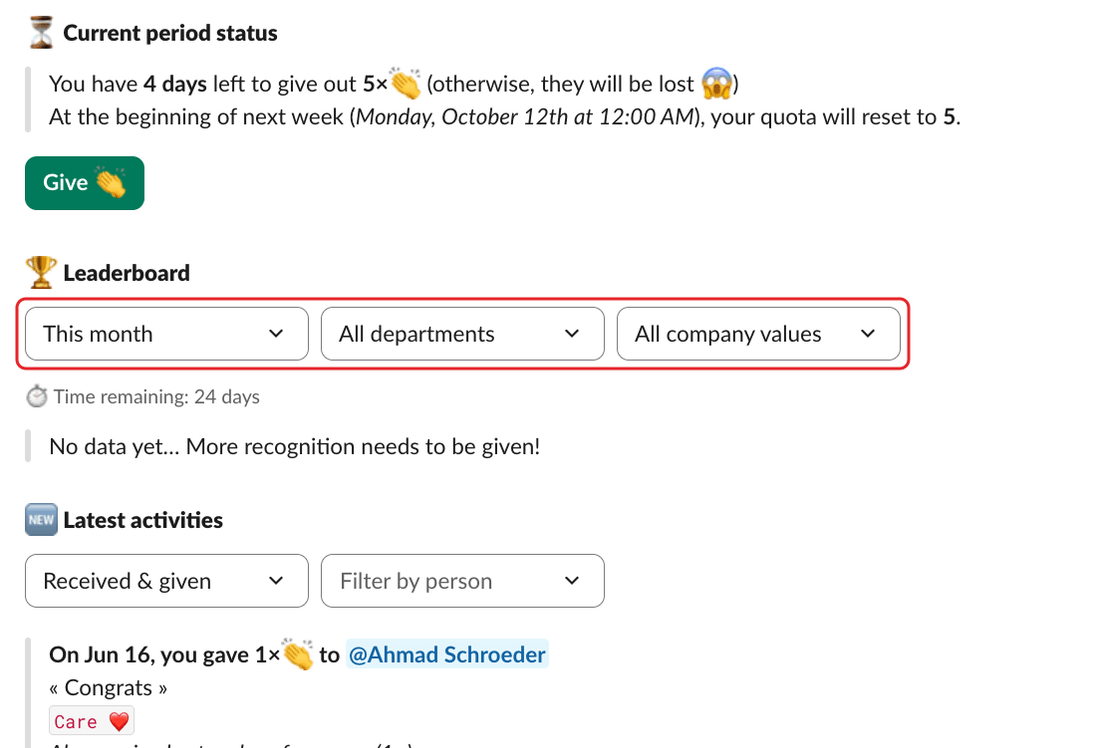
If nobody has given or received claps yet in the period, you see "No data yet… More recognition needs to be given!".
On the dashboard: the Home tab#
On the Home tab of the dashboard's personal side, the 🏆 Leaderboard card ranks people the same way, 10 per page, with your row marked "(you)". Filter it by company value and by period (This month, Last month, This week or Last week).