Set your company timezone in Clappy
Set your company timezone in Clappy for Slack so claps reset, leaderboard periods close and Appreciation Day messages go out at the right time.
 SlackUpdated Oct 7, 20261 min read
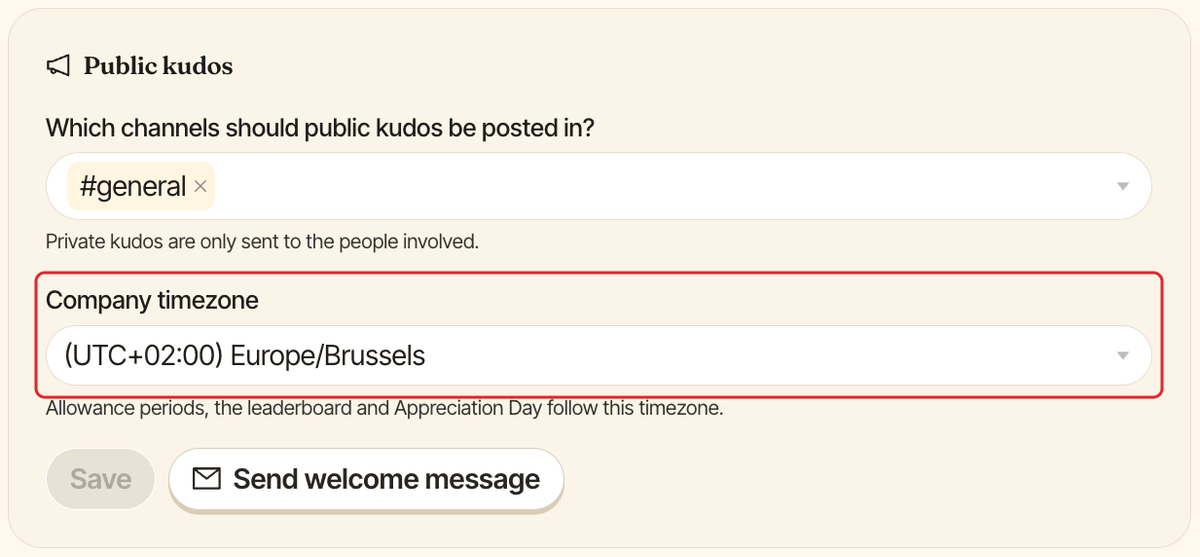
Your company timezone decides when Clappy's periods start and when its scheduled messages go out. Clappy admins set it once in the Public kudos section of the Settings tab in the dashboard (see find the admin settings).
Change the timezone#
Step 1: Pick your timezone#
Under Company timezone, type part of a city or region to search, then pick your timezone. Each option shows its UTC offset, like (UTC+01:00) Europe/Paris.
Step 2: Click Save#
Click Save in the Public kudos section.
By default, Clappy uses the timezone of the person who installed it, or New York time (America/New_York) if it isn't known.
What the timezone controls#
| Feature | What depends on the timezone |
|---|---|
| Claps allowance | Claps reset at 12:00am company time, at the start of each day, week (Monday) or month. |
| Leaderboards | When this week, this month, last week and last month start and end. |
| Appreciation Day | The hours of the Kickoff, Midday reminder and Recap messages (9:00am, 1:00pm and 5:00pm by default). |
On Clappy's Home tab in Slack, each person still sees reset dates in their own Slack timezone.