Use the Clappy insights dashboard
The Clappy insights dashboard shows key kudos numbers, which company values resonate, who gives and receives the most, and each employee's recognition history.
 SlackUpdated Oct 7, 20262 min read
The Clappy insights dashboard shows how your team uses kudos: key numbers, company values, and who gives and receives the most claps. It's the Home tab of Clappy's admin side in the BuddiesHR web dashboard, and only Clappy admins can open it.
Open the dashboard#
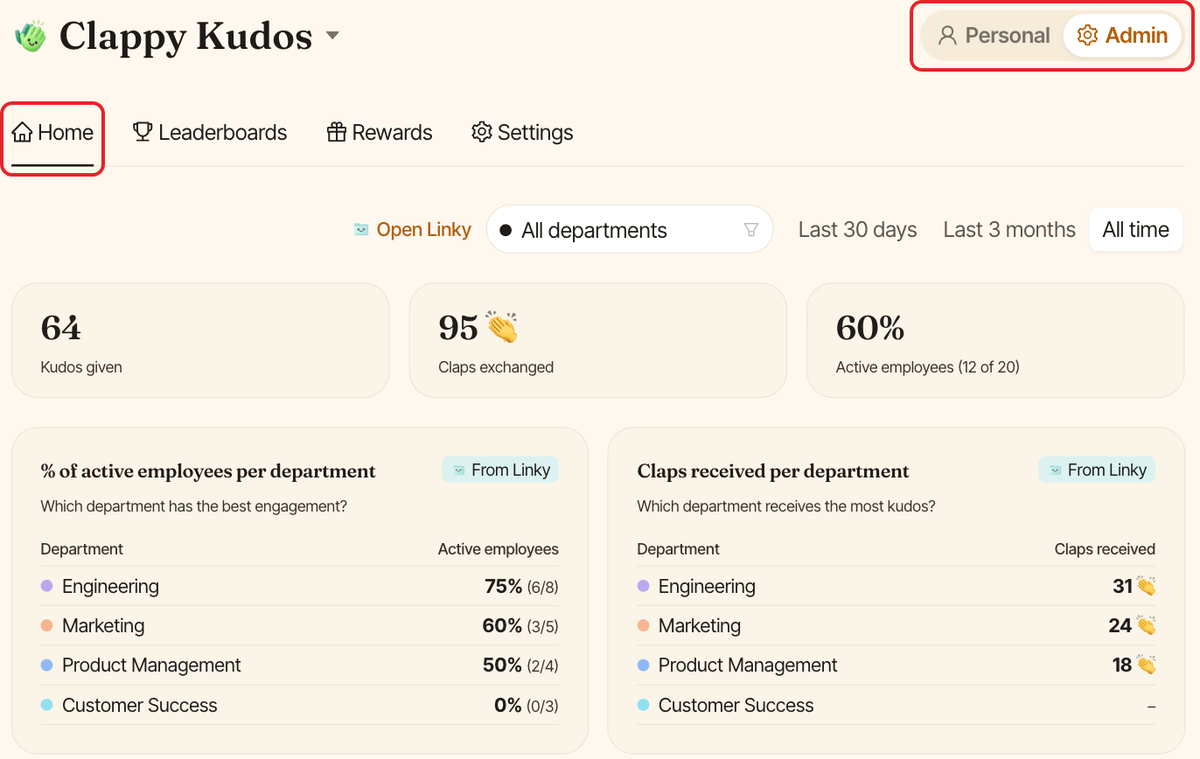
In the BuddiesHR web dashboard, open Clappy, switch to Admin and click the Home tab.
From Slack, click Open dashboard ↗ in the ⚙️ Admin Settings section of Clappy's Home tab: it signs you in and opens the Settings tab, then click Home. See sign in to the Clappy web app if it doesn't work.
Filter the data#
At the top of the page:
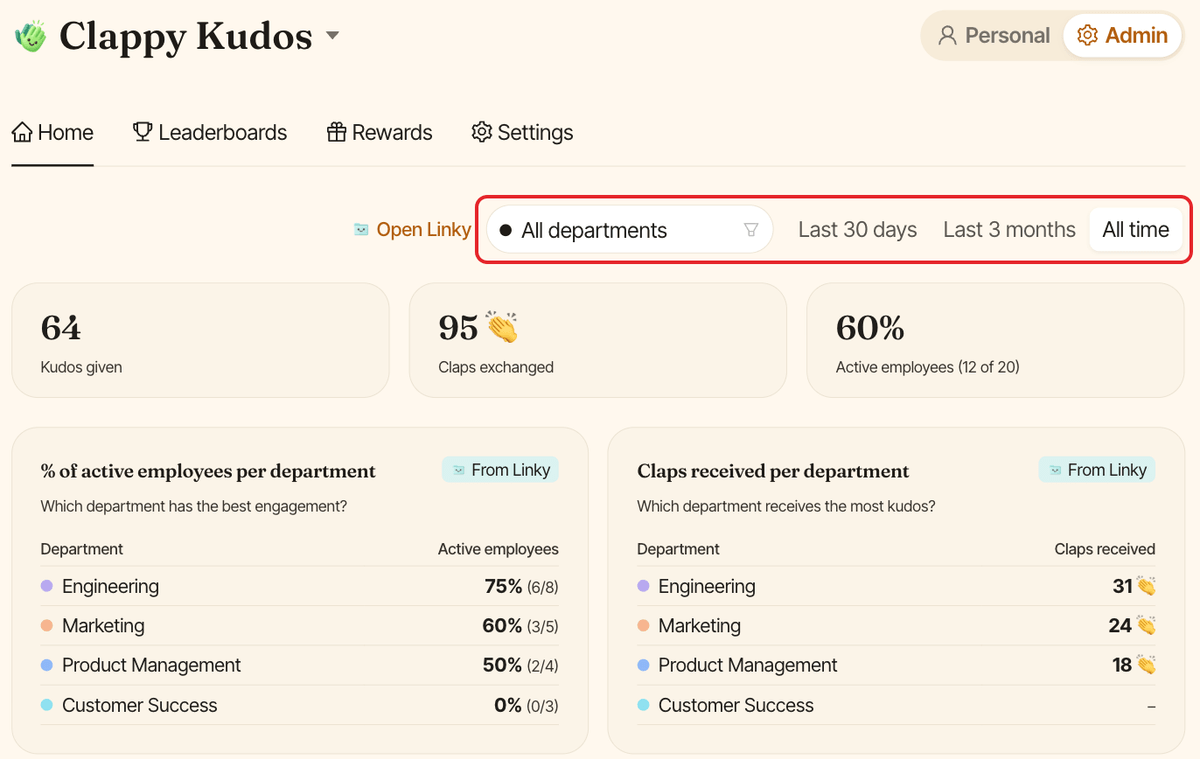
- the department select (
All departmentsby default), if your departments come from Linky. It filters the leaderboards only. - the period:
Last 30 days,Last 3 monthsorAll time(the default).
The filters follow you to the Leaderboards tab.
What you'll find#
Key numbers#
Kudos given, Claps exchanged and Active employees: the share of people who gave or received kudos during the period.
Departments#
With Linky departments, two tables compare them: % of active employees per department and Claps received per department. Click a department to filter the leaderboards by it.
Company values#
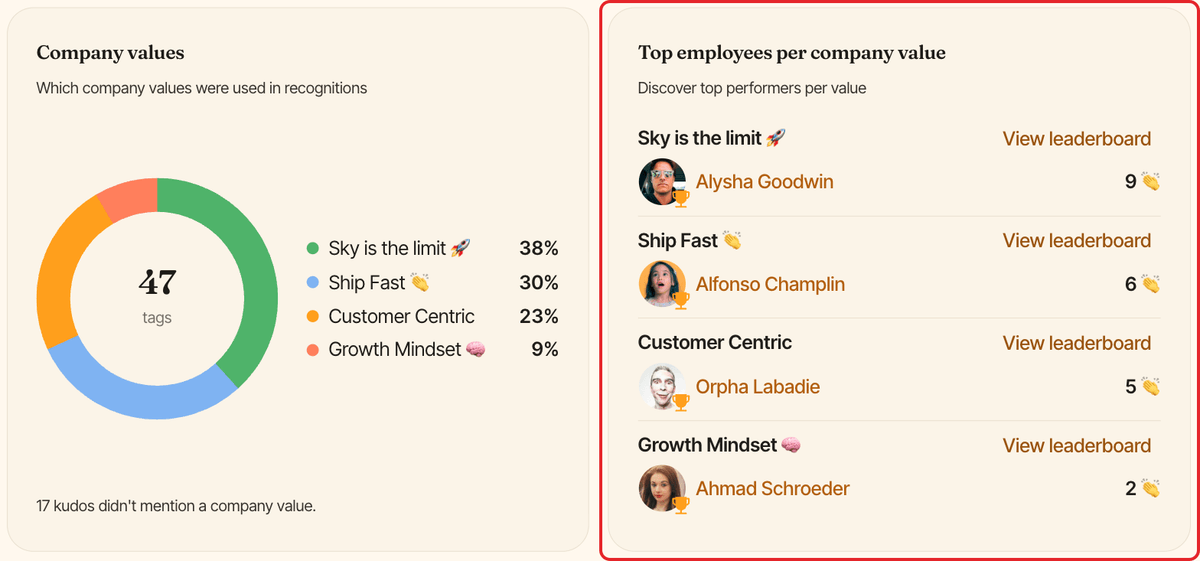
Company values shows which values were attached to recognitions, so you can spot the ones that resonate and the ones that need more communication. Top employees per company value shows who demonstrates each value most. Click View leaderboard next to a value to see its full ranking.
Leaderboards#
Top receivers and Top givers list your most active participants for the selected period. Click View all to open the Leaderboards tab.
The Leaderboards tab#
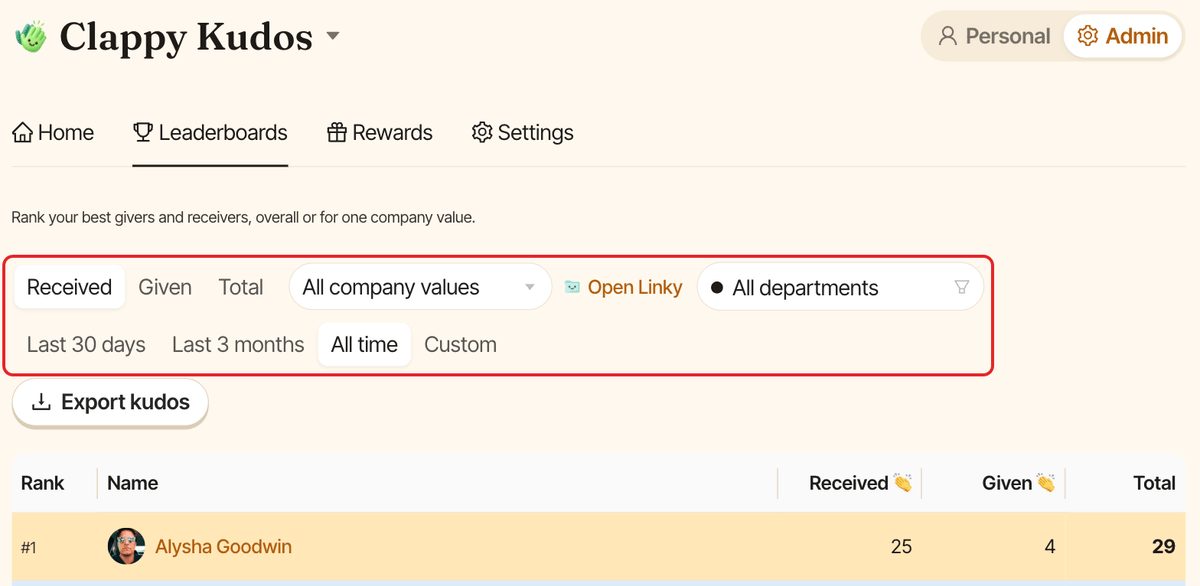
The Leaderboards tab shows the full ranking, with Rank, Name, Received 👏, Given 👏 and Total. Filter it by:
Received,GivenorTotal- company value (
All company valuesby default) - department (
All departmentsby default) - period:
Last 30 days,Last 3 months,All timeorCustom
This tab also has the Export kudos button. See export recognitions to Excel.
View an employee's profile#
Click a name in a leaderboard to open that person's profile: the claps they Received and Given, a Recognized for chart of the company values on the kudos they received, and their History, which you can filter by All, Given, Received or Claims.
It's a handy way to bring someone's recognition history into a performance review.