Set up Clappy in Slack in one minute
Clappy's three-step setup in the BuddiesHR web dashboard sets your Slack kudos channel, weekly claps, company values, Appreciation Day and leaderboard.
 SlackUpdated Oct 8, 20263 min read
Right after you install Clappy, the BuddiesHR kudos app for Slack, you land on the Setup Clappy page of the BuddiesHR web dashboard. It has three steps, takes about a minute, and nothing is saved until you click Finish setup. You can change every setting later from the Settings tab of the dashboard.
Step 1: Choose your channel and claps per week#
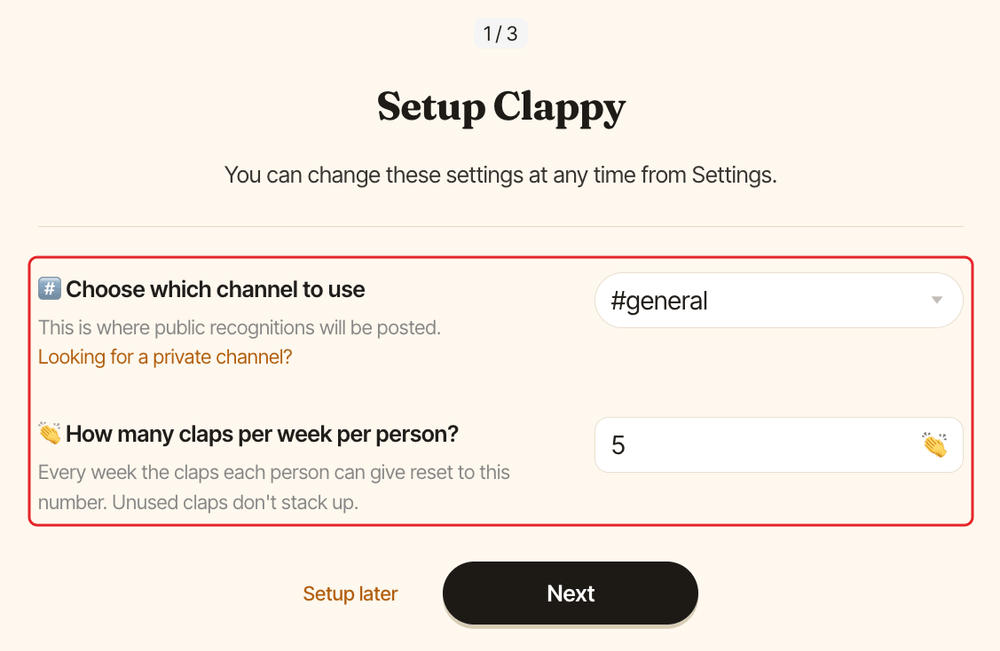
Under #️⃣ Choose which channel to use, pick the channel where Clappy posts public recognitions. #general is preselected and a channel is required. Clappy only works with public channels: public recognitions are meant for everyone to see.
Under 👏 How many claps per week per person?, enter how many claps each person can give out every week. The default is 5. Unused claps don't stack up.
Click Next.
Step 2: Add your company values#
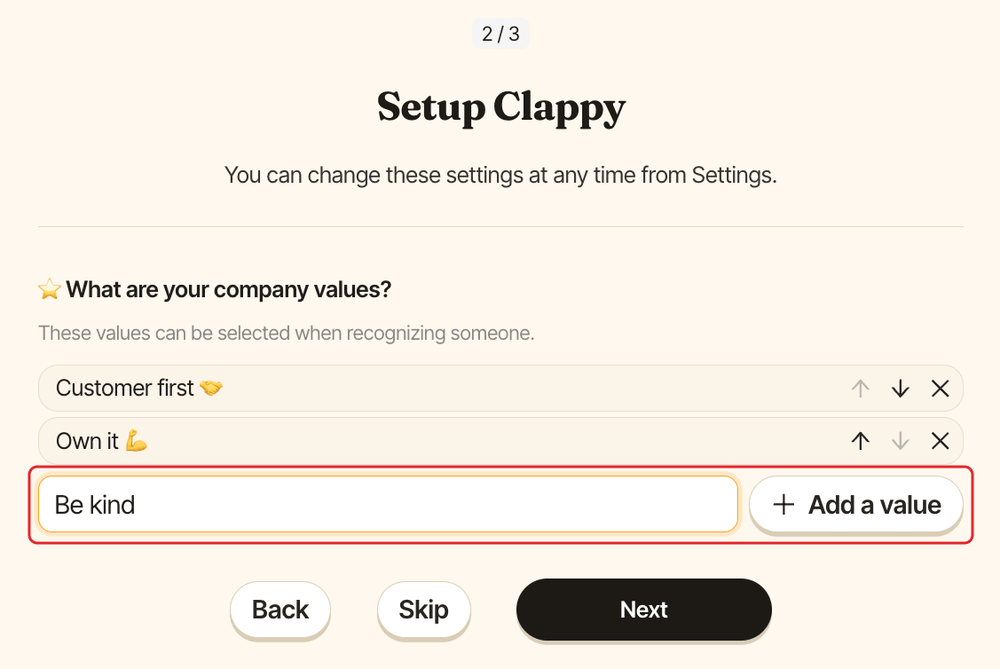
Under ⭐️ What are your company values?, type a value in the Name a value field and click Add a value (or press Enter). Repeat for each value, and use the arrows to reorder them. People can then attach these values to their kudos, and they power the value charts on the insights dashboard.
Click Next once you've added at least one value, or Skip if you'd rather add values later from the company values settings.
Step 3: Turn on Appreciation Day and the leaderboard#
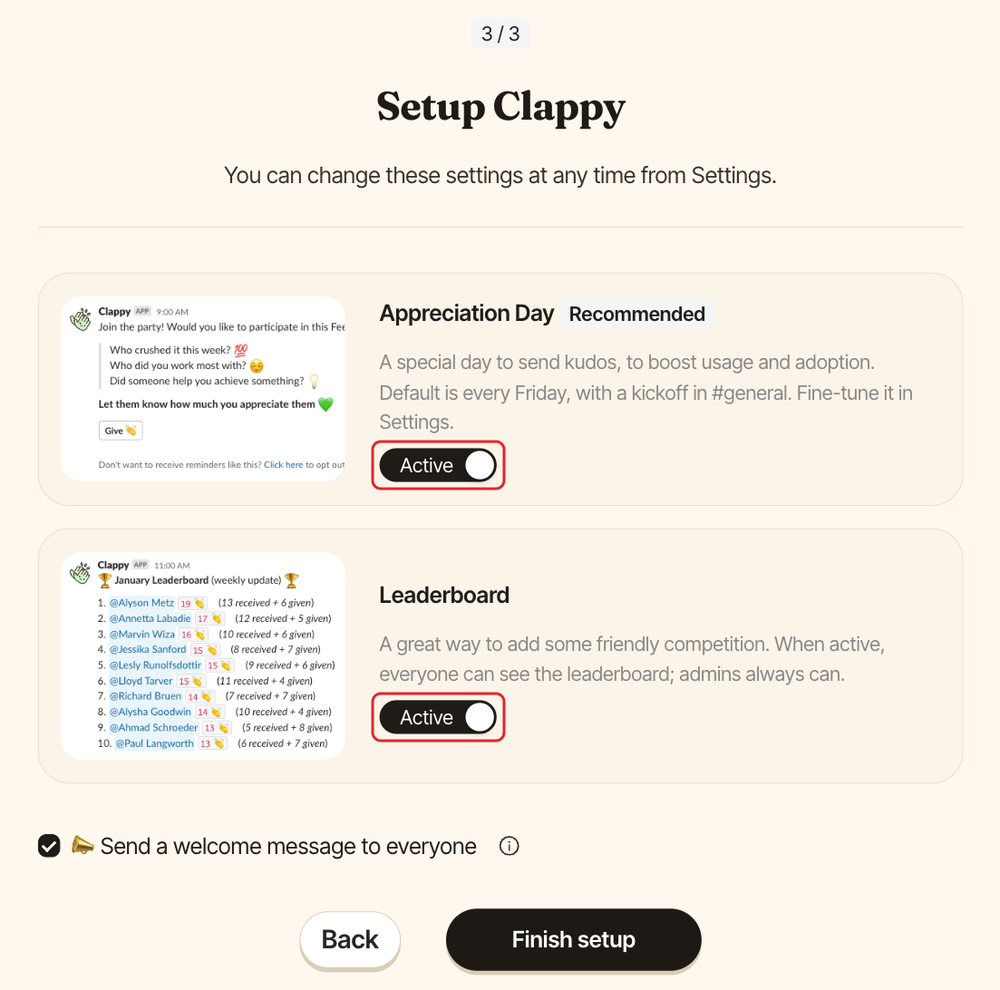
Both switches are Active by default:
Appreciation Day(recommended): a special day to send kudos. It's set to every Friday, with a kickoff message in your channel. See set up Appreciation Day to change the day, frequency and messages.Leaderboard: when active, everyone can see the leaderboard. Admins always can. See the leaderboard settings.
Step 4: Click Finish setup#
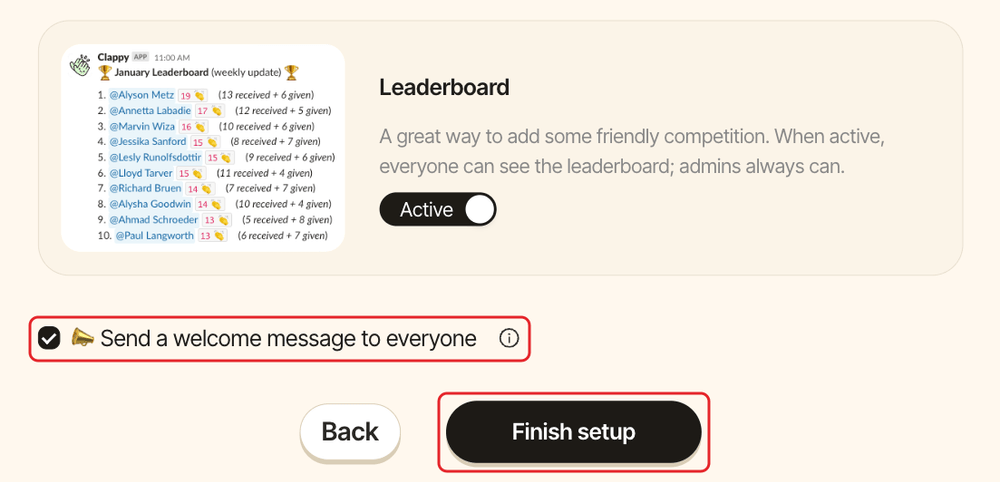
📣 Send a welcome message to everyone is checked by default.
Click Finish setup.
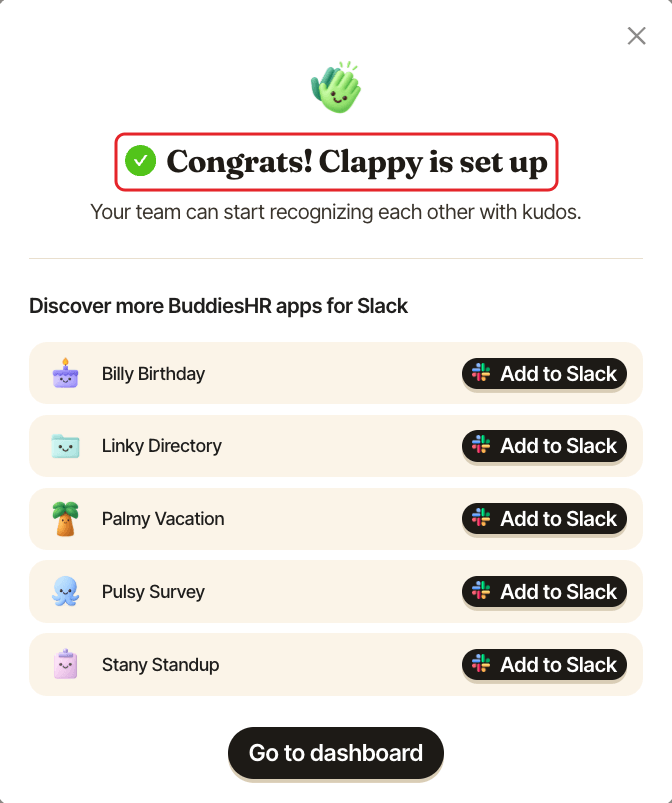
Clappy saves your settings and shows "Congrats! Clappy is set up", with other BuddiesHR apps you can add. If Clappy is your first BuddiesHR app, it first asks how you found us. Click Go to dashboard to open Clappy's admin home.
Next steps#
- Add a reward to give your recognition program a real boost.
- Give your first clap.
Troubleshooting#
The channel list is empty#
If Clappy can't list your channels, for example in a workspace with a very large number of channels, you can still click through the steps and finish. Then pick your channel from the Settings tab of the admin settings.
Clappy can't post in the channel#
If the channel only lets certain people post, Finish setup shows "only lets certain people post, so Clappy can't send there". Allow Clappy to post in the channel, or click Back until you're on step 1, pick another channel and finish again. See Clappy can't post in my channel.