Set the number of claps per week in Clappy
Choose how many claps each person can give out in Clappy for Slack, per day, week or month. The default, and our advice, is 5 claps per week.
 SlackUpdated Oct 7, 20262 min read
The claps allowance controls how many claps each person can give out in Clappy, the BuddiesHR kudos app for Slack. The default is 5 claps per week, and only Clappy admins can change it.
Change the number of claps#
Step 1: Open the Kudos section#
In the dashboard, open the Settings tab of Clappy's admin side (see find the admin settings) and find the 👏 Kudos section.
Step 2: Set the amount and the period#
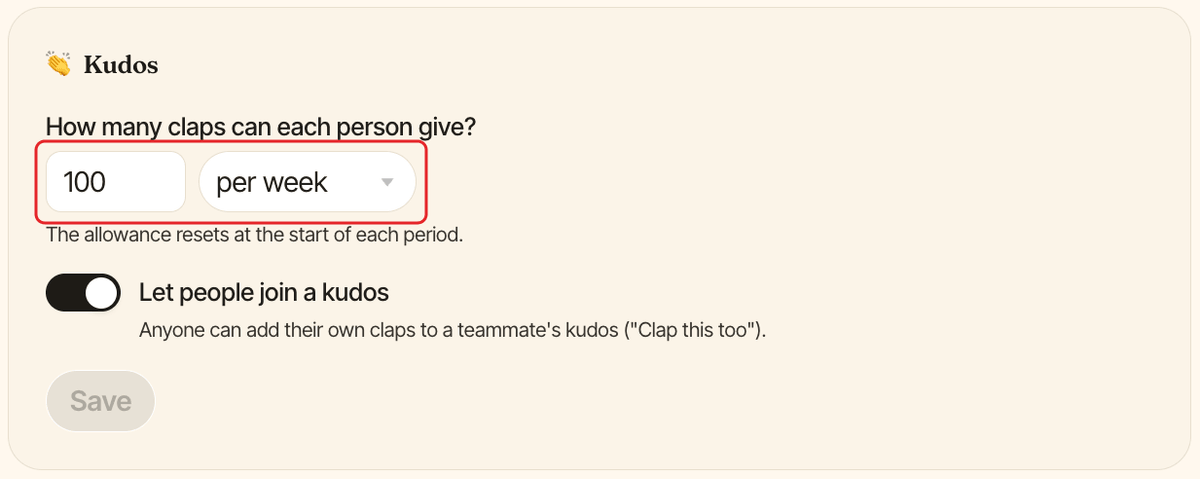
Under How many claps can each person give?, enter a number, then pick per day, per week or per month. The amount must be a whole number of at least 1.
Step 3: Click Save#
Click Save in the 👏 Kudos section. The new amount applies right away, to the current period too.
How the allowance works#
- The allowance resets at the start of each period, at 12:00am in your company timezone: every day, every Monday, or on the 1st of each month.
- Unused claps are lost: they don't carry over to the next period.
- Giving 2 claps to 3 people uses 6 claps.
- Claps people have received never expire.
- Level thresholds scale with the amount, so changing it also changes how much XP each level needs.
In Slack, everyone sees how many claps they have left and when they reset in the ⏳ Current period status section of Clappy's Home tab.
To give someone claps beyond the allowance, see give extra claps as an admin.
Let people join a kudos#
The 👏 Kudos section also has the Let people join a kudos switch, on by default. When it's on, anyone can add their own claps to a teammate's kudos with Clap this too 👏. Click Save after changing it.