Update your own profile in Linky
Fill in or change the fields of your own Linky profile on the org chart, such as your phone number or birthday, from Slack or the BuddiesHR dashboard.
 SlackUpdated Oct 7, 20262 min read
In Linky, the BuddiesHR org chart app for Slack, you can fill in the profile fields your admins opened to employees, such as your phone number or birthday. Other fields are managed by your admins or come from Slack.
Step 1: Open your profile#
In Slack, open Linky's Home tab and click ✏️ Update profile. The org chart opens in your browser, already signed in.
On the chart, click your own picture or name to open your Profile.
Step 2: Edit your fields#
Click Edit Profile infos. The Edit my profile window only lists the fields you're allowed to edit. Fill them in and click Save Profile.
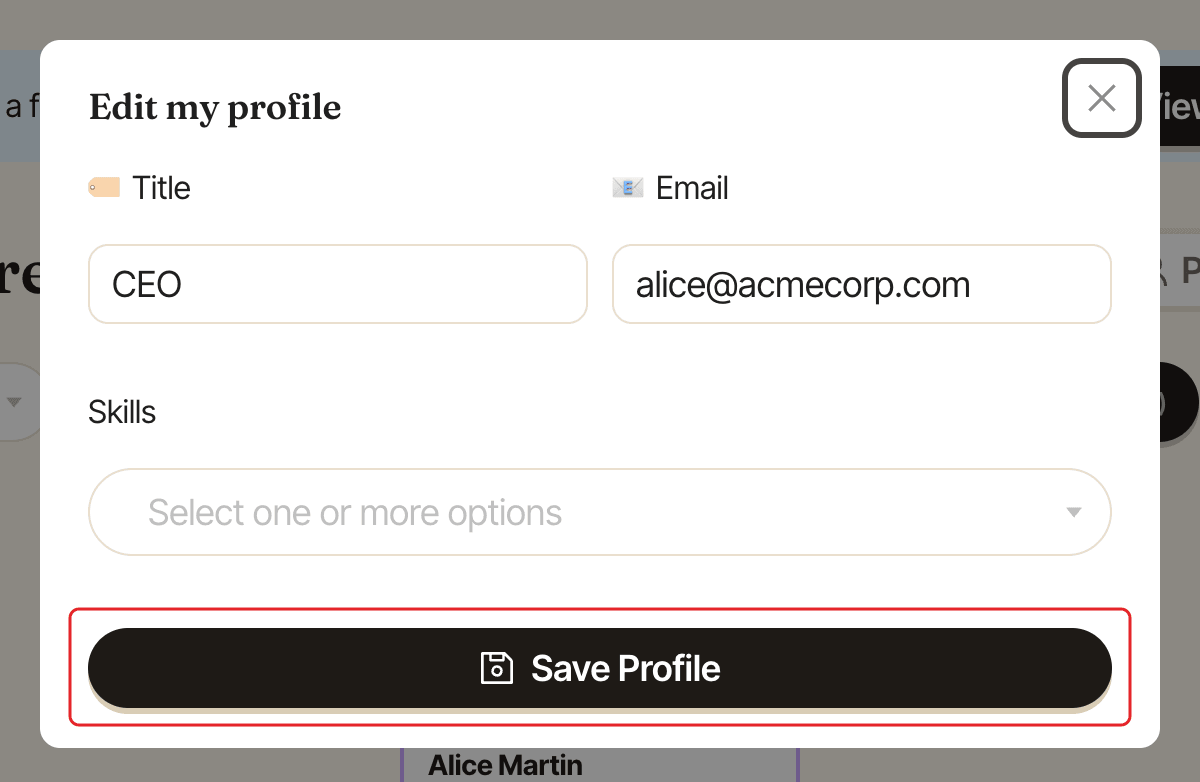
If saving fails, you see "Couldn't save your profile, please try again."
Add an option that's missing#
Some fields with a list of options, such as skills, may let you add your own when your admins allow it. In the field, type to search the list. If nothing matches, click Add "…" as a new option under the list, then save your profile. The new option is only created when you click Save Profile.
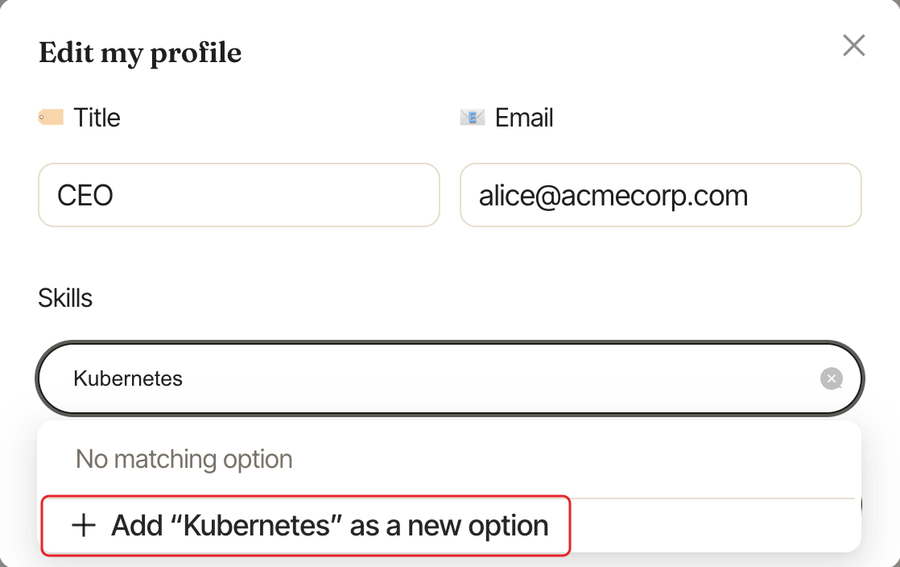
If what you typed looks like an option that's already in the list, Linky asks "Did you mean…?". Click Use "…" to pick the existing option, or Keep "…" to add yours anyway. Then save again.
You can add up to 5 new options to a field at a time, each under 100 characters.
What you can't change#
- Your manager and your place on the chart: ask a Linky admin.
- Your name, job title or picture when they come from Slack: change them in your Slack profile, and Linky picks them up.
- Your profile picture: it can't be changed on the dashboard.