Let employees edit a profile field in Linky
Linky admins can make a profile field editable by employees, such as phone number or birthday, so people fill it in themselves on the org chart.
 SlackUpdated Oct 7, 20262 min read
By default, only admins can fill in profile fields in Linky, the BuddiesHR org chart app for Slack. You can let employees fill in some fields themselves, such as their phone number or birthday. You need to be a Linky admin.
Step 1: Open the profile fields#
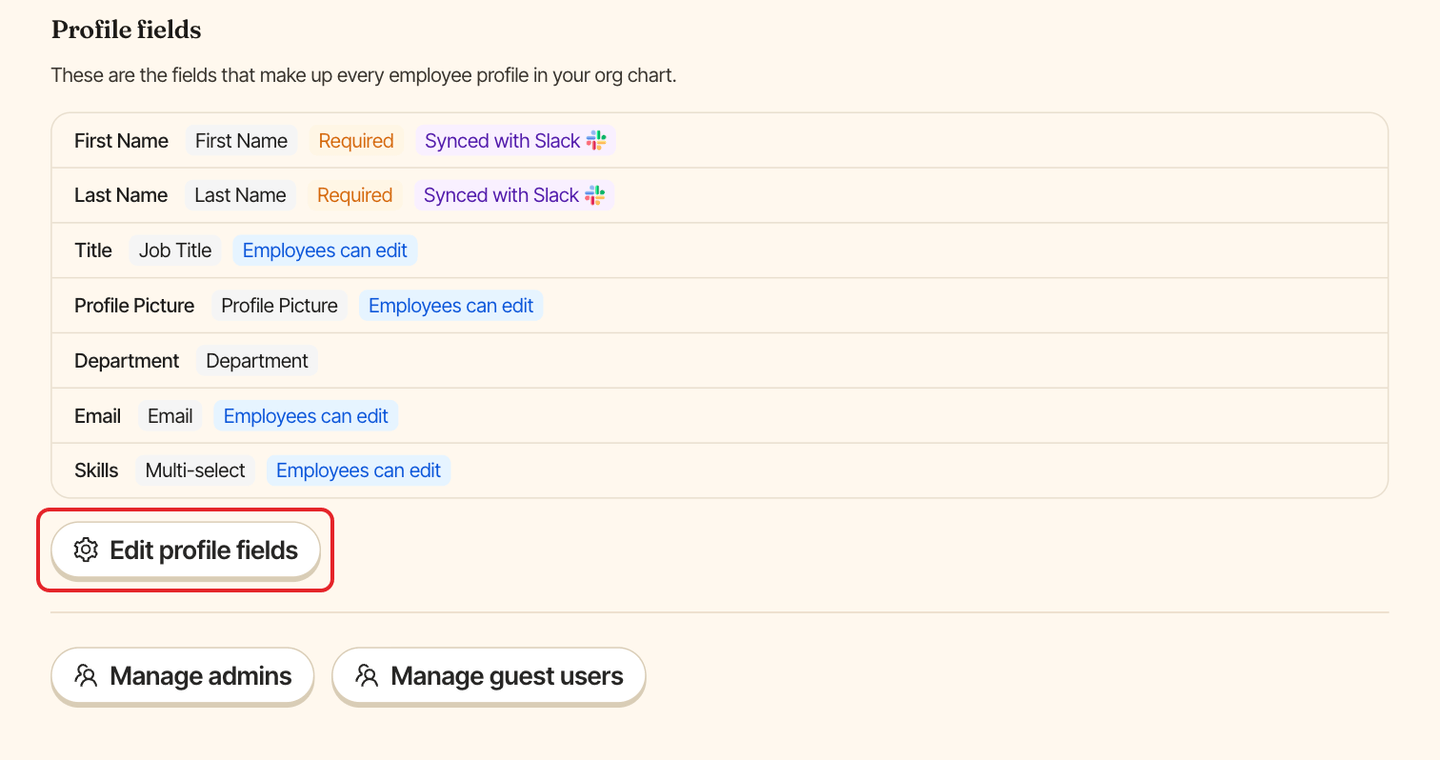
Open Linky in Admin mode, go to the Settings tab and click Edit profile fields in the Profile fields section.
Step 2: Make the field editable#
In the Edit fields on employees window, open the field and check Employees can edit this field. Click Save.
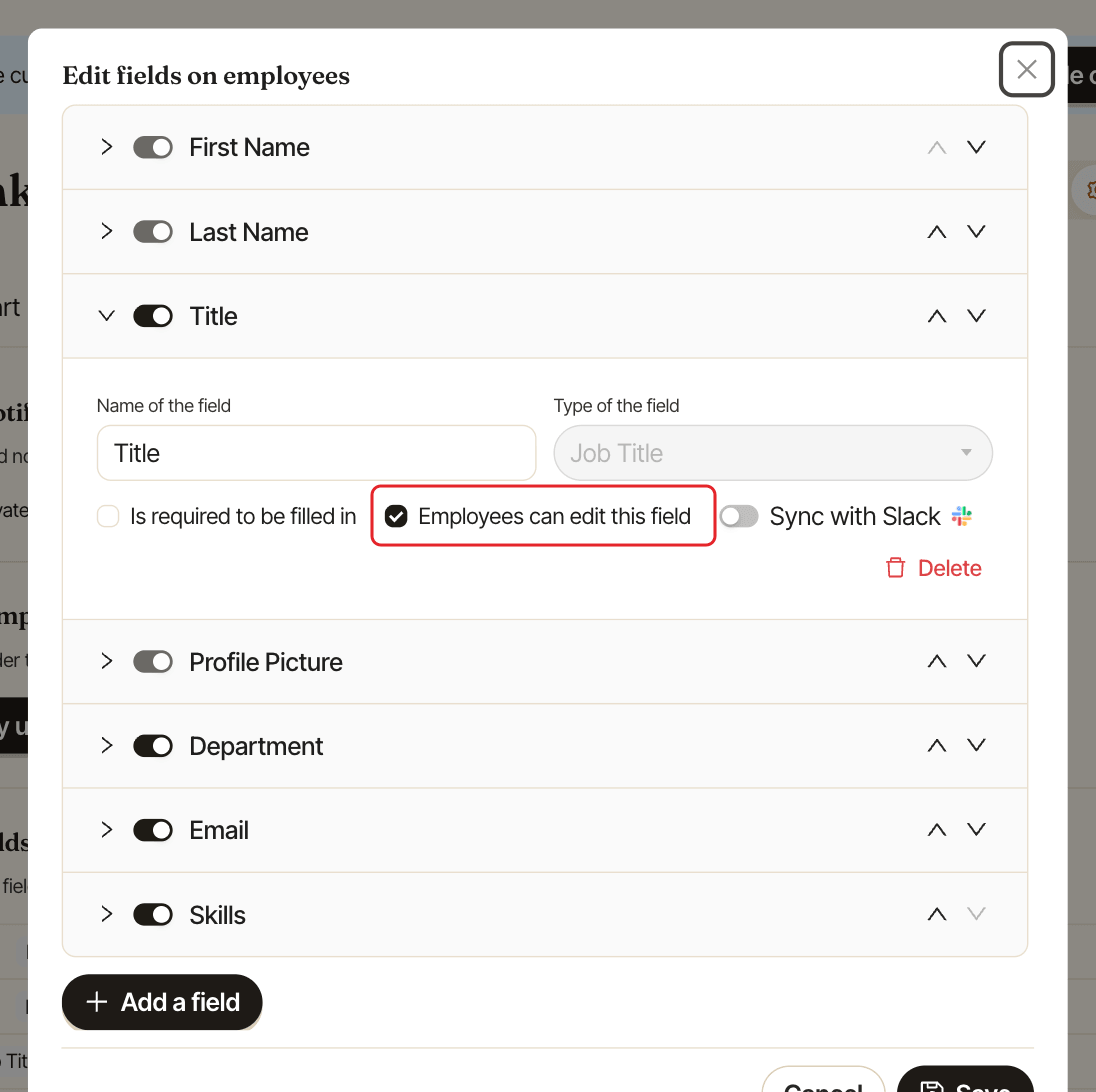
In the Settings tab, the field now shows the Employees can edit tag.
Step 3: Let employees add options (optional)#
For a Select or Multi-select field, such as skills, languages or hobbies, you can let employees add the options that are missing from your list. Check Employees can add new options under Employees can edit this field, then click Save.
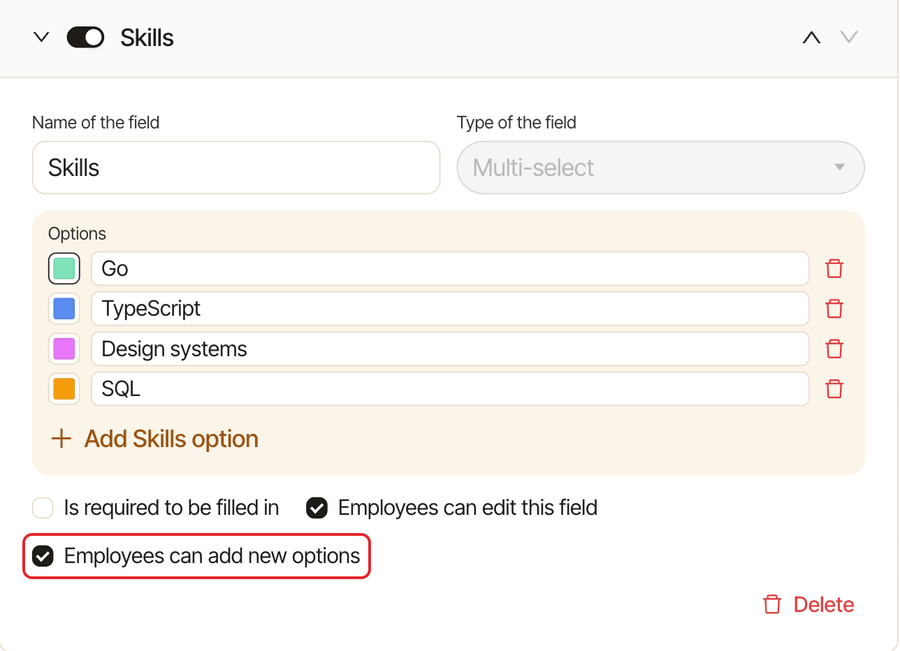
Employees still search your list first. If what they type looks like an option that's already there, Linky asks "Did you mean…?" before adding it, so your list doesn't fill up with near duplicates. The options they add appear in the field's list for everyone, and you can rename or delete them like any other option.
Good to know#
- A field set to
Sync with Slackcan't be made editable by employees, because Slack would overwrite their changes. Turn offSync with Slackfirst. See keep profiles in sync with Slack. First Name,Last NameandProfile Picturecan never be edited by employees.Employees can add new optionsisn't available onDepartment, which stays a list only admins manage, or on fields filled in by an HR software sync.- Employees edit their fields from their own card. See update your profile.
- If an editable field is also required, you can remind people who left it empty. See remind people to complete their profile.
For every other field option, see customize profile fields.