Rename the company in the Linky org chart
Change the name shown at the top of your Linky org chart, "Company" by default. It appears as the chart heading and in exported PNG images.
 SlackUpdated Oct 5, 20261 min read
Your Linky org chart is called "Company" by default. The name shows as the heading above the chart, in exported images and on the company card at the top when several people have no manager. You need to be a Linky admin to rename it.
Step 1: Open Manage charts#
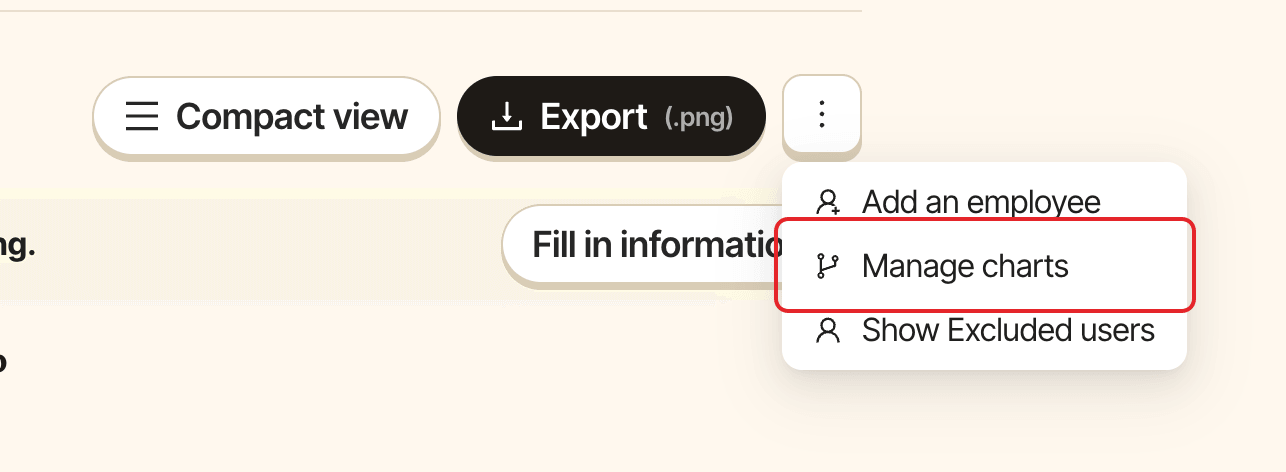
Open the org chart in Admin mode, click ⋮ in the action bar, then Manage charts.
Step 2: Rename the chart#
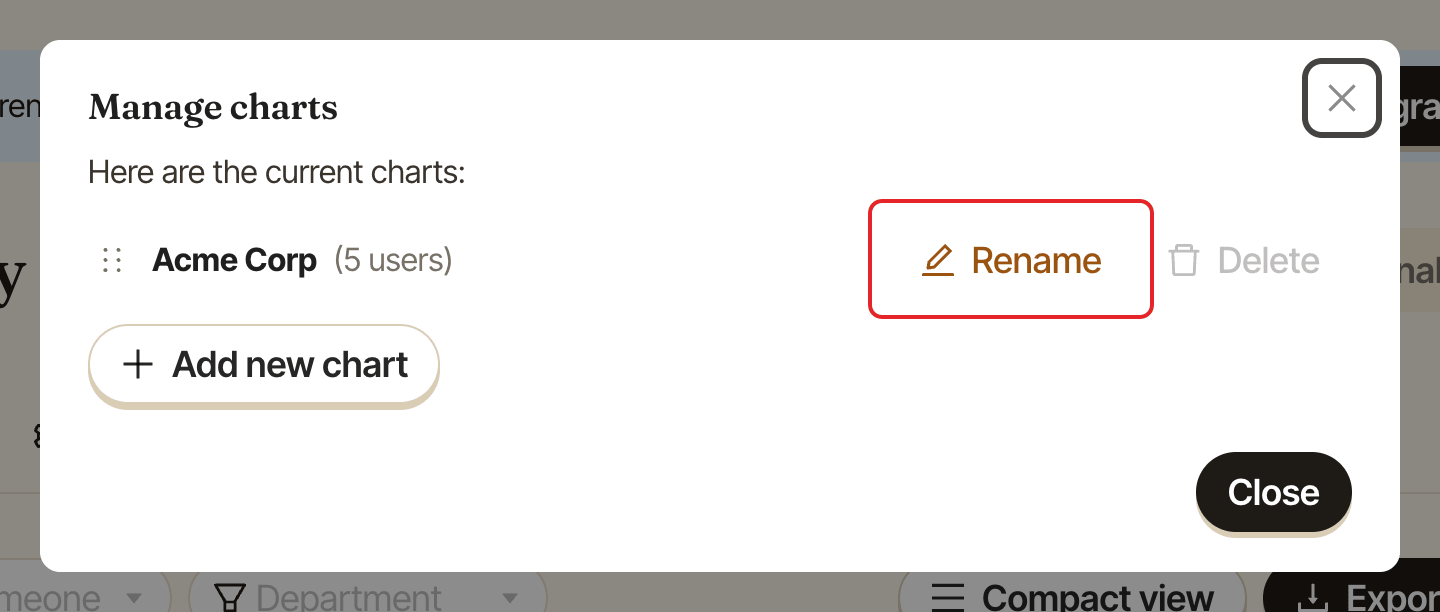
Click Rename next to the chart.
Step 3: Save the new name#
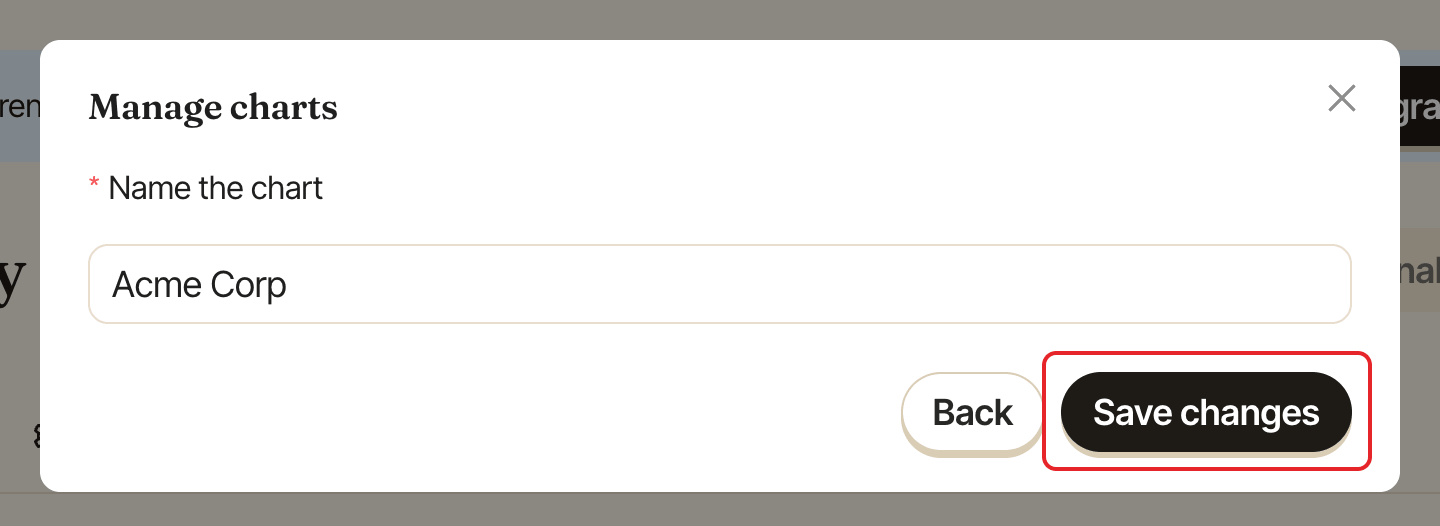
Change the name in "Name the chart" and click Save changes.
To add more charts, for example one per country, see create and manage several charts.