Add someone who's not in Slack to the Linky org chart
Linky admins can add a person to the org chart by hand, such as a contractor or a team member without a Slack account, from the Linky web dashboard.
 SlackUpdated Oct 5, 20261 min read
In Linky, the BuddiesHR org chart app for Slack, admins can add anyone to the org chart by hand, even if they're not in your Slack workspace. You need to be a Linky admin.
Step 1: Open the form#
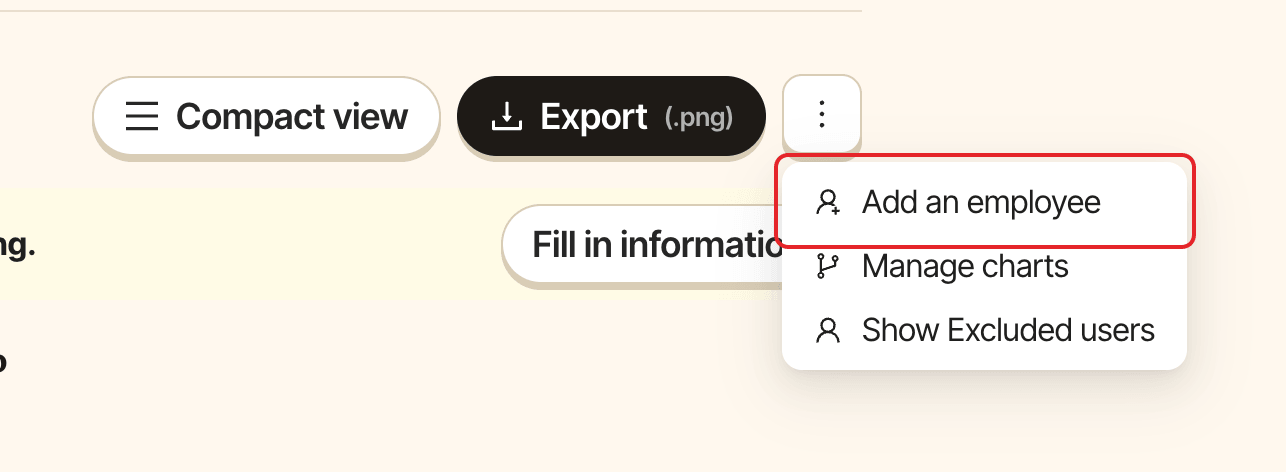
Open the org chart in Admin mode, click ⋮ in the action bar, then Add an employee.
Step 2: Fill in the profile#
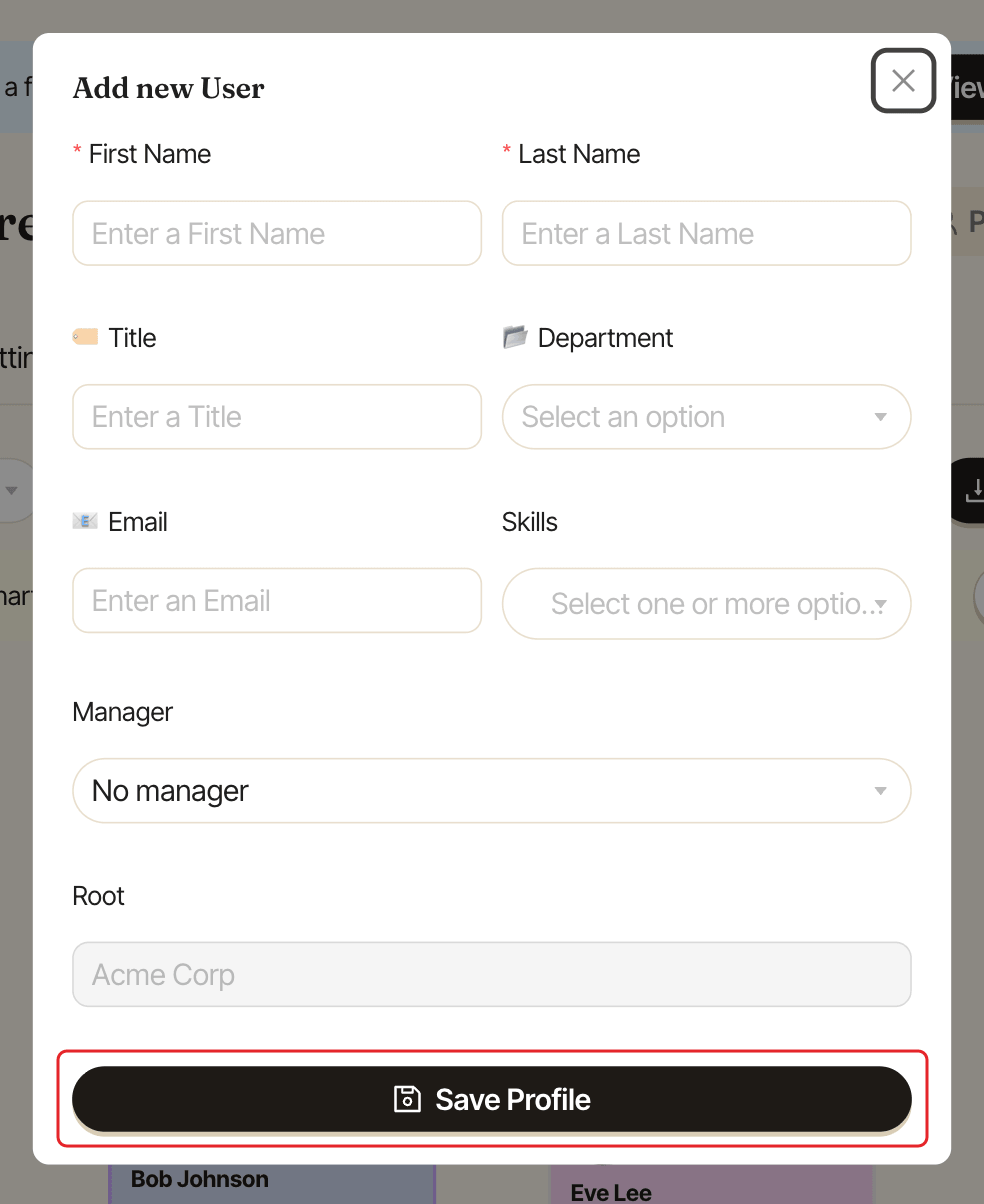
The Add new User window shows one input per profile field that's turned on, except Profile Picture. Fields marked as required must be filled in, for example First Name, Last Name and Job Title.
Then:
Manager: pick their manager, orNo managerto put them at the top. The list only offers people from the selected chart.Root: when you have several charts, pick the chart they belong to. With a single chart, it's filled in for you.
Click Save Profile.
To change their details later, see edit someone's profile.