Edit someone's profile in Linky
Linky admins can change anyone's profile fields or manager from the org chart in the BuddiesHR dashboard. Their whole team moves with them.
 SlackUpdated Oct 5, 20261 min read
In Linky, the BuddiesHR org chart app for Slack, admins can change anyone's profile fields and manager from the chart. You need to be a Linky admin.
Step 1: Open the person's profile#
Open the org chart in Admin mode and click the person's picture or name.
Step 2: Edit the profile#
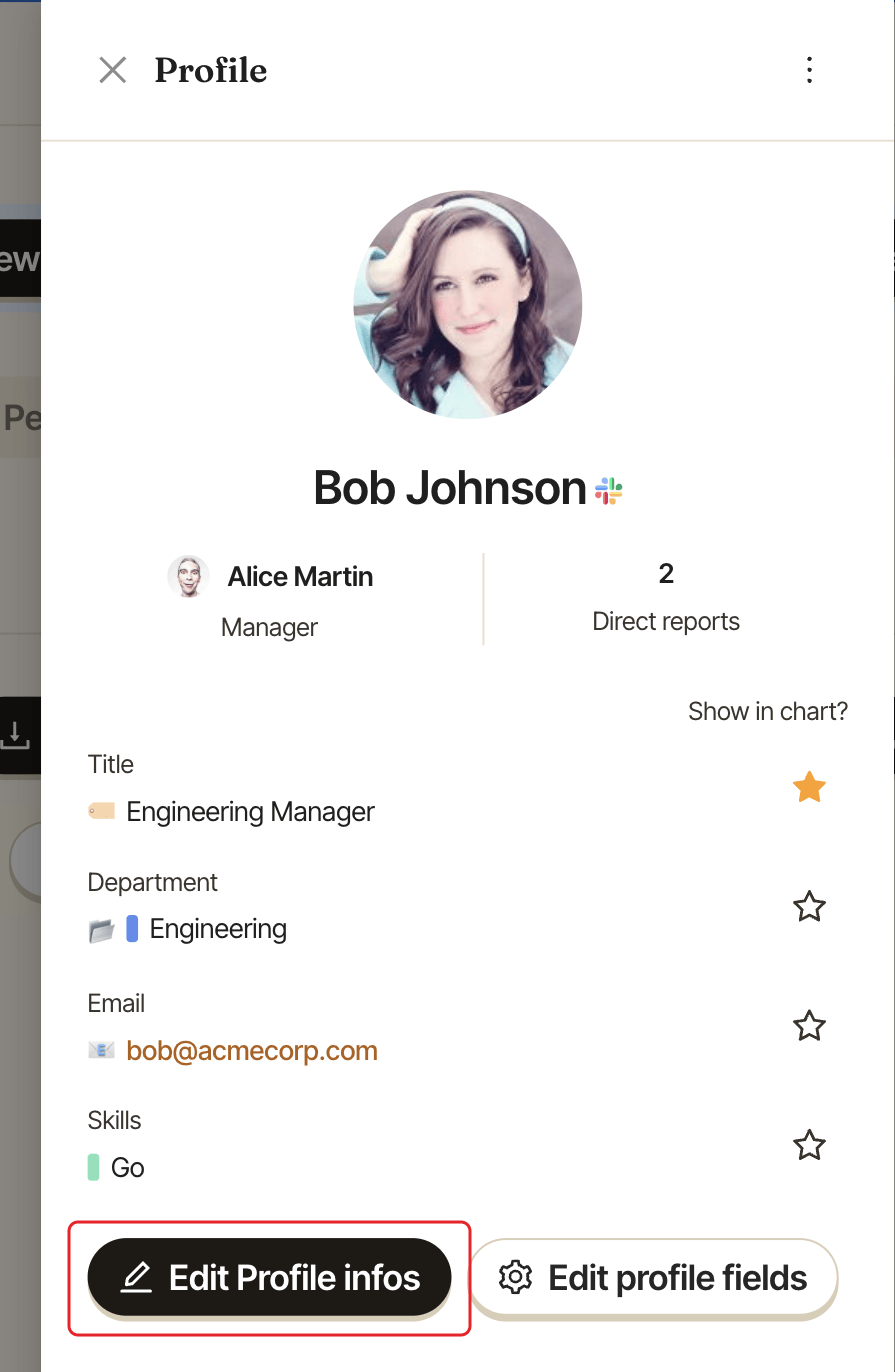
In the Profile panel, click Edit Profile infos.
The Edit User profile window shows every field that's turned on, except Profile Picture:
- fill in or change the values. Required fields are marked with
*, but you can save even if some are still empty, - change their manager in
Manager, or pickNo managerto put them at the top. The list only offers people from the same chart.
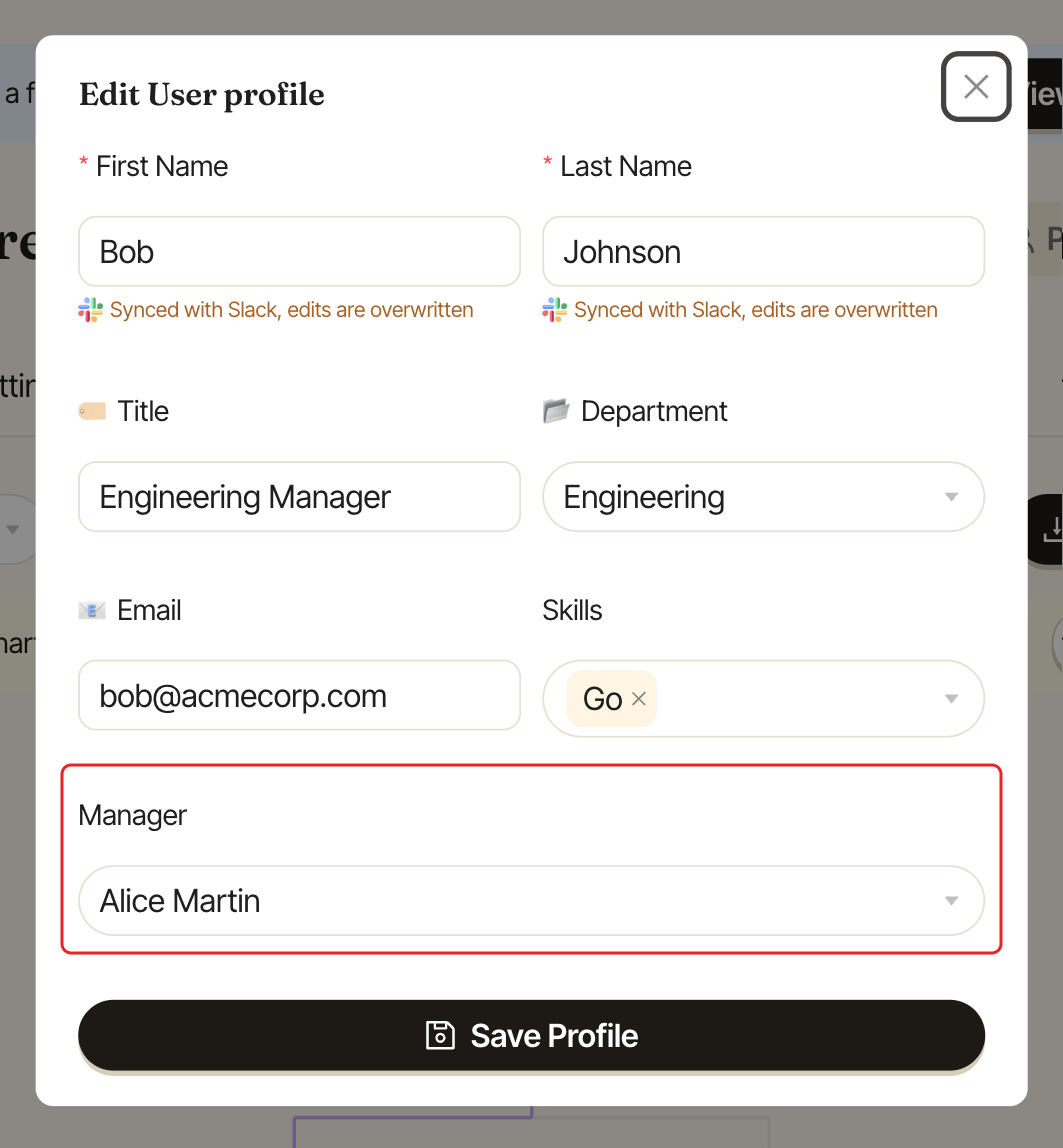
Click Save Profile. When you change their manager, their whole team moves with them.
Good to know#
- Fields set to
Sync with Slackshow "Synced with Slack, edits are overwritten": your change will be replaced on the next Slack sync. Change it in Slack instead, or turn off the sync. See keep profiles in sync with Slack. Profile Picturecan't be changed on the dashboard. For Slack members, it comes from Slack.- To move someone to another chart, see move someone to another chart.
- To change which fields exist, click
Edit profile fieldsin the same panel. See customize profile fields. - To chase people who left required fields empty, see remind people to complete their profile.