Reply to a Pulsy follow-up question
Answer a survey admin's follow-up question about one of your Pulsy survey answers, in Slack, by email or on the web, anonymously if the survey is anonymous.
 SlackUpdated Oct 5, 20261 min read
A Pulsy survey admin can ask you a follow-up question about one of your survey answers, and you reply in Slack, by email or on the web. If the survey is anonymous, the admin doesn't know who you are, and your reply stays anonymous too.
Reply in Slack#
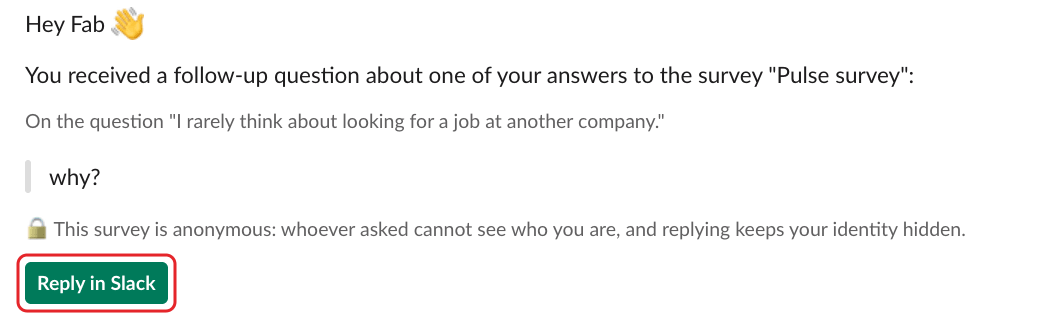
Step 1: Click Reply in Slack#
Pulsy sends you a direct message with the admin's question and your original answer. Click Reply in Slack.
Step 2: Write and send your reply#
The Reply to follow-up window shows the whole conversation. Type your answer in Your reply, then click Send reply.
Reply by email#
If the question came by email, click Reply to the follow-up ↗️ in the email and write your reply on the web.
Reply on the web#
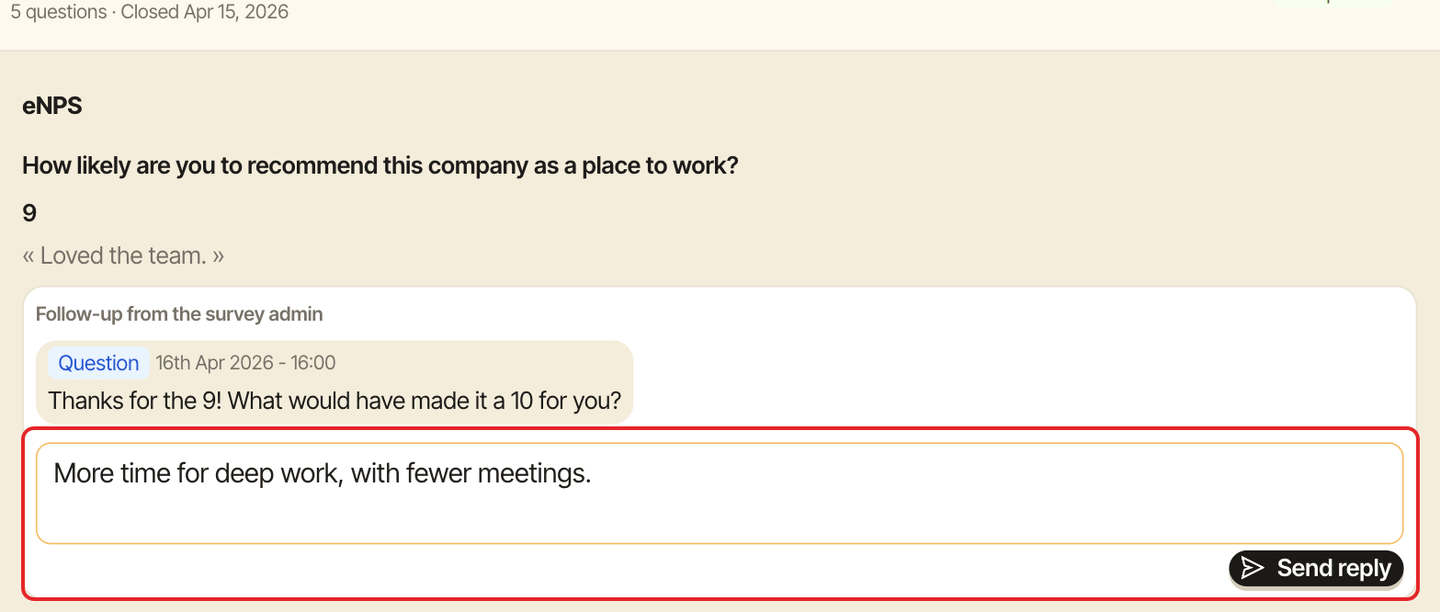
In the web dashboard, open Personal mode, the Surveys tab, then click the survey to expand your answers. It's under To answer while the survey is open, and under Past once it has closed. Under "Follow-up from the survey admin", type your reply ("Write your reply…") and click Send reply.
Good to know#
- The admin may ask more than one follow-up question. Each one arrives the same way.
- You can still reply after the survey has closed.