Free employee survey templates for Slack (eNPS, pulse, onboarding)
Pulsy comes with 3 ready-to-send employee survey templates: eNPS, a 5-question quick pulse and onboarding feedback. See every question and how to send one in Slack.
 SlackUpdated Nov 2, 20262 min read
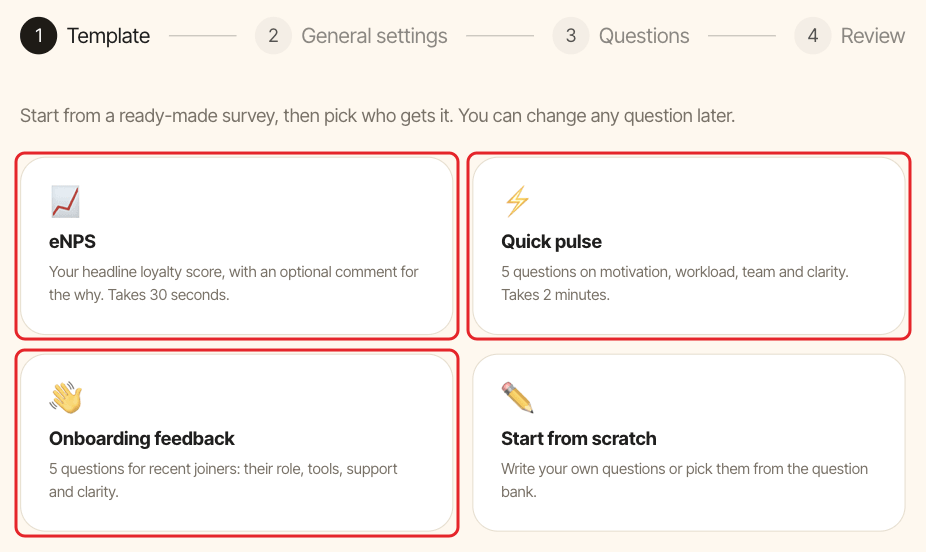
Pulsy has 3 ready-made employee survey templates: eNPS, Quick pulse and Onboarding feedback. Pick one when you create a survey and Pulsy fills in the name, the questions and the invitation message. You only choose who receives it, then launch it in Slack.
The templates#
eNPS#
Your employee Net Promoter Score in one question, with an optional comment. It takes about 30 seconds to answer.
- How likely are you to recommend our company as a workplace? (0 to 10)
Quick pulse#
5 questions on motivation, workload, team and clarity. It takes about 2 minutes.
- I'm motivated to do my best work.
- I have a manageable workload.
- I feel comfortable asking other members of my team for help.
- I know what I need to do to be successful in my role.
- What three words would you use to describe your experience at this company? (open-ended)
Onboarding feedback#
5 questions for recent joiners on their role, tools, support and clarity.
- My role has been meeting my expectations.
- I have the tools and the resources to do my job.
- I know where to look when I need help or resources.
- I know what I need to do to be successful in my role.
- I feel supported by my coworkers to achieve success in my role.
Scale questions are answered from Strongly disagree to Strongly agree, with an optional comment. The eNPS and quick pulse surveys are named after the current month, so a list of them reads well.
Send a template in Slack#
- In the BuddiesHR web dashboard, open Admin mode, go to the
Surveystab and clickCreate survey. - Click the template you want.
- Pick the
Audience: everyone, Slack channels or specific people. OpenOptionsif you want to change anonymity, how long the survey stays open, reminders or frequency. - Click
Nextto review the questions, thenNextagain. - Click
Launch now. The invitation message is already written for you: edit it if you like, then clickPublish now.
Your team gets a direct message in Slack and answers without leaving it. Full details in create a survey.
Tips#
- Track trends: template questions come from Pulsy's question bank, so their results line up with the same questions asked in other surveys. See read eNPS, average and median scores.
- Make it a habit: set
Frequencyto monthly or quarterly to send the eNPS or quick pulse again automatically. See run a recurring survey. - Need something else? Click
Start from scratchand pick questions from the bank's 13 themes, or write your own.