Send Pulsy survey reminders
Let Pulsy remind people who haven't answered a survey with smart reminders in Slack, or send a reminder yourself in Slack or by email from the dashboard.
 SlackUpdated Oct 5, 20262 min read
Pulsy reminds people who haven't submitted a survey yet, either automatically with smart reminders (once a week by default) or when an admin clicks Send reminder in the web dashboard. People who already submitted never get a reminder.
Smart reminders#
Choose the cadence in the survey's Smart reminders setting, when you create the survey or later in its Settings tab.
| Option | When reminders go out |
|---|---|
No reminders |
Never |
Once a week (default) |
Once a week |
Twice a week |
Twice a week: once between Monday and Wednesday, once later in the week |
Every weekday |
Every day from Monday to Friday |
Smart reminders are sent:
- on weekdays only, on the hour, at a random time between 8:00 and 18:00 in each person's timezone,
- at least 4 hours after the launch,
- only while the survey is open.
People receive a direct message in Slack, or an email if Pulsy can only reach them by email.
Send a reminder yourself#
You can only send a reminder while the survey is live.
Step 1: Click Send reminder#
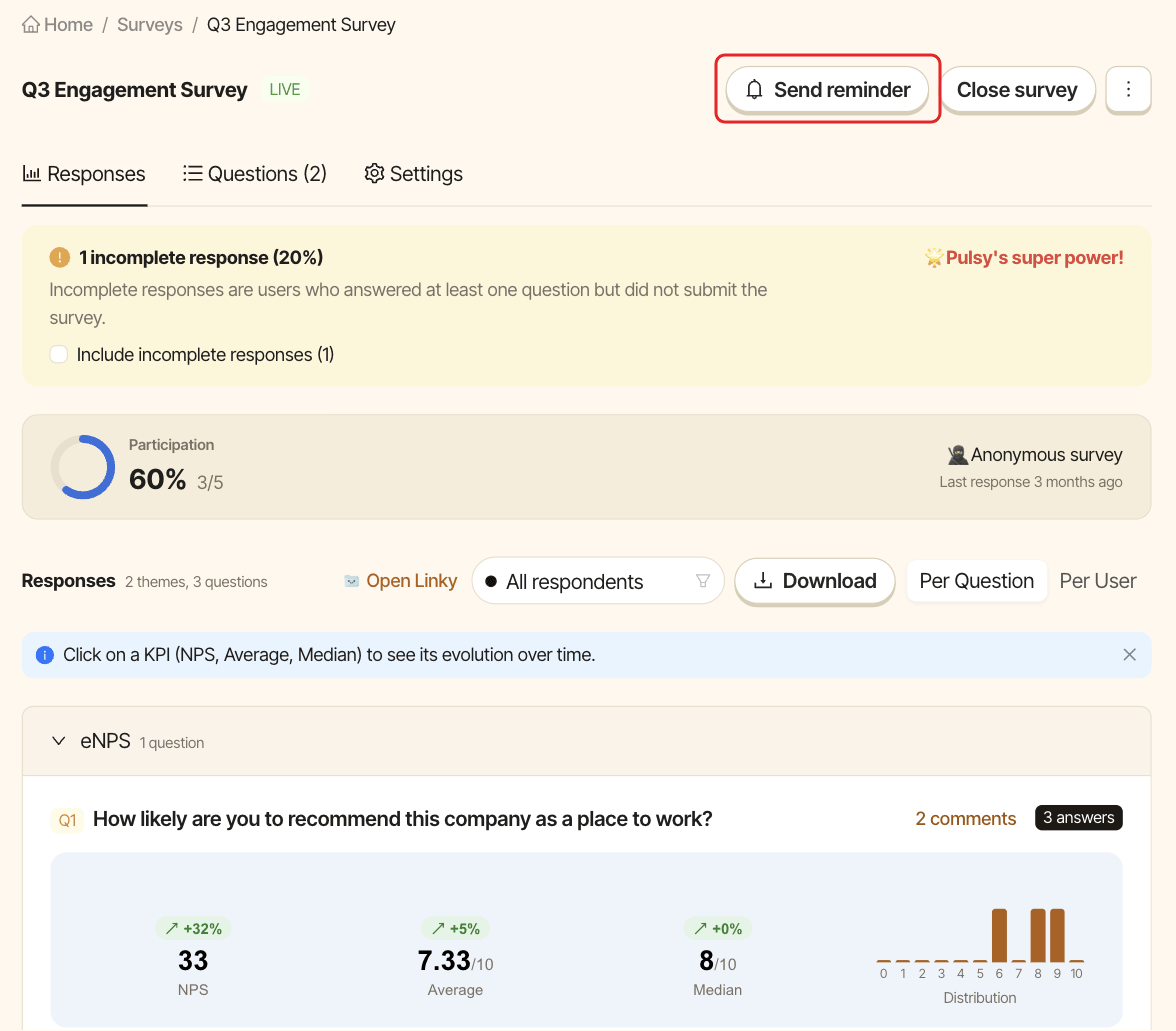
Open the survey from the Surveys tab, then click Send reminder at the top of the page.
Step 2: Choose how to send it#
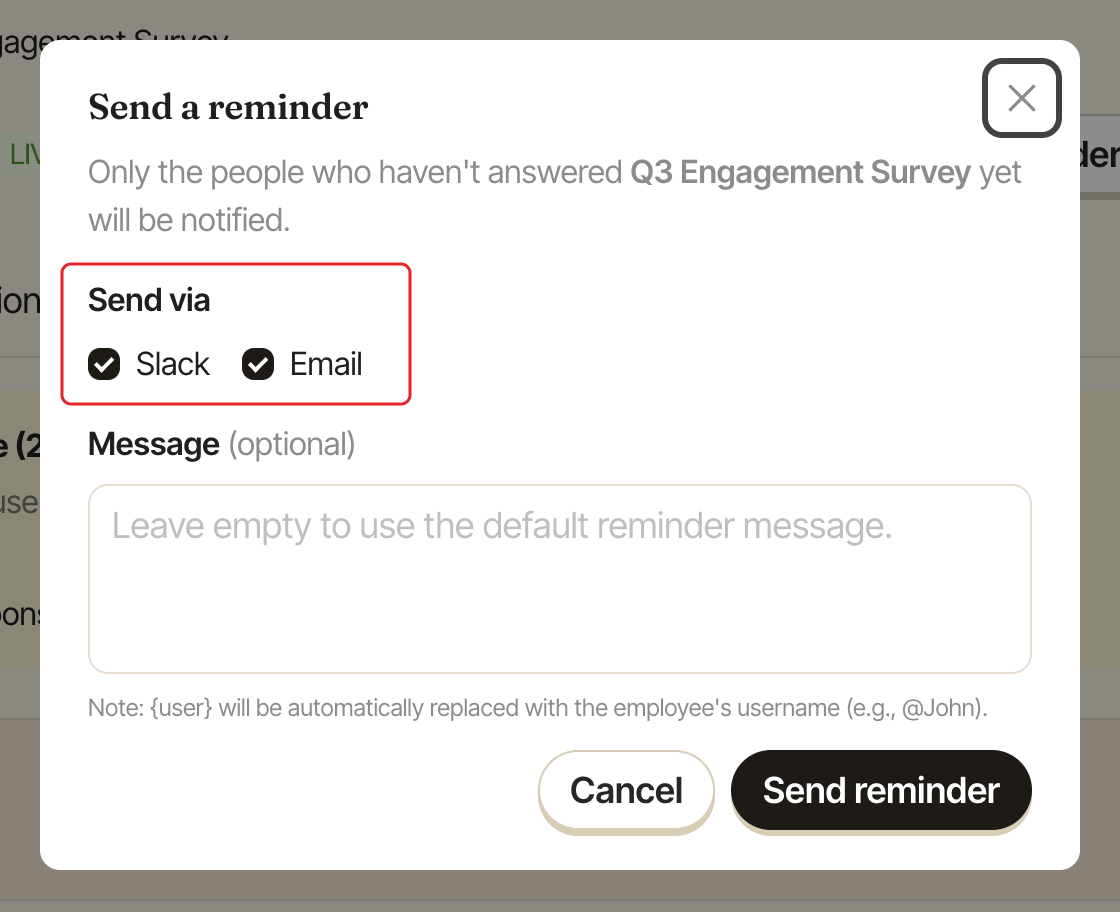
In the Send a reminder window, only people who haven't answered yet are notified.
- Under
Send via, checkSlack,Emailor both. Both are checked by default. - Optionally, type a message under
Message. Leave it empty to use the default reminder message.{user}is replaced with each person's username, for example @John. - Click
Send reminder.