Find your Pulsy surveys and polls
Where to find the Pulsy surveys you need to answer and the polls you created or voted in, in the Slack Home tab and in the web dashboard.
 SlackUpdated Oct 5, 20261 min read
Your Pulsy surveys and polls are listed in the 👤 Personal Settings section of Pulsy's Home tab in Slack, and in Personal mode of the BuddiesHR web dashboard.
In Slack#
Step 1: Go to Pulsy's Home tab#
If you're not sure how to get there, see how to find Pulsy's Home tab.
Step 2: Find the Personal Settings section#
Look for the section titled 👤 Personal Settings. It has two lists:
📝 Surveys: up to 10 surveys, open ones first, then closed ones you answered, then closed ones you missed. Each has a☑️ Submit responseor👀 View my responsebutton, except missed surveys, which say "This survey is closed, so no response can be submitted."📊 Polls: up to 10 polls you created or voted in, each tagged🟢 Liveor🔒 Closed, with👀 View poll. The➕ Create pollbutton is here too.
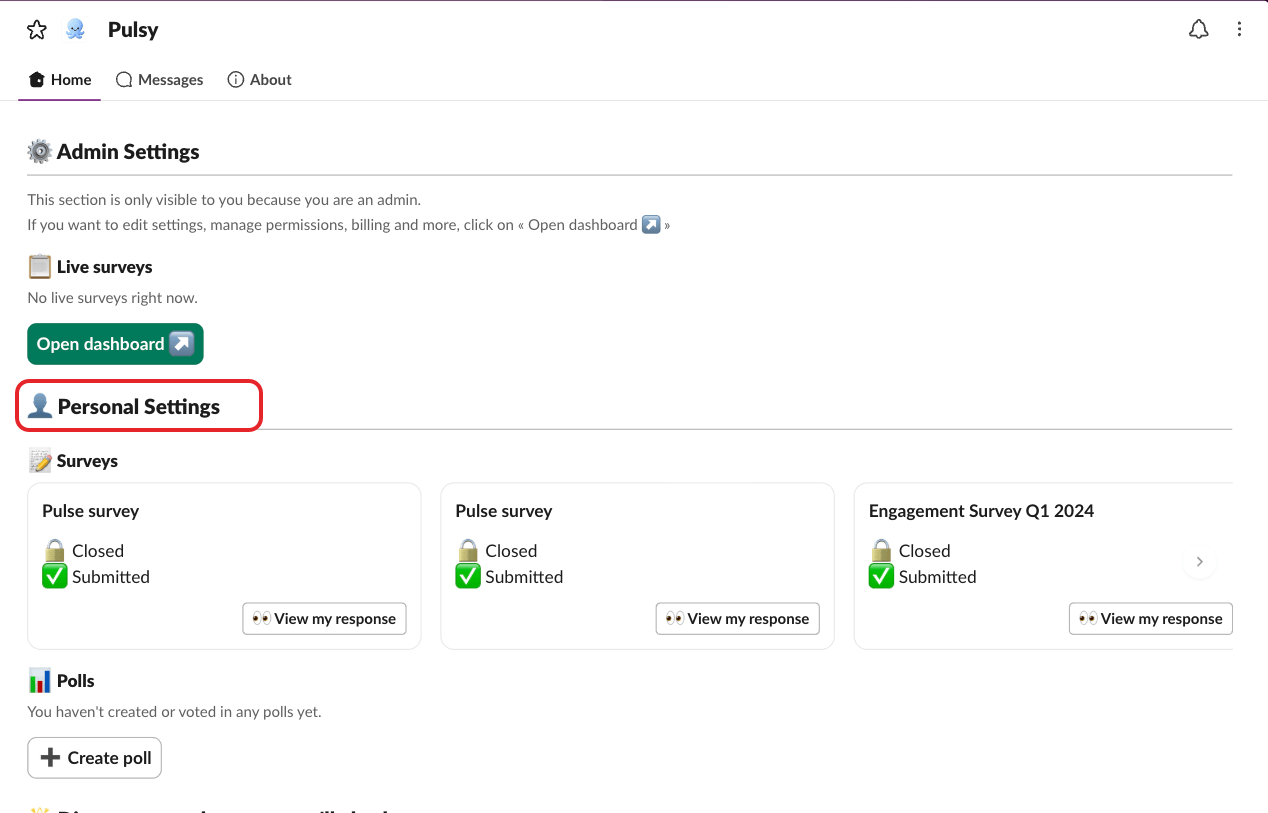
When a list has more than 10 items, click View all surveys ↗ or View all polls ↗ to see them all in the web dashboard.
In the web dashboard#
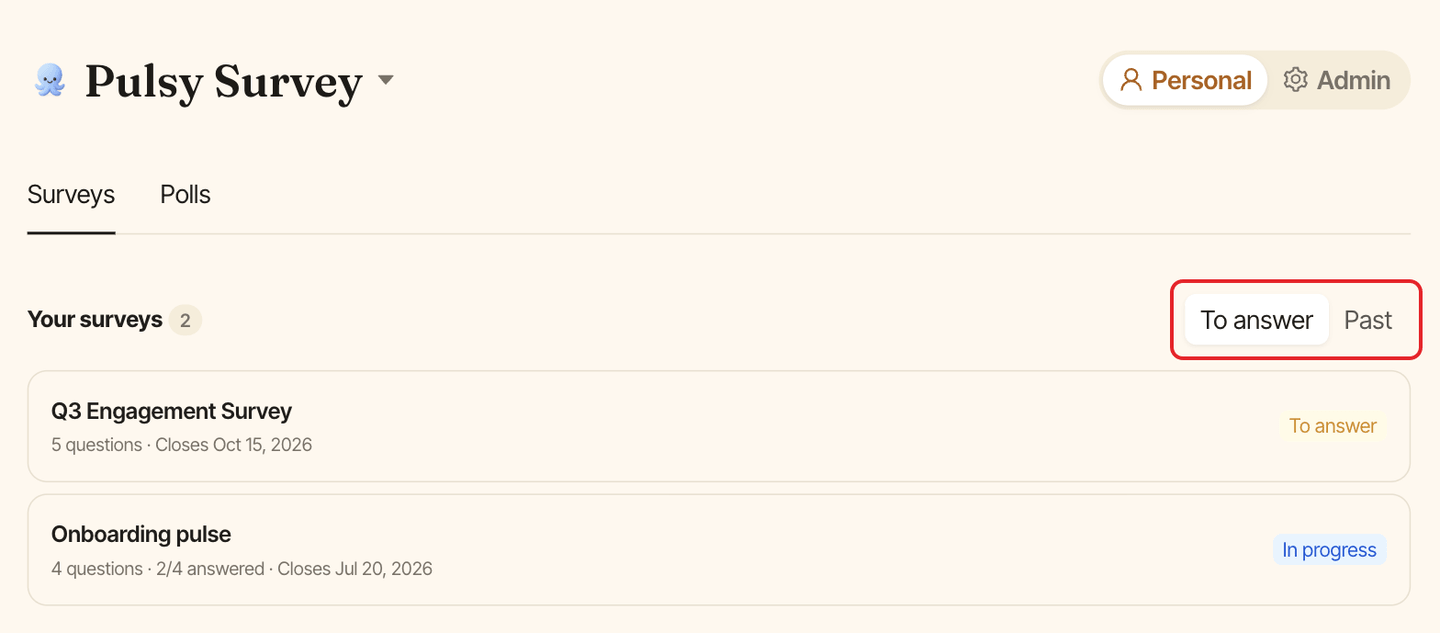
In Personal mode, the Surveys tab lists the surveys addressed to you, under To answer (open surveys, including ones you already submitted) and Past (closed surveys). The Polls tab lists the polls you created or voted in. See get around the web dashboard.