Open Pulsy's admin dashboard
Pulsy's admin settings moved from the Slack Home tab to the BuddiesHR web dashboard. How to open it from Slack, switch to Admin mode and who can see it.
 SlackUpdated Oct 5, 20261 min read
Pulsy's admin work happens in Admin mode of the BuddiesHR web dashboard (dashboard.buddieshr.com). Pulsy admins open it with Open dashboard ↗ in Pulsy's Home tab in Slack.
Step 1: Go to Pulsy's Home tab#
If you're not sure how to get there, see how to find Pulsy's Home tab.
Step 2: Click Open dashboard#
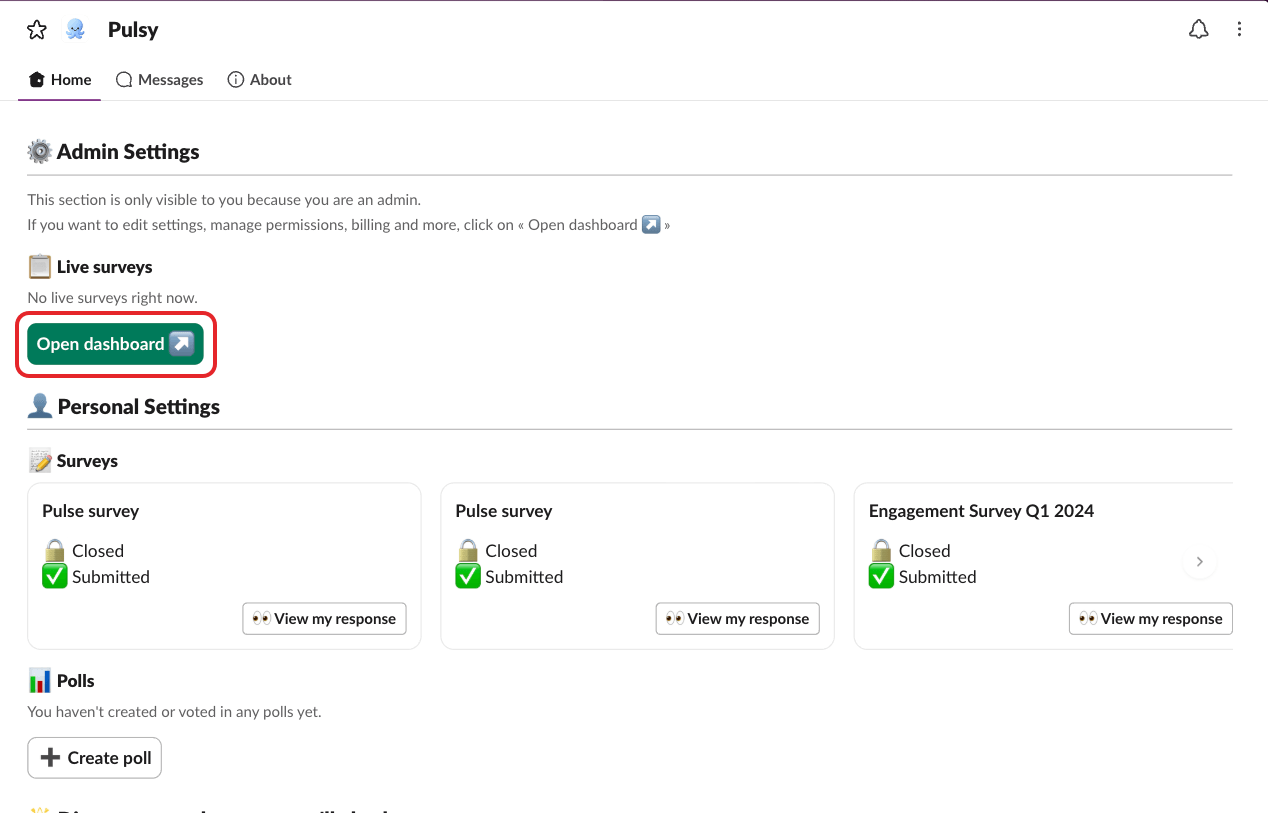
In the ⚙️ Admin Settings section, click Open dashboard ↗. The web dashboard opens in your browser and signs you in.
Step 3: Switch to Admin mode#
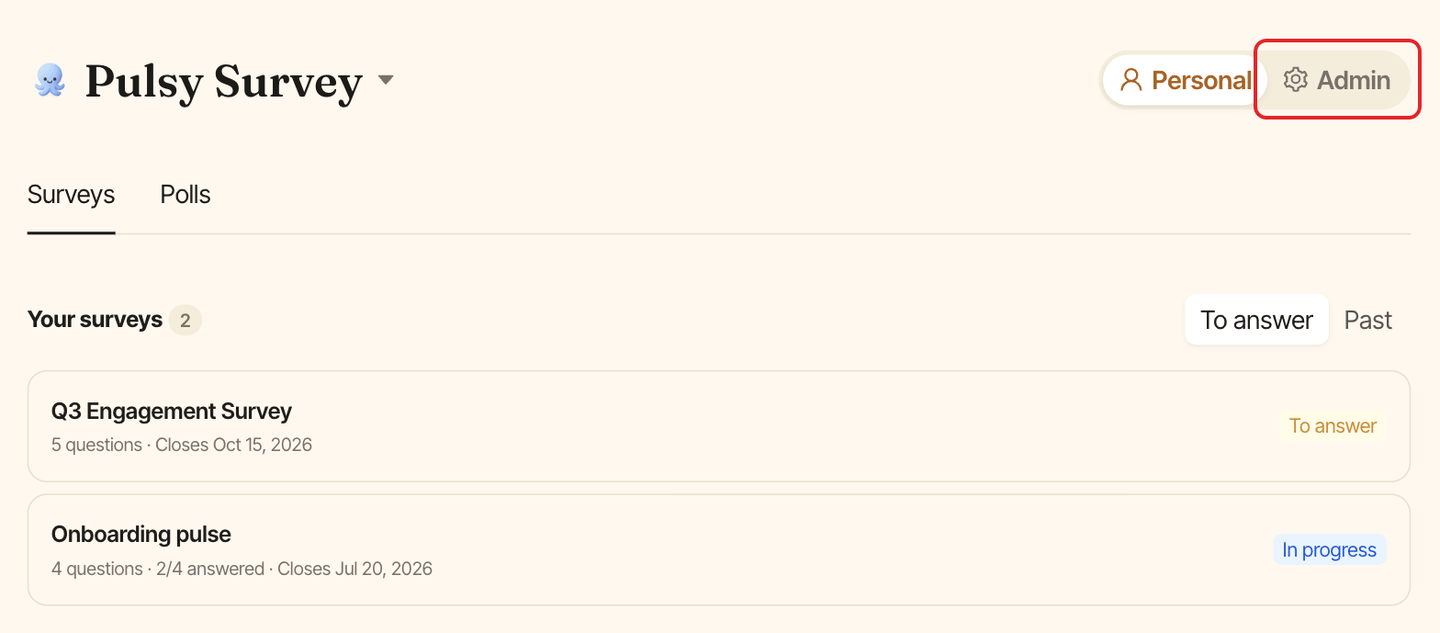
If the dashboard opens in Personal mode, click Admin in the Personal / Admin toggle at the top of the page. Admin mode has three tabs: Surveys, Polls and Settings.
Who is a Pulsy admin?#
- People added in Manage admins.
- Every BuddiesHR workspace admin. They always have admin access.
I can't see the Admin Settings section or the Admin toggle#
You aren't a Pulsy admin. Ask someone who is to add you as an admin.