Include incomplete responses in Pulsy results
Add answers from people who started a Pulsy survey but didn't submit it to your scores and results, and see how many incomplete responses a survey has.
 SlackUpdated Oct 5, 20261 min read
An incomplete response in Pulsy comes from someone who answered at least one survey question but didn't submit the survey. Pulsy keeps these answers, and admins can add them to the results with Include incomplete responses.
Step 1: Open the survey's results#
Open the survey's Responses tab. See view survey results.
Step 2: Check Include incomplete responses#
When a survey has incomplete responses, a banner shows how many there are, for example "3 incomplete responses (12%)". Check Include incomplete responses (N) to add them to the scores and answers.
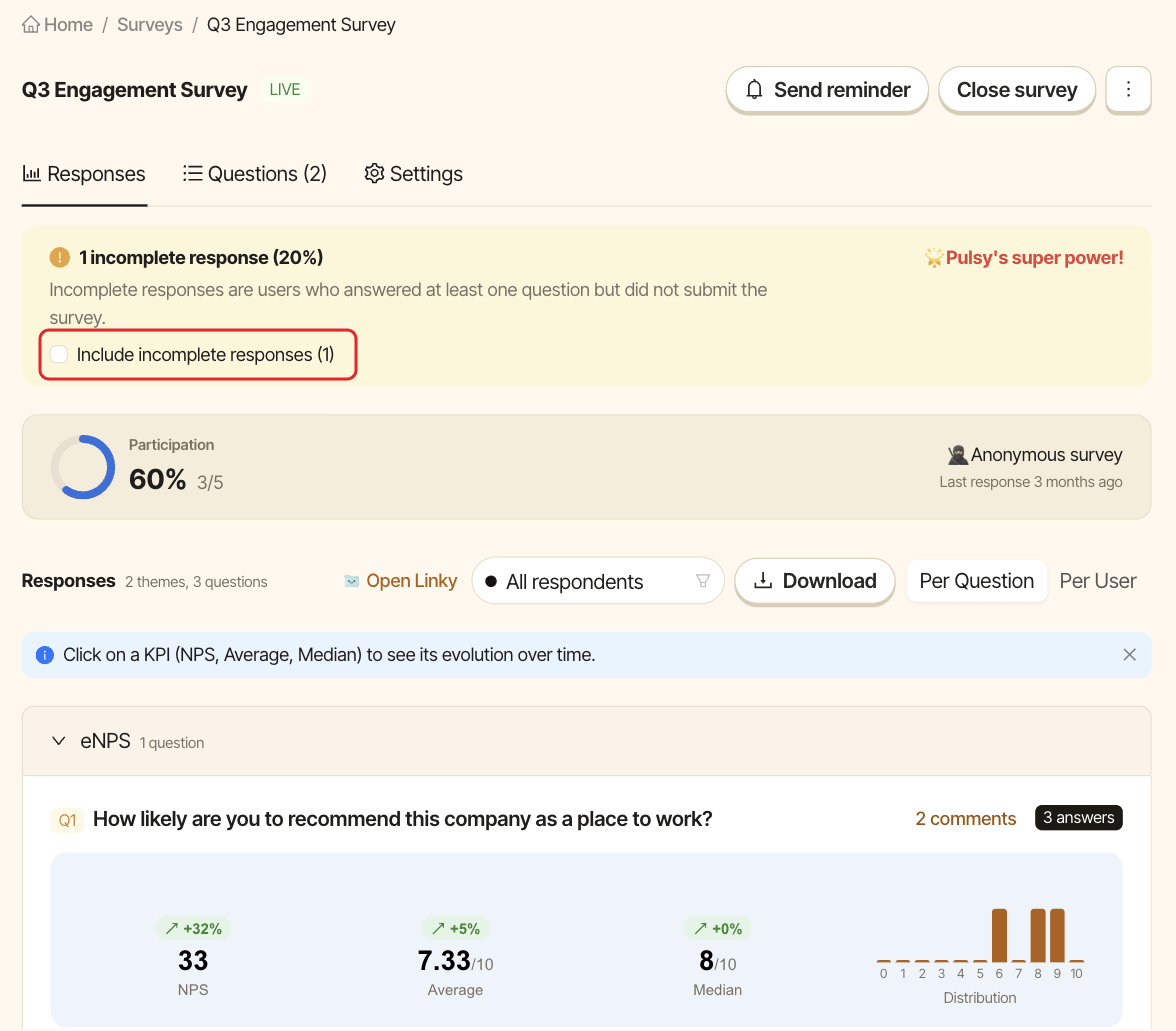
The participation rate then counts them too, and question cards show how many incomplete answers they include. Uncheck it to go back to submitted responses only. The XLSX export always contains submitted responses only.