Filter Pulsy survey results by department
Narrow a Pulsy survey's results, scores and evolution chart to one department, using the departments you defined in Linky, the BuddiesHR org chart app.
 SlackUpdated Oct 5, 20261 min read
Pulsy admins can filter a survey's results to one department with the filter above the results. Pulsy uses the departments defined in Linky, BuddiesHR's org chart and employee directory, so Linky must be installed first.
Step 1: Open the survey's results#
Open the survey's Responses tab. See view survey results.
Step 2: Pick a department#
In the toolbar above the results, open the department filter and pick a department. Pick All respondents to remove the filter.
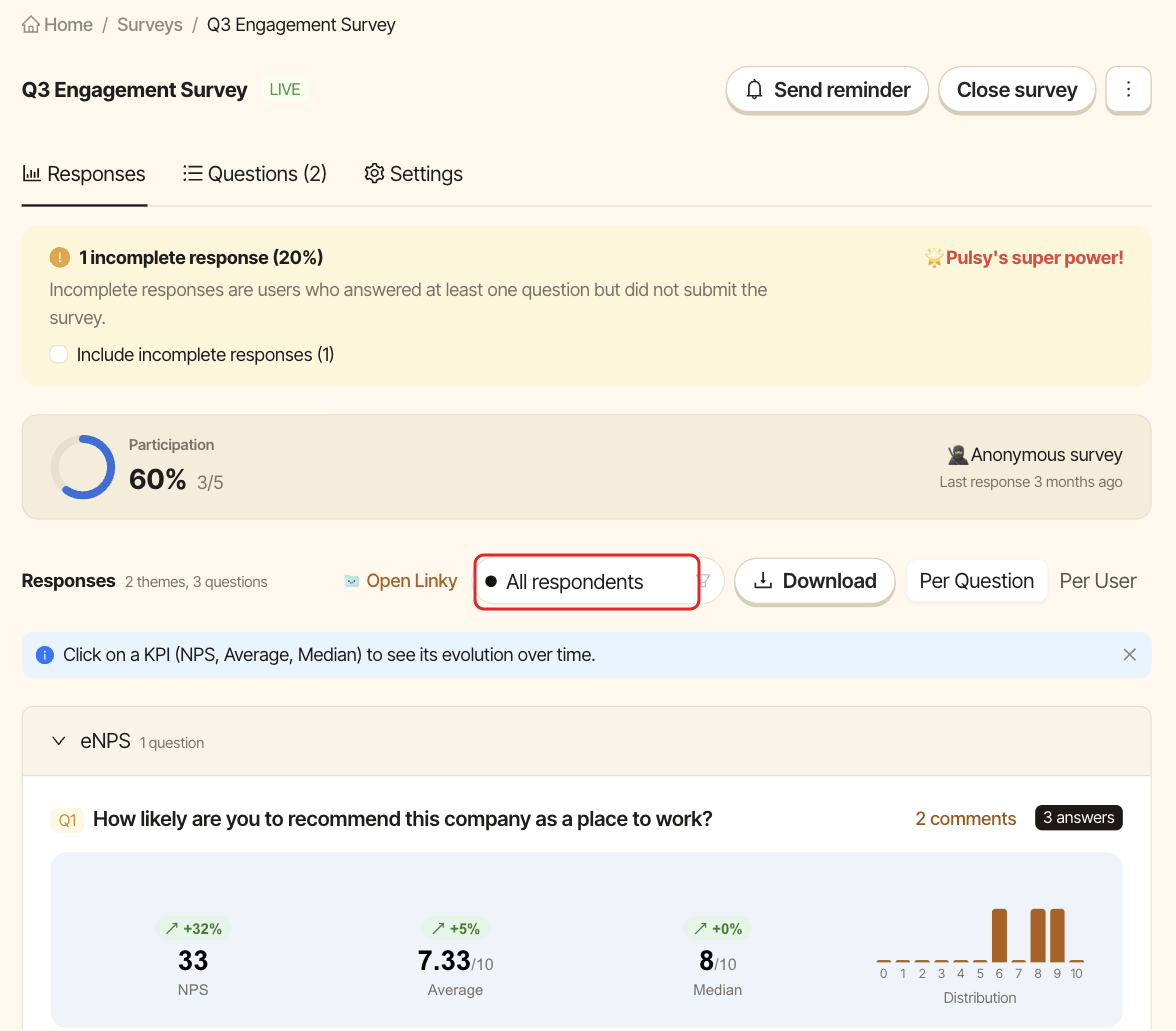
The filter applies to the scores, the answers and the evolution chart.
If the filter isn't available#
- "Install Linky to filter by department": Linky isn't installed in your workspace.
- "No departments are defined in Linky yet": add departments in Linky, then come back. Click
Open Linkyto go there.