Request time off in Slack with Palmy
Request time off in Slack with the /palmy command or Palmy's Home tab, or from the web dashboard, then pick who approves your leave request.
 SlackUpdated Oct 5, 20263 min read
To request time off with Palmy, the BuddiesHR time-off tracker for Slack, type /palmy anywhere in Slack, fill in the New leave request form and click Submit. The approver you picked gets a message to approve or reject it, and you get a DM when they decide.
Request time off in Slack#
Step 1: Open the request form#
Either:
- type
/palmyin any channel or DM and press Enter, or - open Palmy's
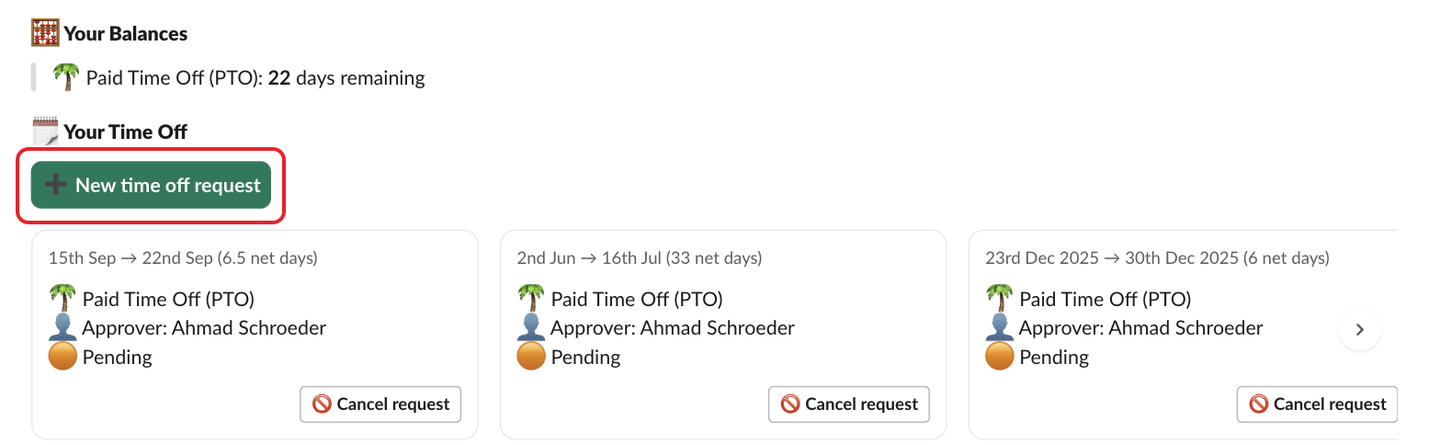
Hometab and click➕ New time off requestunder🗓️ Your Time Off.
Step 2: Fill in the form#
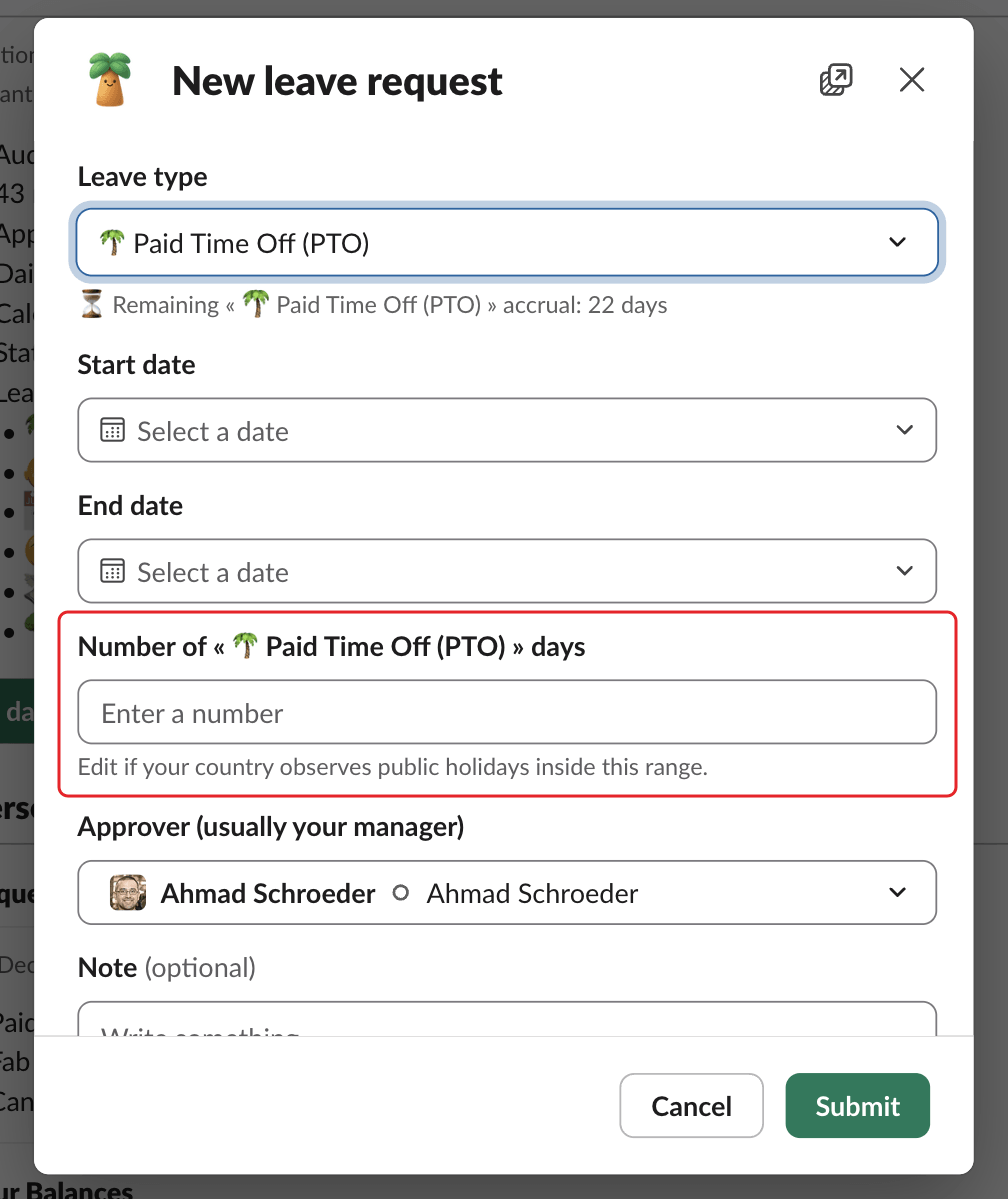
Both options open the New leave request form:
Leave type: for example🌴 Paid Time Off (PTO). If the type has a quota, the form shows your balance, for example⏳ Remaining « 🌴 Paid Time Off (PTO) » accrual: 12 days.Start dateandEnd date: the end date must be on or after the start date.Number of « … » days: Palmy fills it in with the weekdays (Monday to Friday) between the two dates. Change it if a public holiday falls in the range, or for a half day (for example0.5). See public holidays and half days.Approver (usually your manager): pick the person who should approve the request. Palmy fills in the approver of your last request.Note(optional): "Only you, your approver, and Palmy admins will see this note."
Step 3: Submit#
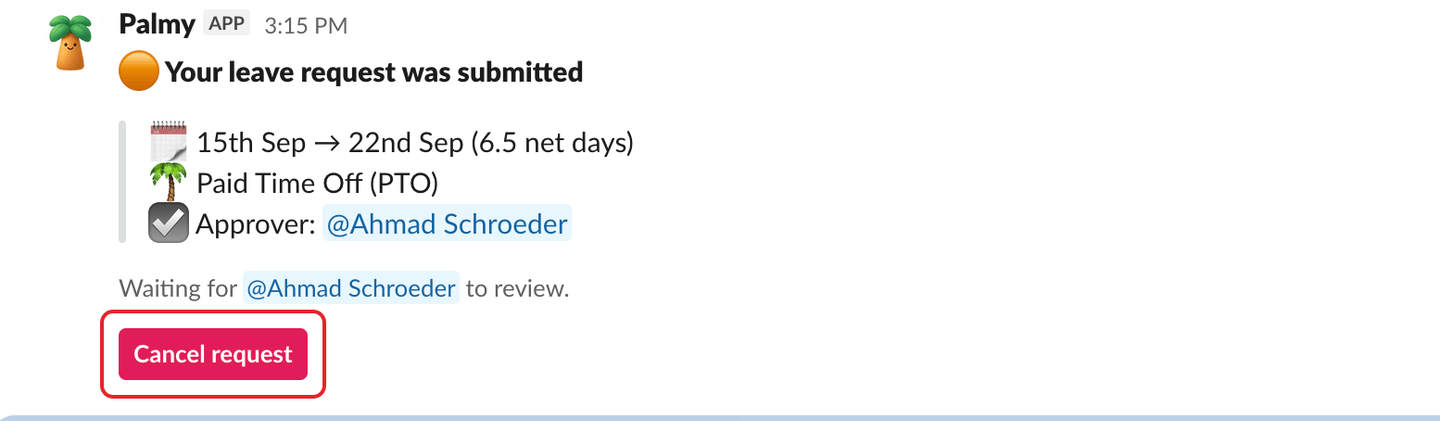
Click Submit. You get a DM 🟠 Your leave request was submitted, with a Cancel request button in case you change your mind. Your approver gets a DM with Approve and Reject.
Request time off on the web#
- Open the web dashboard in
Personalmode. - Click
New leave request. - Fill in
Leave type,Start date,End date, the number of days (in steps of 0.5),Approver (usually your manager)and an optionalNote (optional)of up to 500 characters. - Click
Submit. You seeRequest submitted.
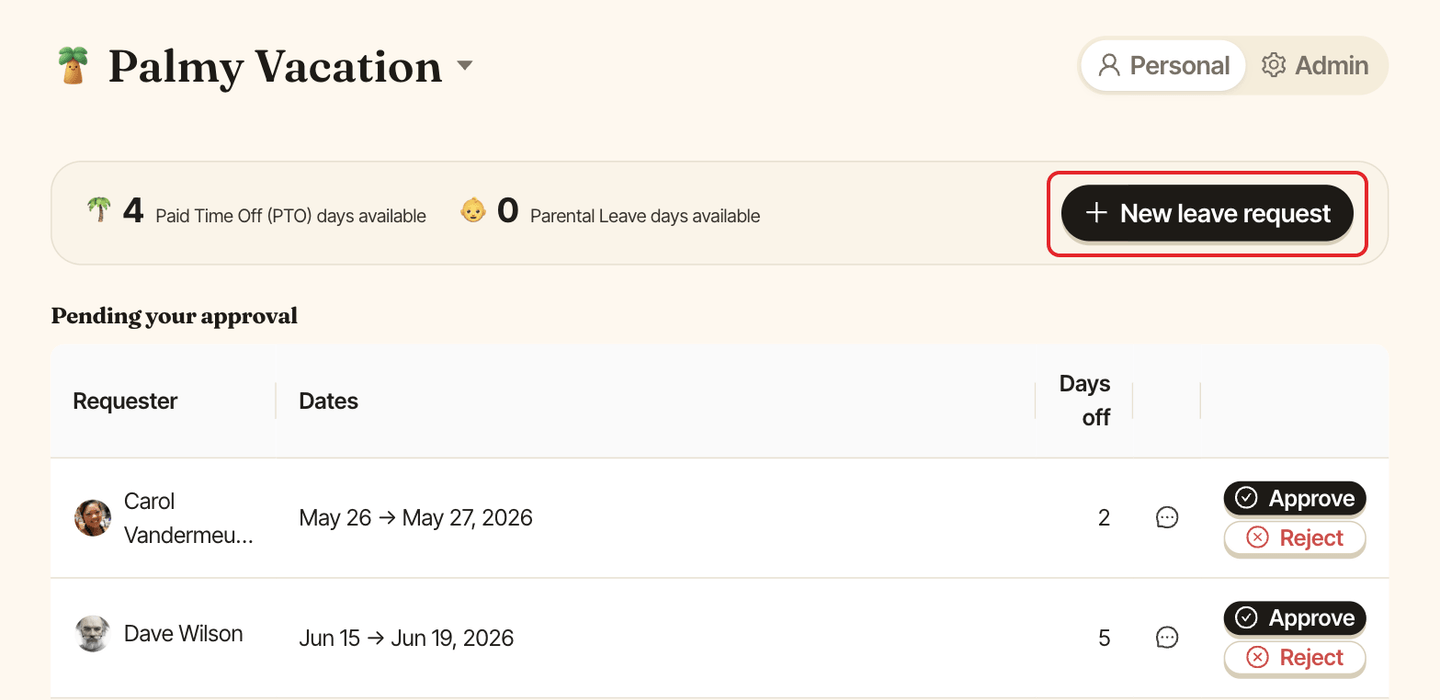
The request then appears in My requests with the Pending status.
Why a request can be refused#
| Message | What it means |
|---|---|
This exceeds your remaining balance (N days). (on the web: Not enough « … » balance) |
The leave type has a quota that doesn't allow a negative balance. Ask an admin, or request fewer days. |
You're not currently scoped into Palmy... |
You're not in Palmy's audience. Ask an admin to add you. |
No leave types are enabled yet... |
An admin needs to enable a leave type. |
Your Palmy free trial has ended... |
An admin needs to subscribe. See plans and free trial. |
Related#
Type /palmy help in Slack to see the command's usage at any time.