Cancel a time off request in Palmy
Cancel your own pending or approved Palmy leave request from Slack or the web dashboard, or cancel someone's approved request as an admin.
 SlackUpdated Oct 5, 20262 min read
In Palmy, the BuddiesHR time-off tracker for Slack, you can cancel your own request while it's pending or approved: click 🚫 Cancel request on it in Palmy's Home tab and confirm. Admins can also cancel anyone's approved request from the web dashboard.
When an approved request is canceled, the days go back to the balance and the event is removed from the shared calendar. A Slack status Palmy already set isn't removed: the person clears it in Slack.
Cancel your own request in Slack#
- Open Palmy's
Hometab. Under🗓️ Your Time Off, find the request and click🚫 Cancel request. You can also clickCancel requestin the DM Palmy sent when you submitted it. - In the
Cancel requestwindow ("Are you sure you want to cancel this leave request?"), clickConfirm cancellation. ClickKeep requestto back out.
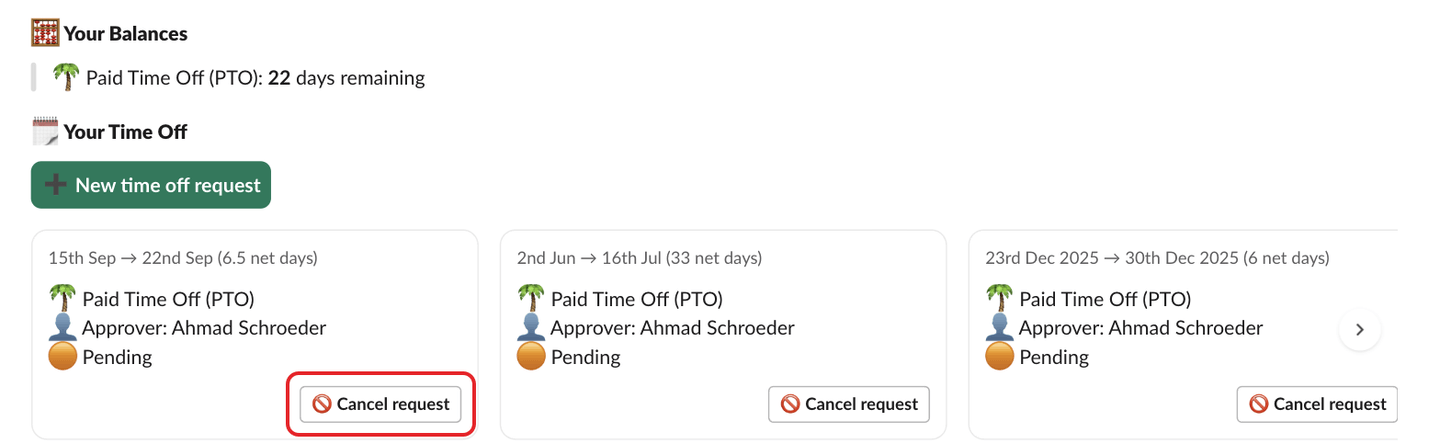
Only the person who asked for the time off can cancel it from Slack. Your approver is told that you canceled.
Cancel your own request on the web#
- Open the web dashboard in
Personalmode. - In
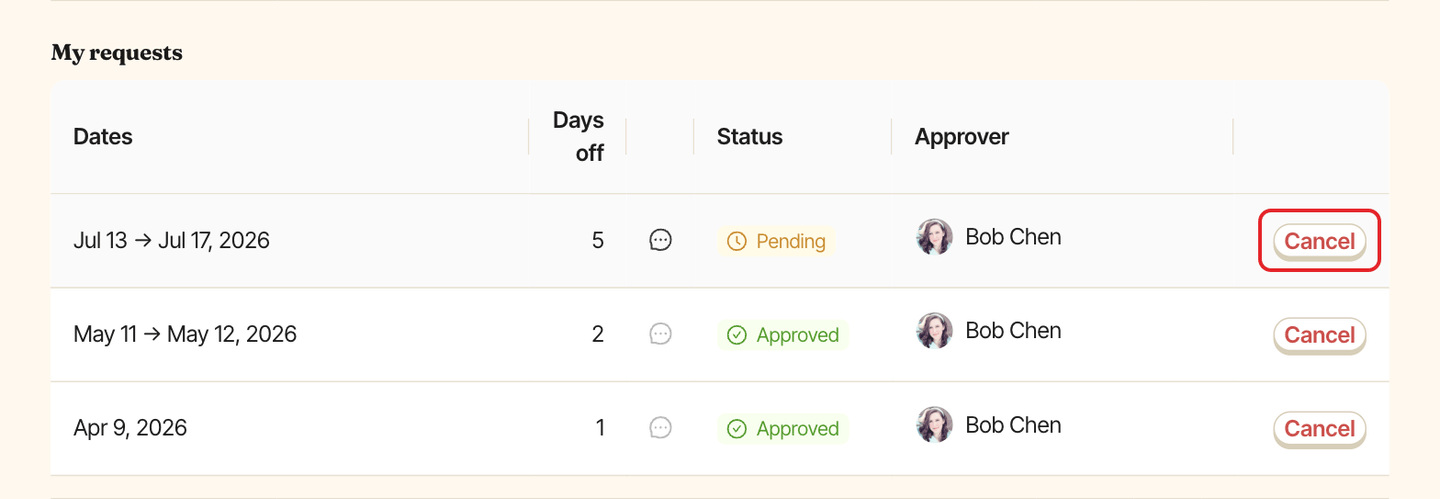
My requests, clickCancelon the request. The button only shows onPendingandApprovedrequests. - Confirm
Cancel this leave request?withCancel request, or clickKeep requestto back out. You seeRequest cancelled.
Cancel someone's request as an admin#
Admins cancel from the web dashboard, and only approved requests. To turn down a pending request, reject it instead.
Step 1: Open the requests#
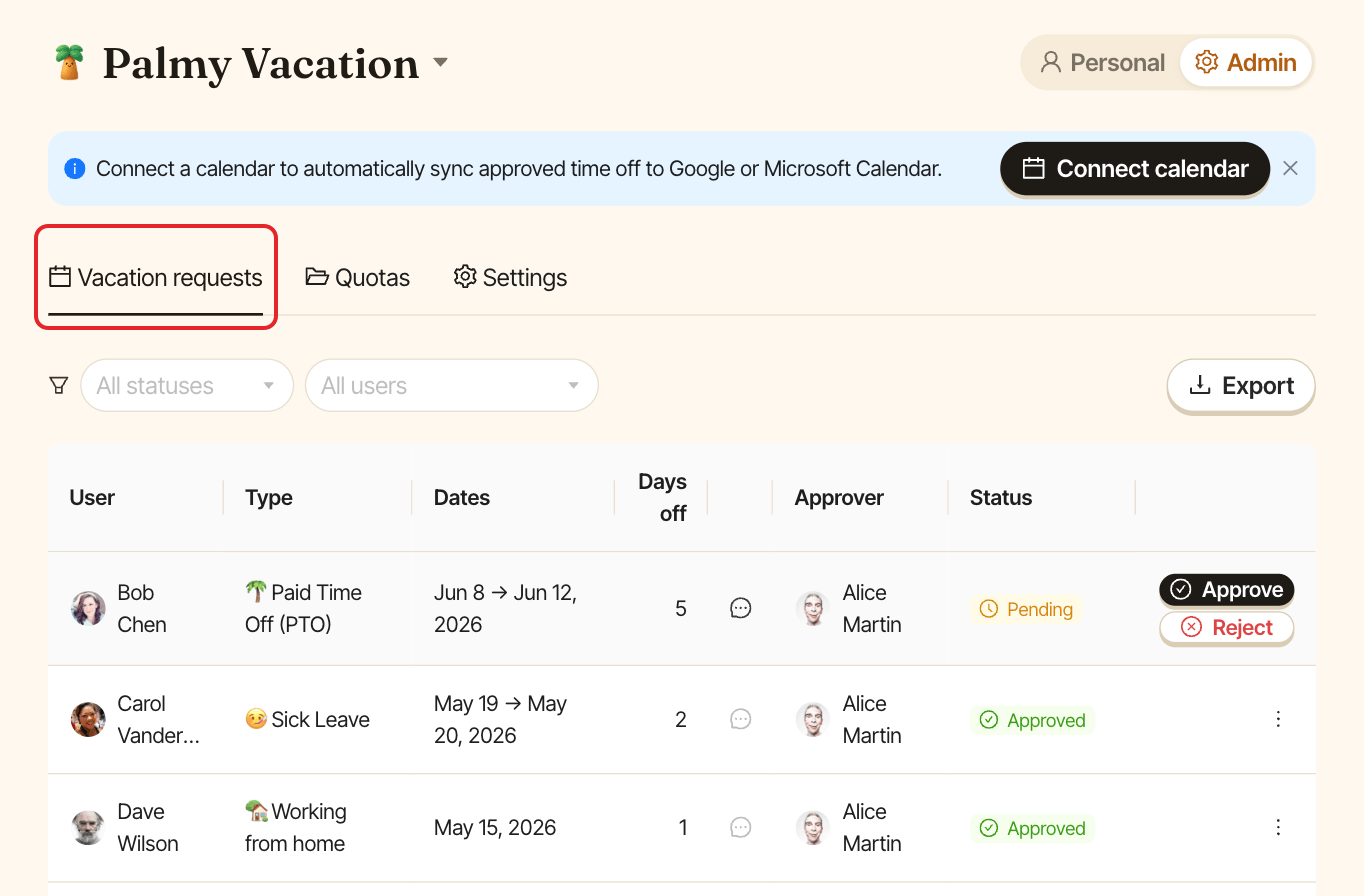
Switch to Admin and open the Vacation requests tab. Use All statuses to show only Approved requests if the list is long.
Step 2: Cancel the request#
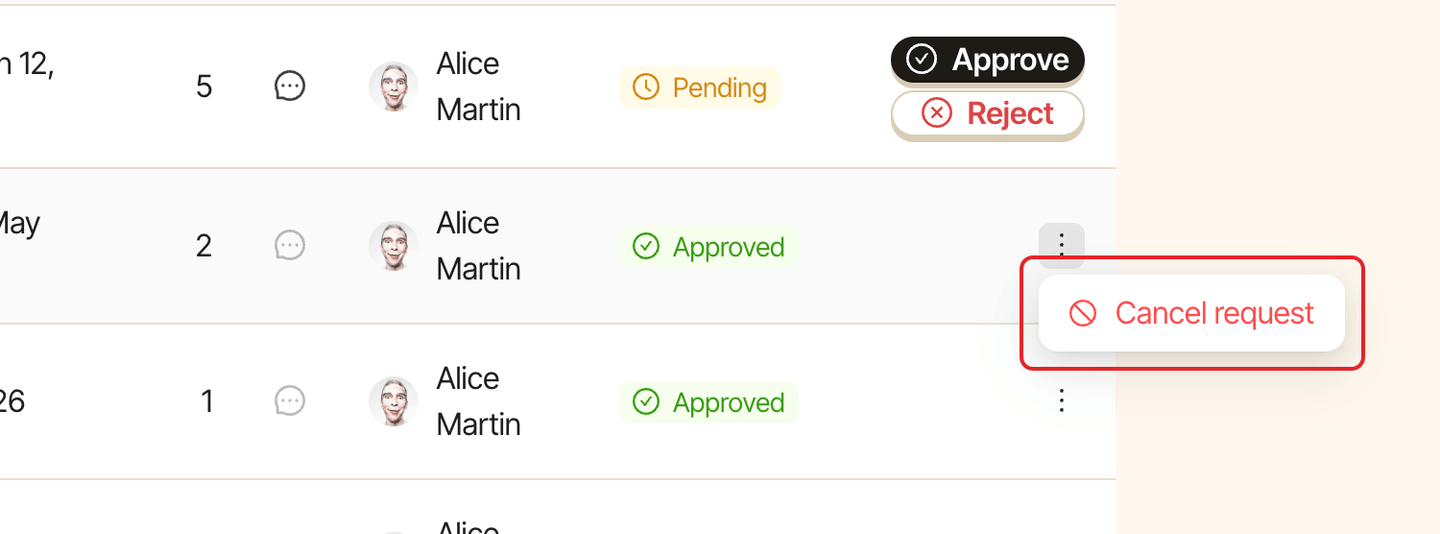
Click ⋯ at the end of the row, then Cancel request.
Step 3: Confirm#
In Cancel this approved request? ("Both the approver and the requester will be notified."), click Cancel request. You see Request cancelled. The days were returned to the balance.
The requester gets ⚫️ Your leave request has been canceled by <your name>.