Adjust someone's time off balance in Palmy
Palmy admins can set how many days someone has left for a leave type in the web dashboard, for example to carry over days earned before using Palmy.
 SlackUpdated Oct 26, 20261 min read
In Palmy, the BuddiesHR time-off tracker for Slack, admins can set anyone's balance by hand from the quota's Edit accruals button. The number you enter replaces the current balance.
Step 1: Open the quota's accruals#
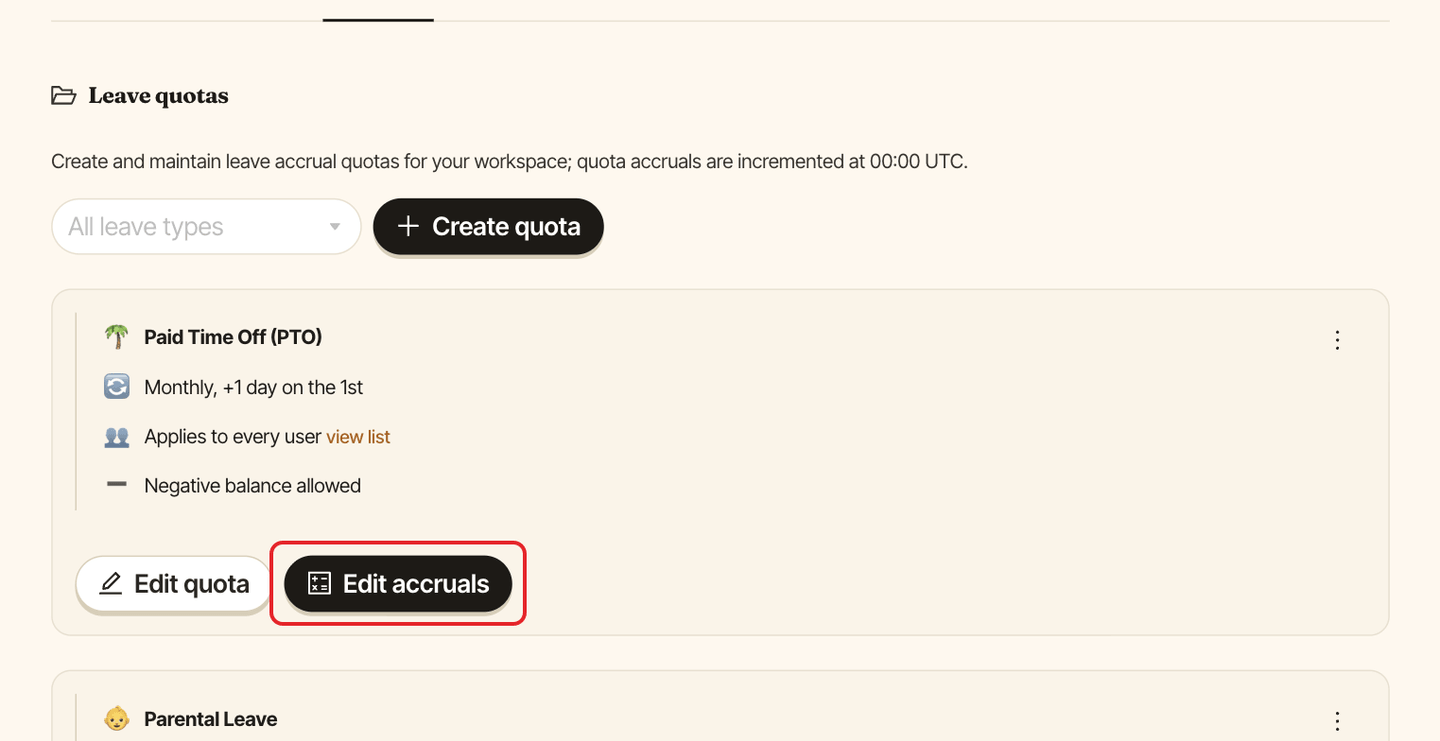
In the web dashboard, switch to Admin, open the Quotas tab and click Edit accruals on the quota.
Step 2: Find the person#
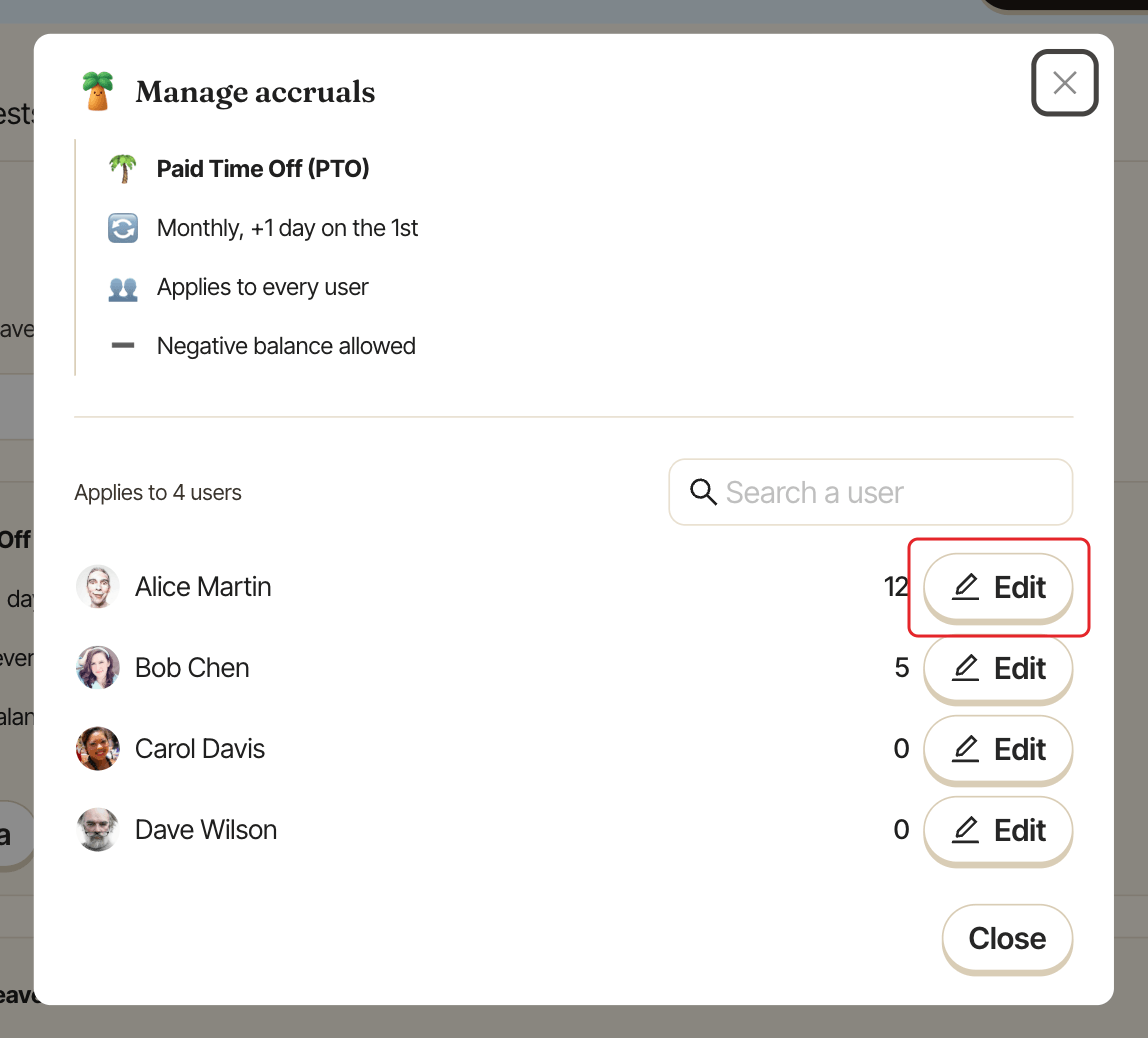
The Manage accruals window lists everyone the quota covers, with their current balance. Type a name in Search a user to find someone quickly.
Step 3: Change the balance#
Click Edit on the person's row, type the new balance and click the Save (check) icon. Half days work too, for example 2.5. You see Balance updated. Click the Cancel (cross) icon to leave it unchanged.
The value you enter becomes the new balance: it isn't added to the old one. The quota then keeps adding days on its usual schedule.