Check your time off balance in Palmy
See how many days off you have left for each leave type in Palmy, in the Home tab in Slack, in the request form or in the web dashboard.
 SlackUpdated Oct 5, 20261 min read
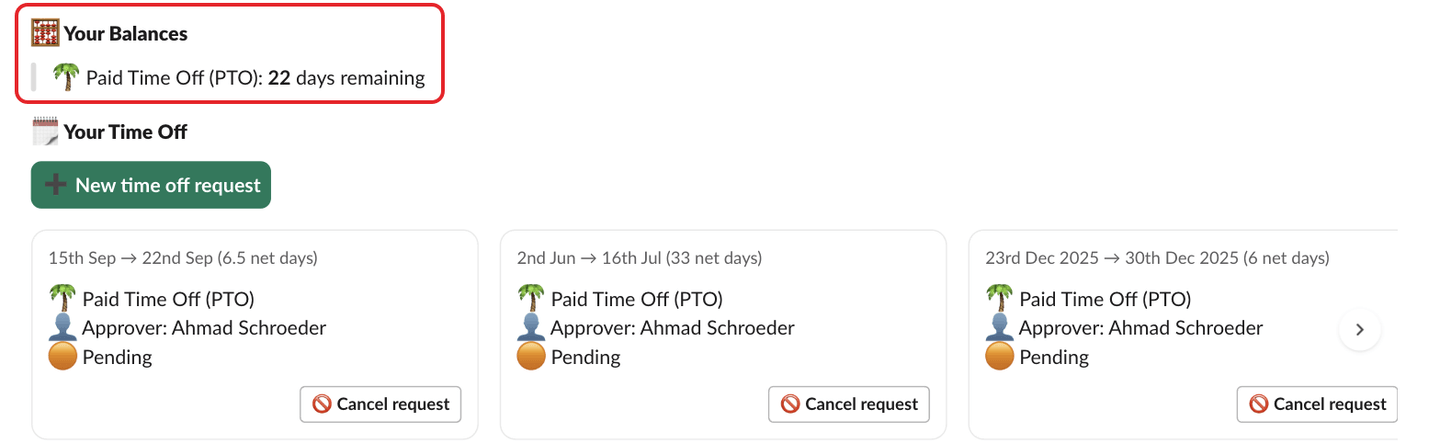
To check your balance in Palmy, the BuddiesHR time-off tracker for Slack, open Palmy's Home tab: 🧮 Your Balances lists the days you have left for each leave type, for example 🌴 Paid Time Off (PTO): 12 days remaining.
Other places to see your balance#
- In the request form: when you pick a leave type that has a quota, the form shows
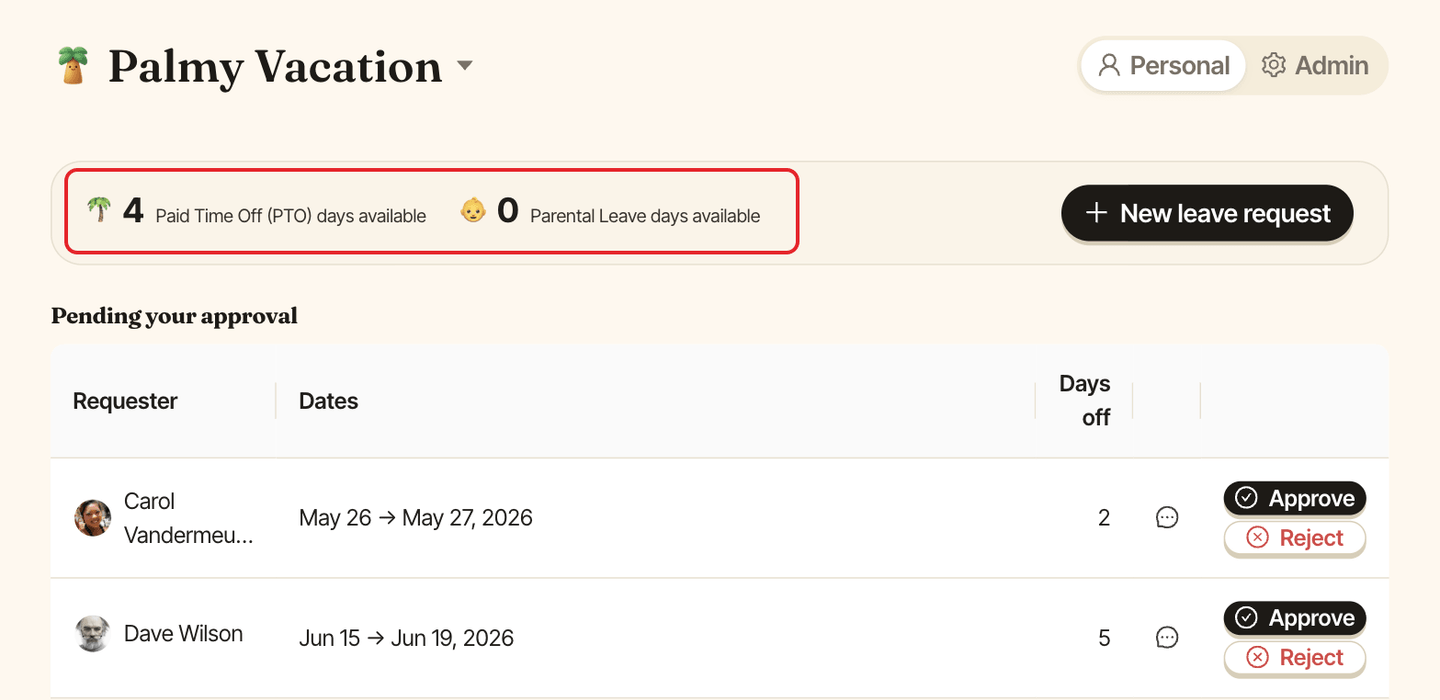
⏳ Remaining « … » accrual: N days. - In the web dashboard: in
Personalmode, the strip at the top shows<leave type> days availablefor each leave type.
Why a leave type has no balance#
Only leave types with a quota have a balance. A leave type without a quota is unlimited, so it isn't listed.
How your balance changes#
- It goes up when your quota adds days, for example on the 1st of every month.
- It goes down when a request is approved, not when you submit it.
- It goes back up when an approved request is canceled.
A balance can be negative if your admin allows it on the quota. If your balance looks wrong, ask a Palmy admin to adjust it.