Post who's on leave in a Slack channel daily with Palmy
Palmy can post the list of people on approved leave in a Slack channel every day at the hour you pick. Admins turn it on in the web dashboard.
 SlackUpdated Oct 5, 20262 min read
Palmy, the BuddiesHR time-off tracker for Slack, can post 🌴 People on leave today in a Slack channel every day at the hour you choose, with one line per person on approved leave. Admins turn it on from Admin › Settings › Edit settings › Daily announcements in the web dashboard.
Step 1: Open the settings#
In the web dashboard, switch to Admin, open the Settings tab and click Edit settings.
Step 2: Pick the channel#
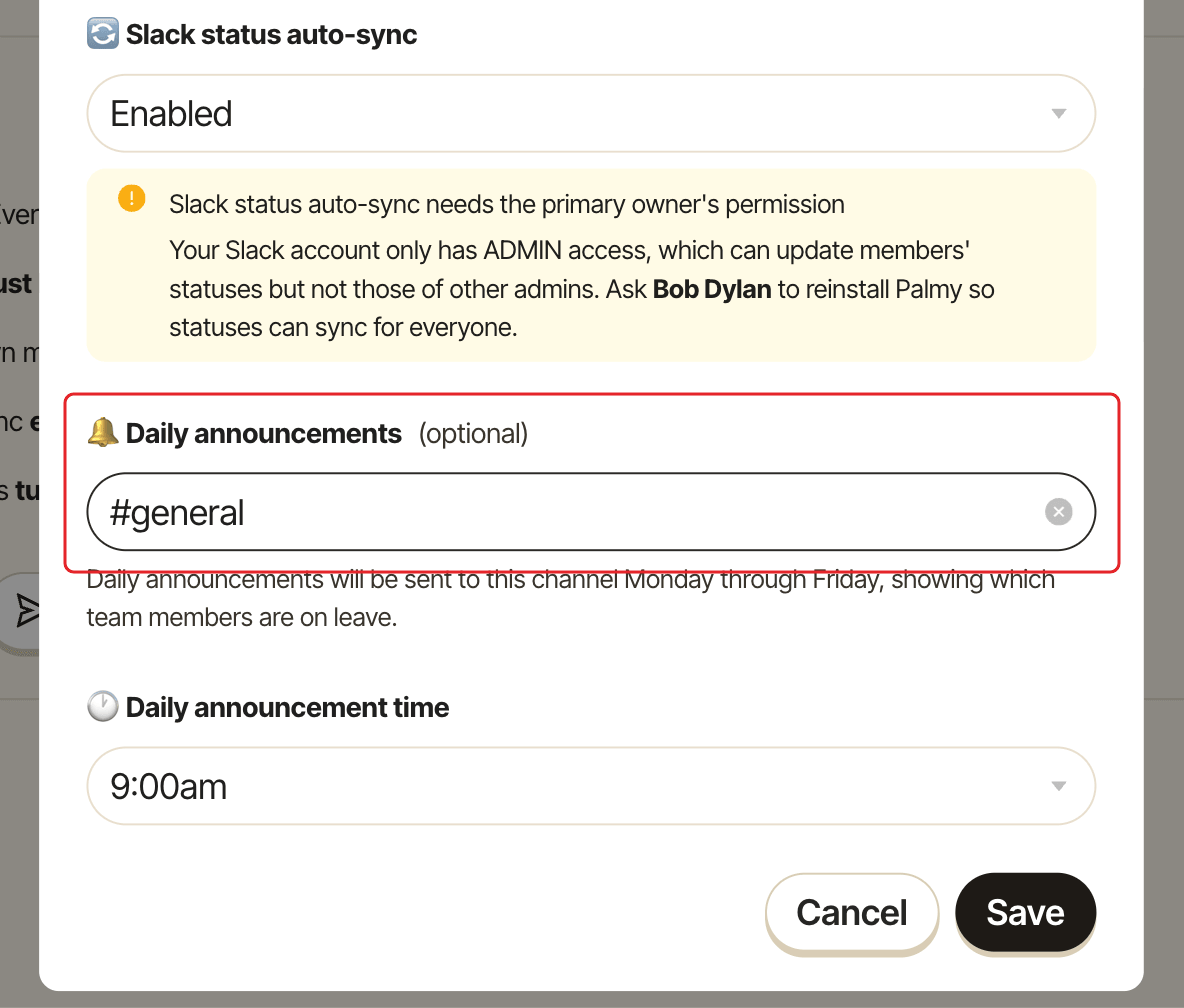
Under Daily announcements, choose a channel in Pick a channel (leave empty to turn off). Palmy can post in any public channel. For a private channel, invite Palmy to it first.
Step 3: Pick the time#
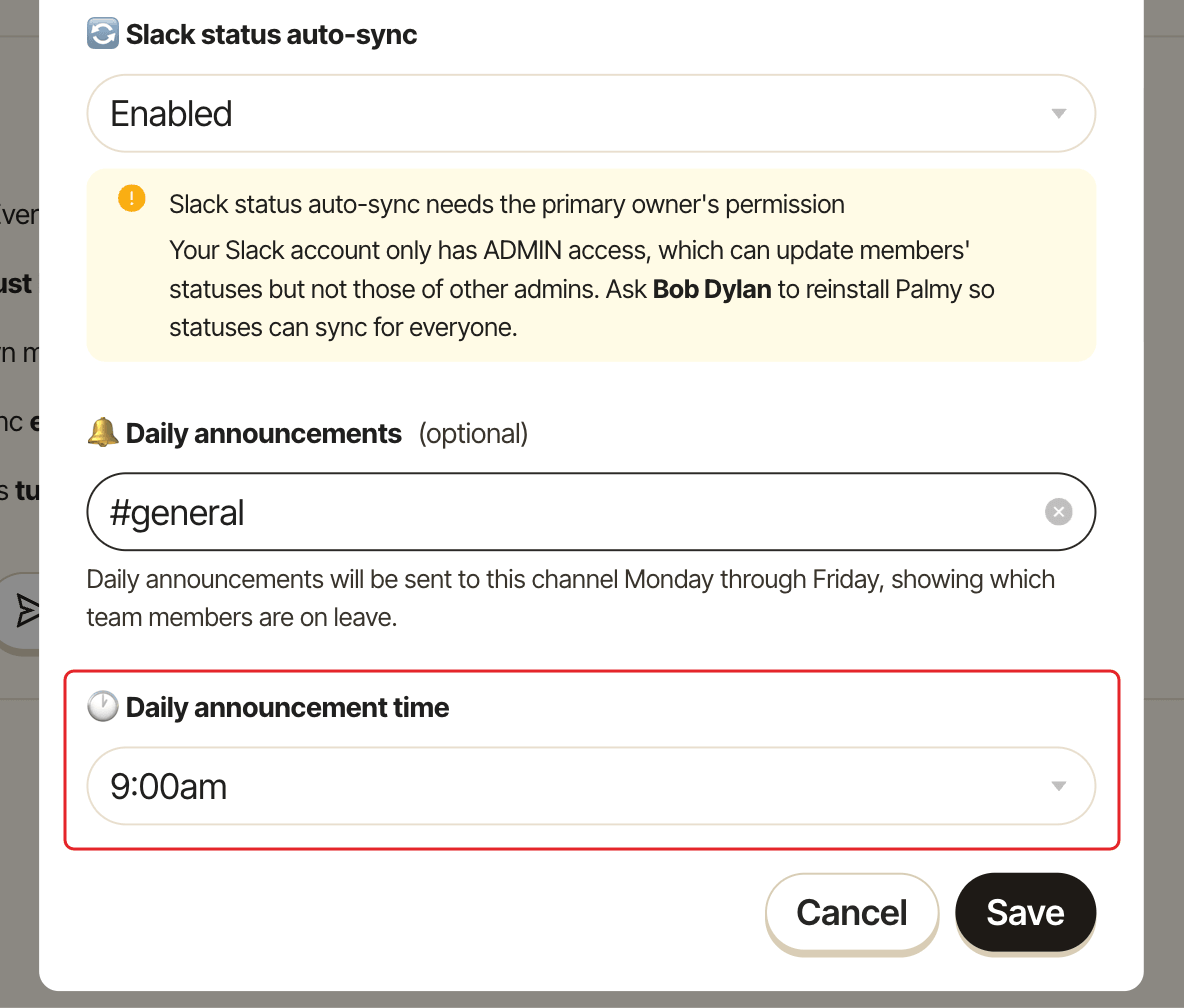
In Daily announcement time, choose the hour, from 6:00am to 11:00pm. The default is 9:00am. The time follows the time zone of your own profile, the admin who saves the setting (UTC if Palmy doesn't know it).
Step 4: Save#
Click Save. The General settings section shows Daily announcements turned on.
What the announcement looks like#
Each line mentions the person and shows their leave type and dates, for example 🌴 Paid Time Off (PTO) from 2026-06-01 to 2026-06-05. Palmy posts in a way that doesn't send the people listed a notification while they're off.
Good to know#
- Only approved leave is listed. Pending requests aren't.
- Only people who can use Palmy are listed.
- If nobody is on leave, Palmy posts nothing that day.
- The announcement is posted in Slack only; there's no email version.
- If Slack doesn't let Palmy post in the channel, for example an announcement-only channel, Palmy sends its admins a DM so you can allow it or pick another channel.
- To turn it off, clear the channel and click
Save.
You can also pick the channel and the time during the first setup.