Fill in a performance review in SimplePerf
Find the SimplePerf reviews you have to write, answer the questions with automatic saving, and submit each review before the cycle deadline.
When a SimplePerf review cycle starts, you get an email (and a Slack message if your company uses SimplePerf in Slack) listing the reviews you have to write. Each review opens in SimplePerf on the web, saves as you type, and is final once you submit it.
Step 1: Open your reviews#
Any of these works:
- click
👉 Get Startedin the email, or👉 Complete Your Reviewsin a reminder, - in Slack, open SimplePerf's
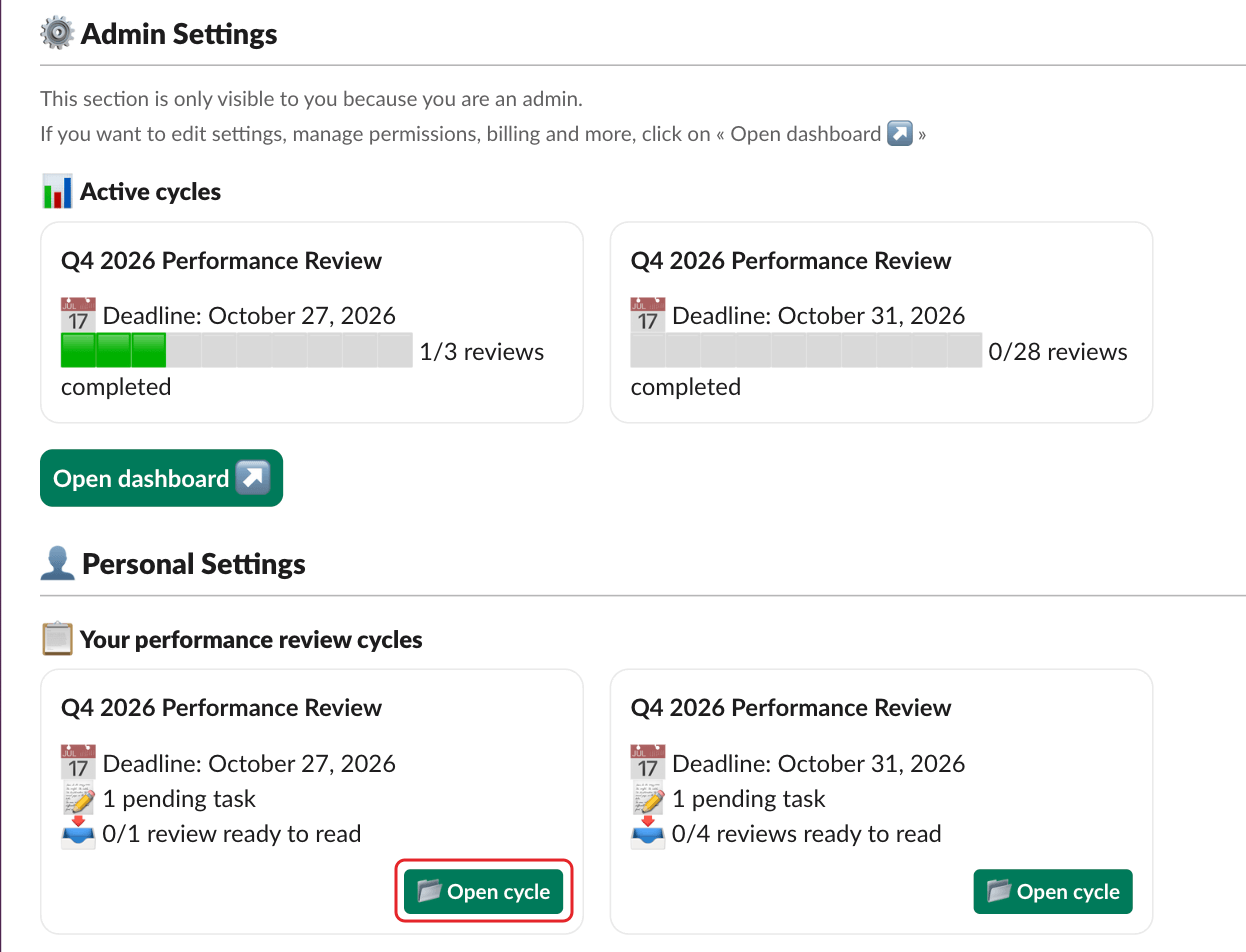
Hometab and clickOpen cycle, - or go to
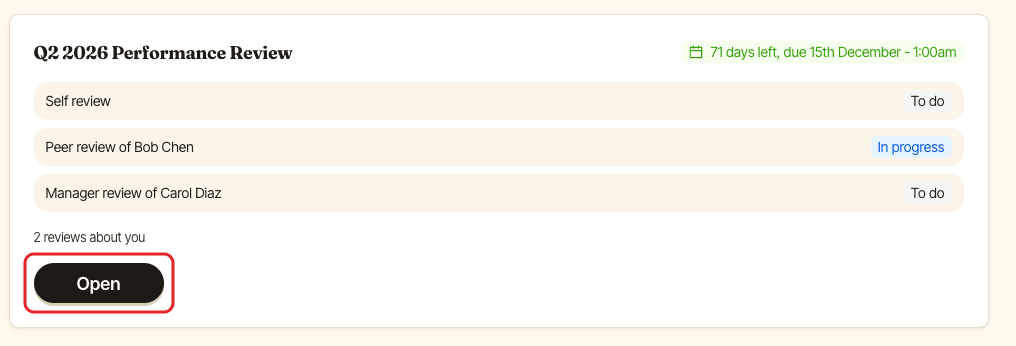
dashboard.buddieshr.com, open SimplePerf and clickOpenon the cycle.
Step 2: Pick a review in your to-do list#
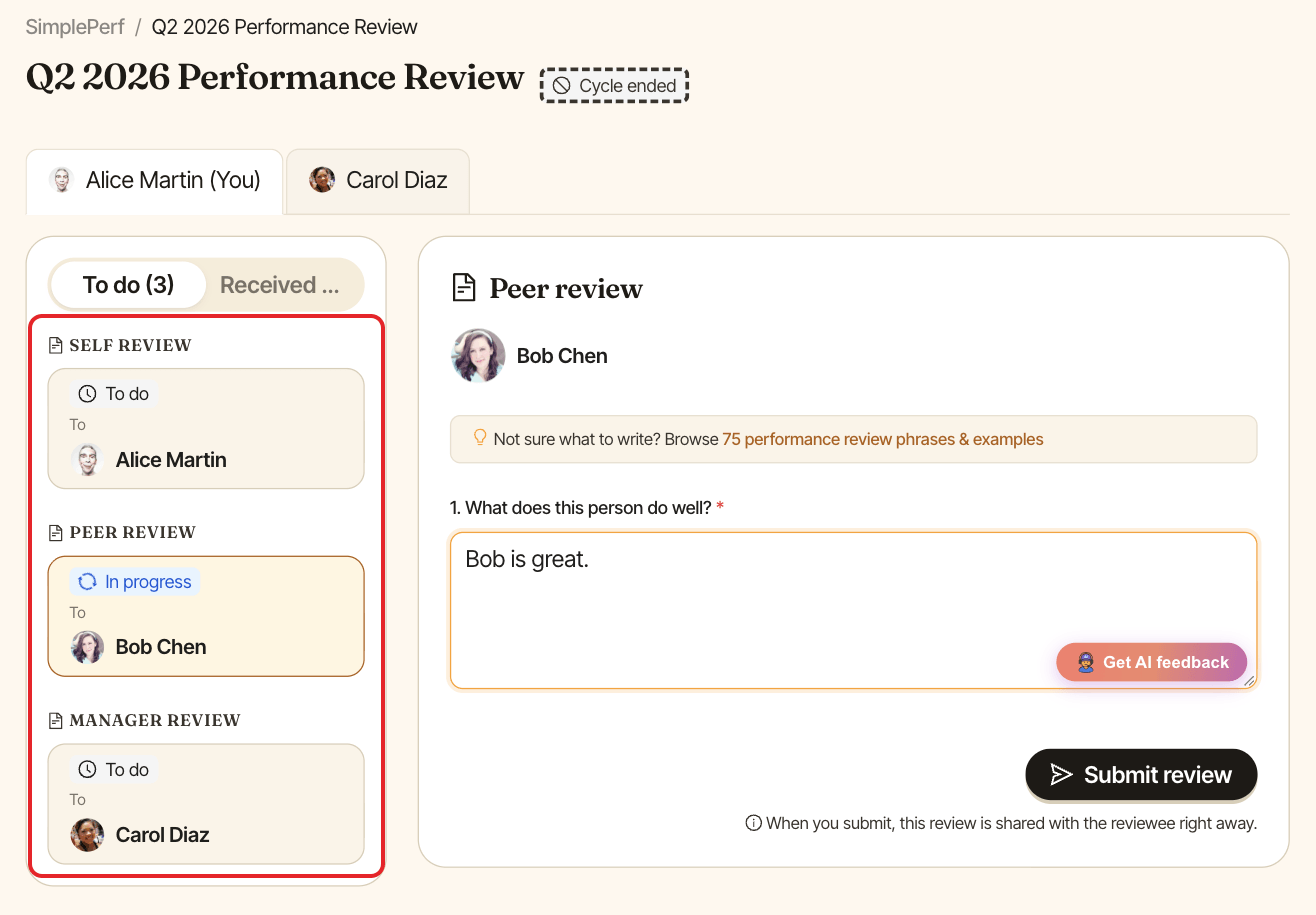
The To do tab lists every review you have to write, grouped by type: your self review and the reviews about other people. Click one to open it. SimplePerf opens the review you started last, or the next one to do.
Step 3: Answer the questions#
Answer each question. Questions marked with * are required, and some ask for a comment (Add a comment (required)). Rating questions show a numbered scale with a label under each step.
Your answers save automatically as you type ("Saving…" appears), so you can stop and come back later.
Not sure what to write? Forms with written answers link to 75 performance review phrases & examples.
Step 4: Submit#
Click Submit review. If a required answer or comment is missing, SimplePerf shows "This question is required." under it. The note under the button tells you who sees the review:
- "When you submit, this review is shared with the reviewee right away.", or
- "When you submit, this review stays on hold until a manager releases it."
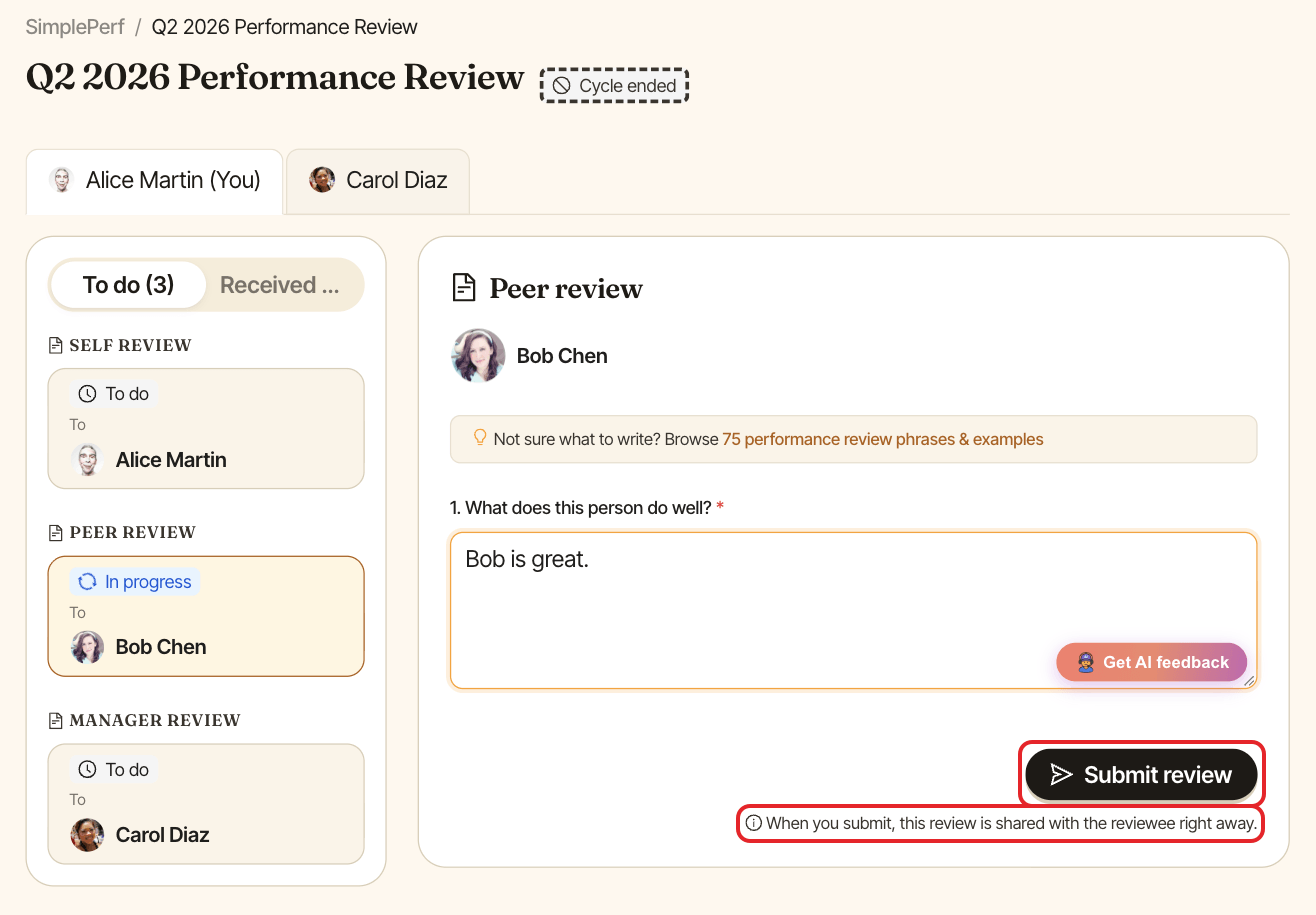
A submitted review can't be edited. You'll find it in the same list, marked "You submitted this review.".
If your review is marked (*)#
In some cycles, managers are asked to write their review after everyone else. In the emails and Slack messages, those manager reviews are marked with (*). You can start yours and it saves as a draft. You'll get a "Time to write your review of" message once all the other reviews about that person are in: submit yours then. See review your team as a manager.