Set up performance review reminders
Choose when SimplePerf reminds reviewers who still have reviews to write, by email or in Slack, and which other messages it sends during a cycle.
SimplePerf automatically reminds people who still have reviews to write in a cycle, by email or in Slack, so you don't have to chase anyone.
The default#
Every new cycle sends email reminders at three moments: halfway through the cycle, at three quarters, and one day before the deadline. Each reminder lists the reviews the person still has to write, with a 👉 Complete Your Reviews button. People who have finished get nothing.
Reminders go out one hour after the time of day the cycle started. Halfway and three-quarter reminders that would land on a weekend move to the nearest weekday.
Change the reminders#
- Open the cycle and go to its
Settingstab. - Under
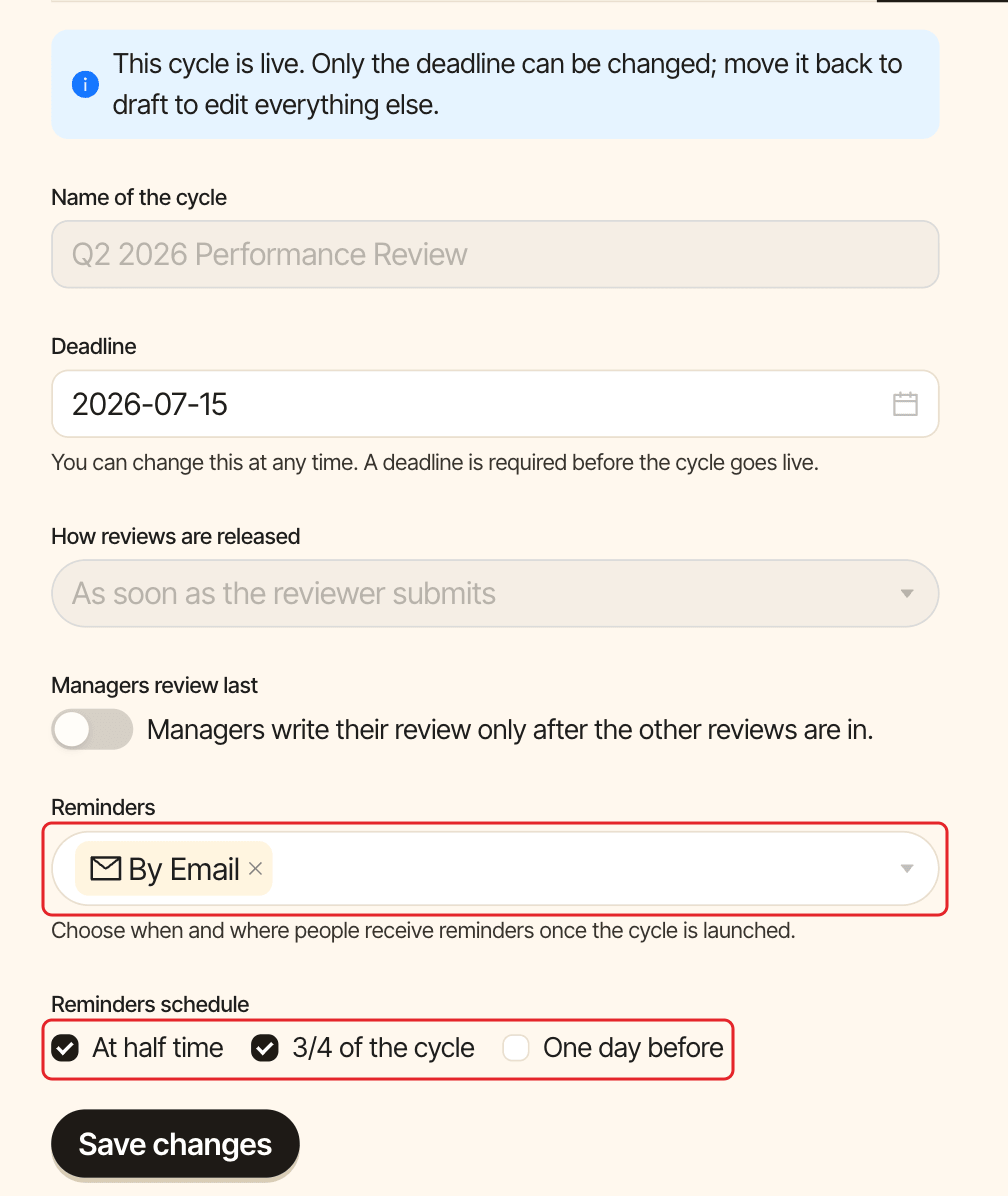
Reminders, choose the channels:By Email,Slackor both.Slackis available once Slack is connected.MS Teamsis coming soon. - Under
Reminders schedule, checkAt half time,3/4 of the cycleand/orOne day before. - Click
Save changes.
You can change reminders while the cycle is live.
Reminder times are calculated in your company's timezone. See set your timezone.
Other messages SimplePerf sends#
- When the cycle starts: each reviewer gets their list of reviews and the deadline.
- When someone receives a review: the person reviewed gets a "You received a new review" message as soon as a peer, upward or manager review is visible to them.
- When managers review last: managers get a "Time to write your review of" message once all the other reviews about their report are in.