Launch or schedule a performance review cycle
Send a SimplePerf review cycle now or schedule it for later, set its deadline, and see the email or Slack message each reviewer receives.
A SimplePerf review cycle goes live when you send it: every reviewer gets their list of reviews to write and the deadline. You can send it right away or schedule it for a later date and time.
Step 1: Open the send window#
Two ways:
- at the end of the cycle builder, click
Create & launch, or - for a draft, open the cycle and click
Send.

Send stays disabled until the cycle has participants and at least one form.
Step 2: Choose when it starts#
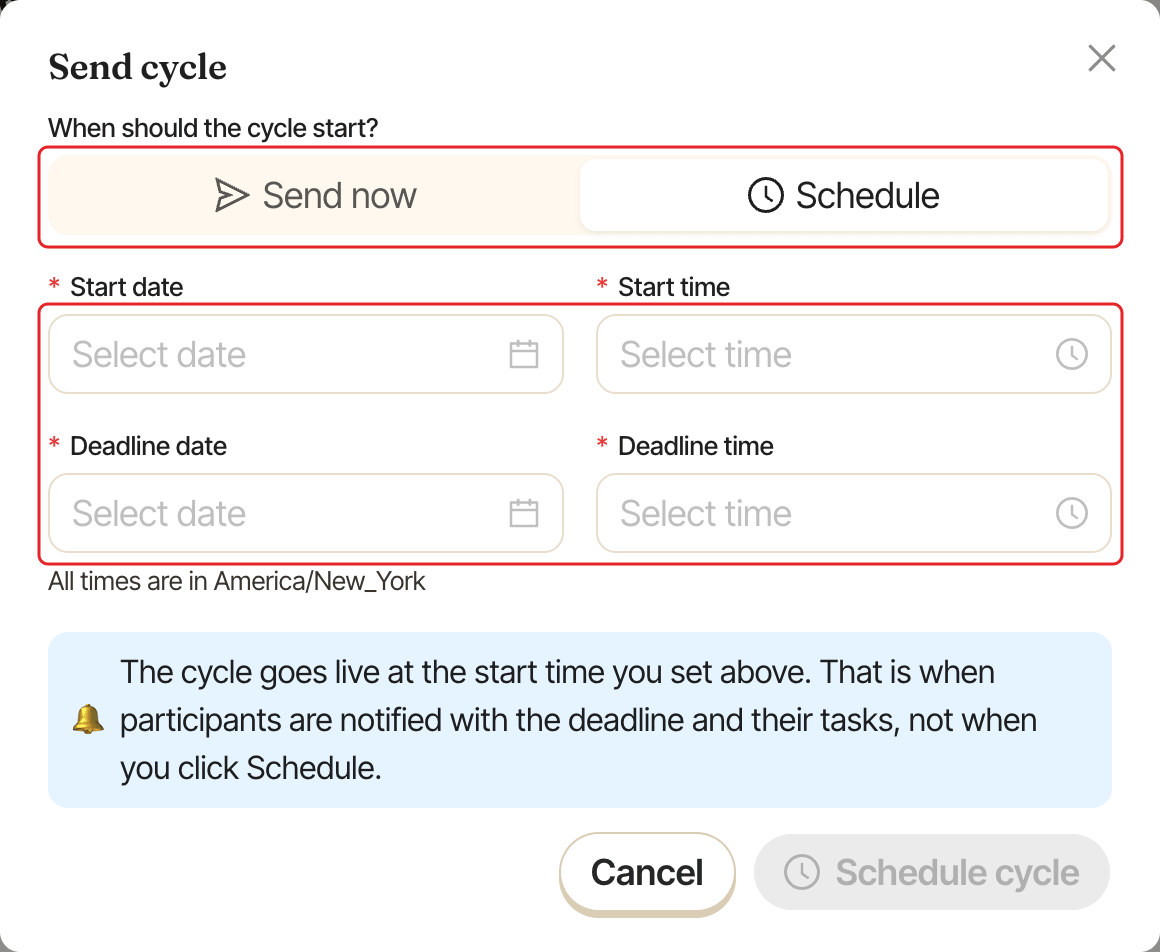
In the Send cycle window, under When should the cycle start?:
Send now: the cycle starts right away.Schedule: pick aStart dateandStart time. The cycle goes live automatically at that time, and that's when reviewers are notified.
Step 3: Set the deadline#
Pick the Deadline date and Deadline time. All times are in your company's timezone, shown under the fields. When scheduling, the start must be in the future and before the deadline.
Step 4: Send#
Click Send now (or Schedule cycle). A scheduled cycle shows "Starts" with its date and appears under Scheduled in your cycles list. To change its timing, open it and click Edit schedule.
What participants receive#
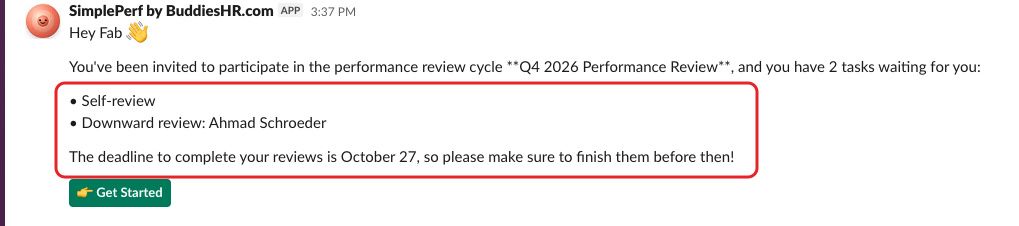
When the cycle starts, each reviewer receives an email (and a Slack message if Slack is connected) titled Your reviews are waiting in "<cycle name>". It lists their reviews and the deadline, with a 👉 Get Started button. It can take a few minutes to reach everyone.
Reminders then go out automatically. See set up reminders.