Change the deadline, stop or reopen a review cycle
Extend a live SimplePerf review cycle, reopen a finished one, stop it early, or put it back as a draft to change its questions and settings.
Once a SimplePerf review cycle is live, admins can still change its deadline, stop it early, reopen it after it ends, or put it back as a draft to edit it.
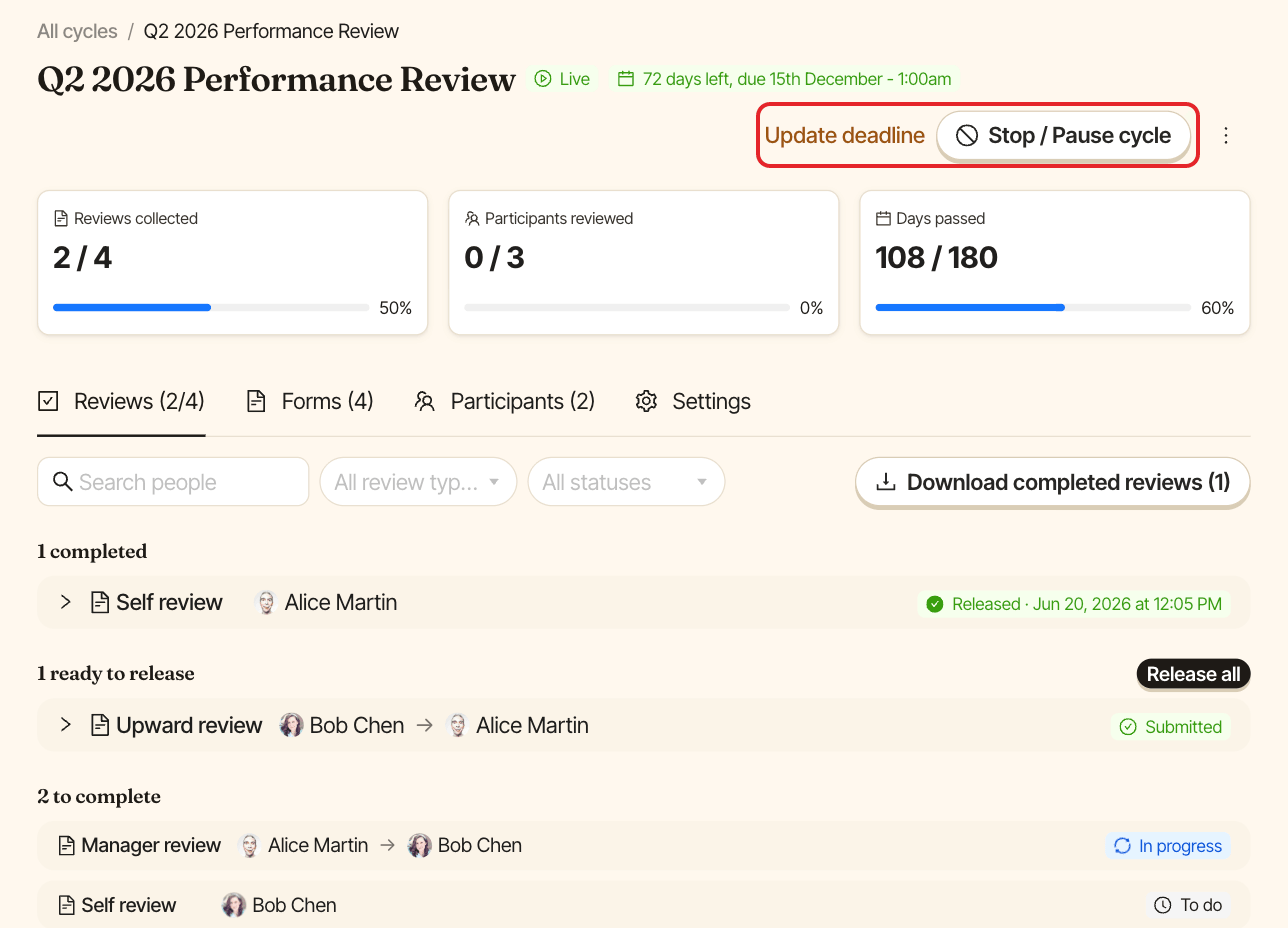
Change the deadline#
Open the cycle and click Update deadline, pick the new date and time, then click Save deadline. Participants see the new deadline on their reviews, and reminders are recalculated from it.
Reopen a finished cycle#
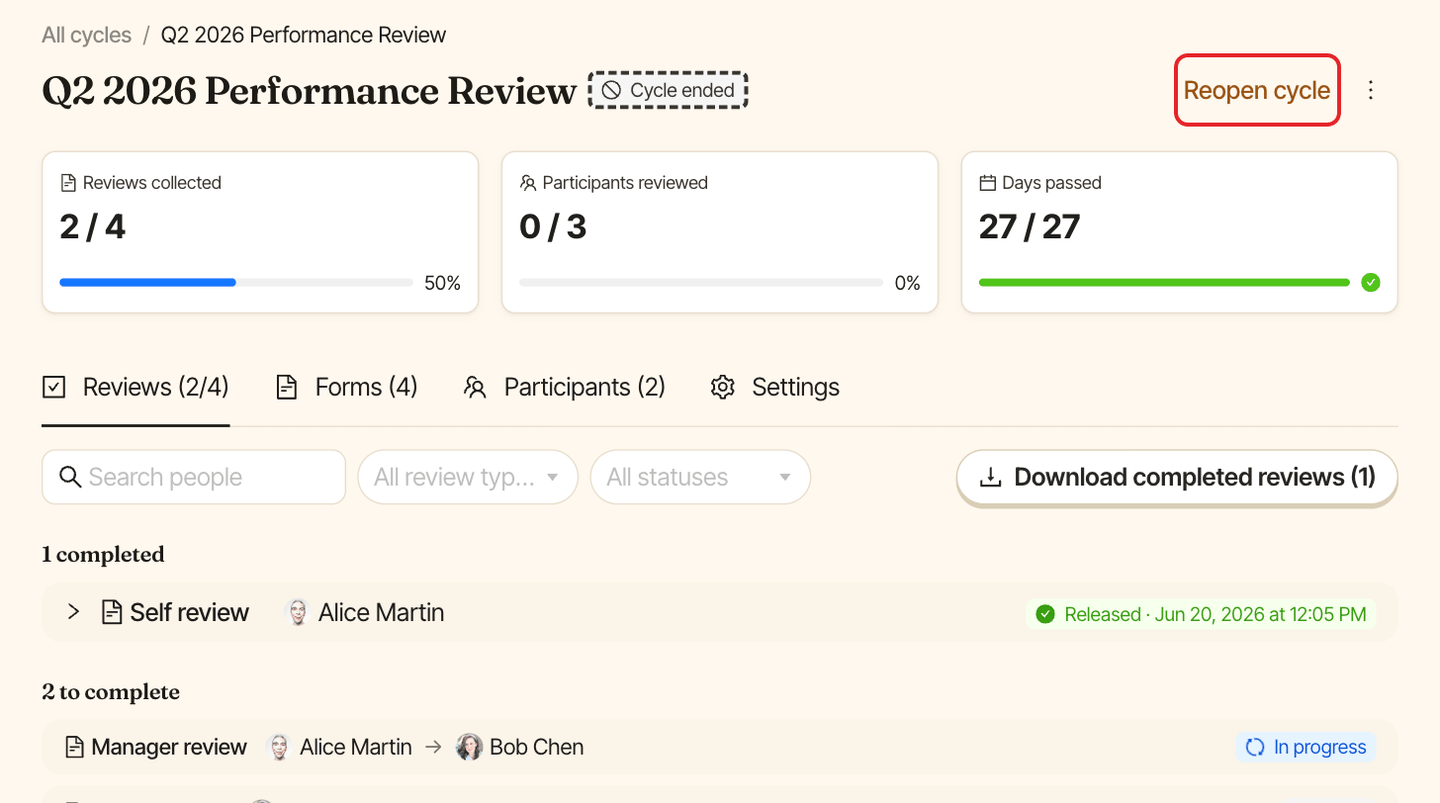
Once the deadline has passed, the cycle shows "Cycle ended" and moves to Done. Click Reopen cycle, pick a new deadline (SimplePerf suggests one week later at 5:00 PM), then click Reopen cycle in the window. The cycle is live again until the new deadline.
Stop a cycle early#
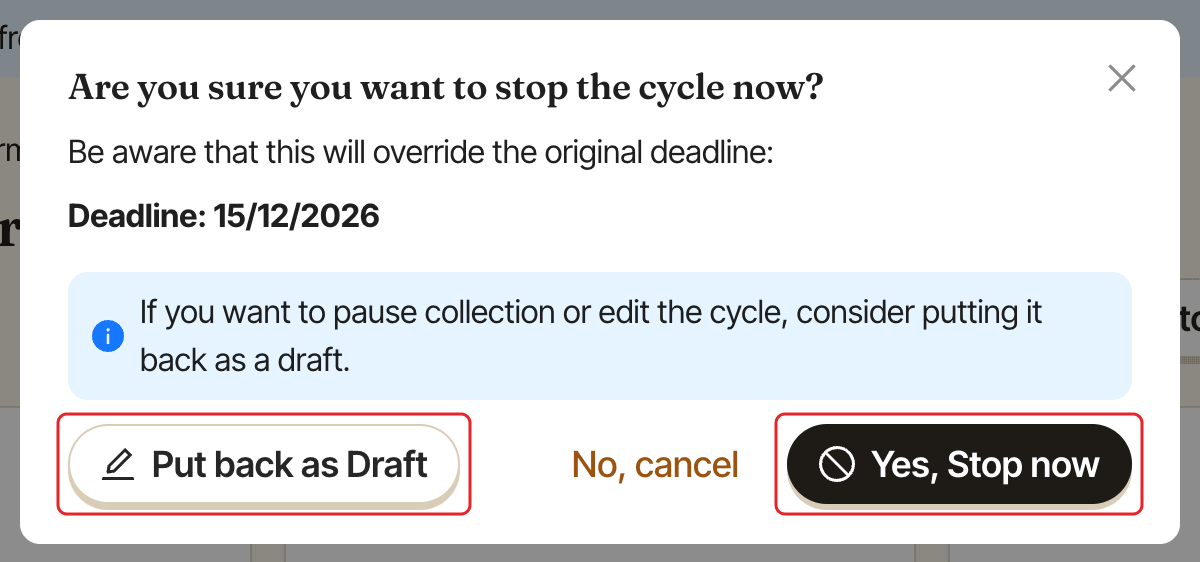
Open the live cycle and click Stop / Pause cycle. SimplePerf asks: "Are you sure you want to stop the cycle now?". Click Yes, Stop now to end it immediately: the deadline is set to now, so the cycle shows "Cycle ended" and no more reminders go out. You can reopen it later.
Put a cycle back as a draft#
To pause collection or make bigger changes, choose Put back as Draft in the same window. While the cycle is a draft, participants can't open it. When you send the cycle again, only people who weren't notified before receive a notification.
What you can edit while a cycle is live#
- Participants and reviewers: in the
Participantstab. New reviewers are notified. - Deadline and reminders: in the
Settingstab.
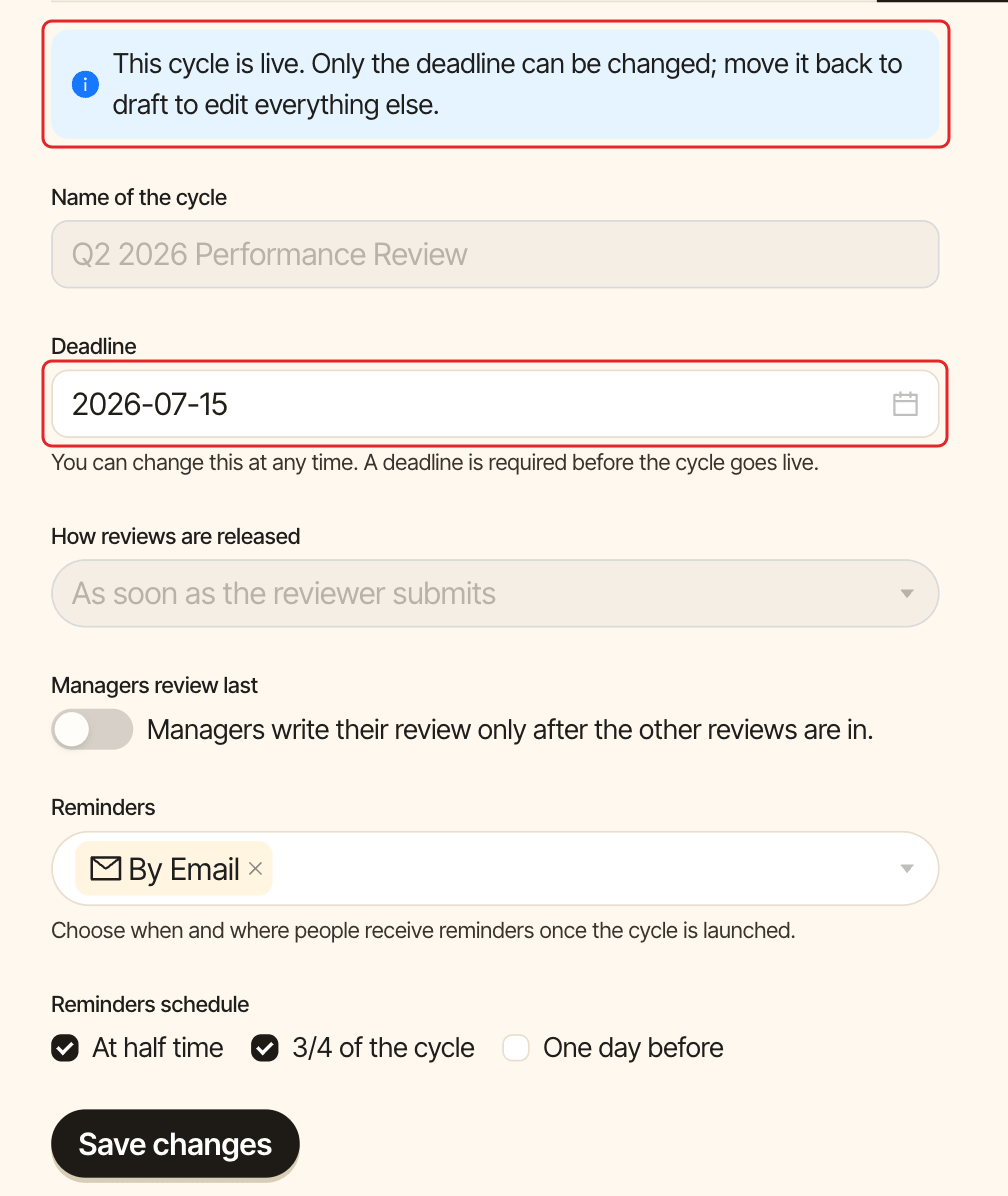
Everything else (the name, the questions, how reviews are released and whether managers review last) is locked once the cycle is live. The Settings tab says so: "This cycle is live. Only the deadline can be changed; move it back to draft to edit everything else." To change them, put the cycle back as a draft, edit it, then send it again.